How to Reset Any Smartwatch: Apple, Samsung, Garmin, Fitbit

By Suraj Giri, Founder & Publisher. Reviewed by Suraj Giri on .
Published · 10 min read
How this page was made
- Sources. Checked against 24 official pages from Apple, Samsung, Google, Garmin and Oura, most recently on . See the sources.
- No device testing. We don't test fixes on physical devices, so nothing on this page is a hands-on result. A fact counts as verified only when it matches an official source page.
- AI use. As with every page on Gadget247News, AI tools helped research, outline, draft and edit this page, and re-read the official pages to flag facts that didn't match. The illustration at the top was generated with Runway and is labelled under the image.
- Human sign-off. Suraj Giri, Founder & Publisher, read this page and signed it off on . The site won't publish a page without that sign-off.
- Changes. The published and updated dates move only when the content changes, and every change gets a dated note. Spot an error or a fix that didn't work? Email info@gadget247news.com.
Read our AI use policy, editorial policy and corrections policy.
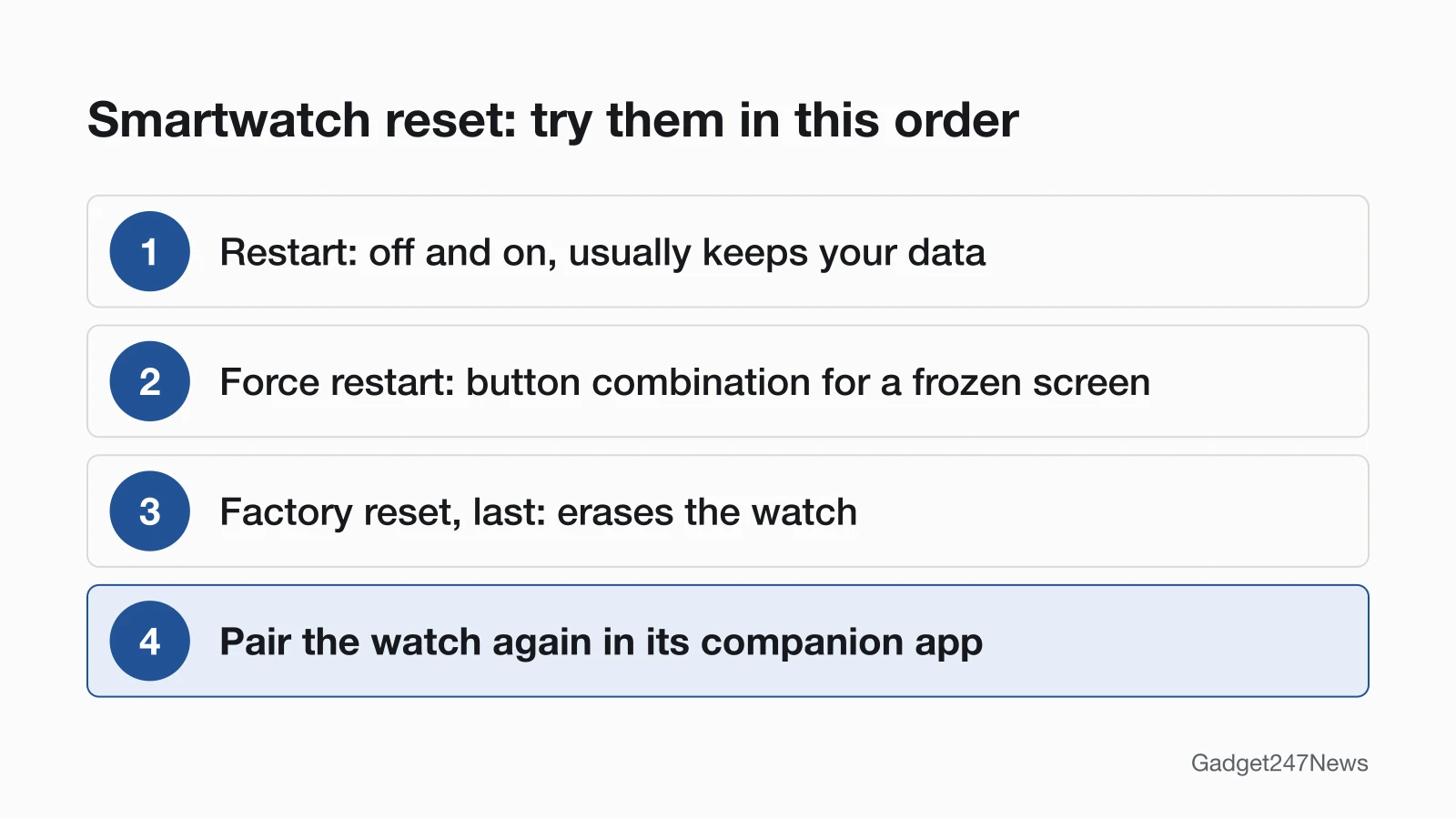
Start with a restart: it's the first fix for a frozen or glitchy watch, and it usually keeps your data. Use a force restart if the screen is frozen, and a factory reset only as the last step, because it erases the watch and you'll pair it again afterwards. Find your watch below for the exact buttons. This page is part of our smartwatch fixes, and Apple Watch owners who want every step can go to How to Restart or Factory Reset an Apple Watch.
The steps cover smartwatches, fitness trackers and smart rings: Apple Watch, Samsung Galaxy Watch, Google Pixel Watch, Fitbit, Garmin and Oura Ring. Apple Watch comes first, and its plain off-and-on restart has its own page: How to Turn Off and Restart an Apple Watch.
Find Your Watch's Reset Steps
The table gives each brand's restart or force restart in one line, where its factory reset lives, and the page with the full steps.
| Watch | Restart or force restart | Factory reset (where) | Full steps |
|---|---|---|---|
| Apple Watch | Force restart: side button and Digital Crown for at least 10 seconds | On the watch: Settings › General › Reset, or unpair it from the iPhone | How to Restart or Factory Reset an Apple Watch |
| Samsung Galaxy Watch | Hold the Power key until "Rebooting..." displays; force reboot: hold the Home (Power) and Back keys until "Rebooting..." displays (up to 30 seconds on some models) | Galaxy Wearable app › Watch settings › General › Reset | How to Restart or Factory Reset a Galaxy Watch |
| Google Pixel Watch | Hold the crown 3 seconds, tap Restart; hard reset: hold the crown and side button about 35 seconds until the "G" logo appears | Pixel Watch app › System › Reset and unpair watch | How to Restart or Factory Reset a Pixel Watch |
| Fitbit | Restart your Fitbit from Settings › Restart Device, or hold the button for 10 seconds on a Sense or Versa watch. Restarting keeps activity data | Settings › Device Info › Clear User Data (Charge 5, Charge 6, Inspire 3, Luxe) or Settings › About › Factory Reset (Sense, Versa) | How to Restart or Factory Reset a Fitbit |
| Garmin | Restart first: hold the power button until the watch turns off (up to 30 seconds), then press it again to turn it back on. | On the watch: System › Reset (fēnix 8: Watch Settings › System › Restore & Reset › Reset) › Delete Data and Reset Settings; the menu button varies by model | How to Restart or Factory Reset a Garmin Watch |
| Oura Ring | Try a soft reset first: in the Oura app, open My Devices, select your ring and tap Soft reset. | Oura app › My Devices › Factory reset | How to Restart or Factory Reset an Oura Ring |
| Apple Watch frozen or won't turn off | Take it off the charger, then hold the side button, tap the Power button and drag Power Off; if frozen, force restart. | Not needed | Apple Watch Won't Turn Off |
| Won't turn on after a reset attempt | Charge first. Apple Watch: Charge your Apple Watch for up to 30 minutes, then hold the side button and Digital Crown for at least 10 seconds. Garmin: Connect the watch to a wall outlet or computer and hold the power button for a full 60 seconds. Fitbit: Charge your Fitbit from a wall outlet for a full hour, then restart it while it's still on the charger. Pixel Watch: Leave the watch on its own Google charger for 10 more minutes, then look for the lightning bolt. Samsung Galaxy Watch: Put the watch on its Samsung charger for at least 1 hour, then press the Home (Power) key to turn it on. | Not needed | Apple Watch Won't Turn On · Garmin Watch Won't Turn On · Fitbit Won't Turn On · Pixel Watch Won't Turn On · Galaxy Watch Won't Turn On |
Restart vs Force Restart vs Factory Reset
A restart turns the watch off and on, a force restart does the same with a button combination when the screen won't respond, and a factory reset (also called erase) returns the watch to factory settings. People say "reset" for all three, but only the factory reset is meant to erase the watch.
| Type | What it does | Your data | Use it when |
|---|---|---|---|
| Restart | Turns the watch off, then on again | Usually kept. Fitbit restarts without losing activity data; a Garmin restart may lose recent steps or the current time, and the Forerunner 265 manual says it may erase data or settings | The watch is glitchy but still responds |
| Force restart | Forces a reboot with a button combination (Oura Ring: a hardware reset, tapping the corded charger firmly on a table with the ring on it) | Fitbit says its button restarts keep fitness data; Apple, Google, Samsung and Oura don't say | The screen is frozen or stuck |
| Factory reset (erase) | Returns the watch to factory settings | Erased from the watch; backups vary by brand | A last resort, or before you sell or give the watch away |
Backups differ by brand. An Apple Watch backs up to the iPhone when you unpair it, Samsung tells you to back up your data before a reset, and Oura keeps whatever already synced to your Oura account.
Which Reset Do You Need?
Pick the reset that matches how the watch behaves:
- Glitchy but responsive: restart it.
- Frozen screen: force restart it.
- Still broken after both, or you're handing it on: factory reset it, as the last step.
An Apple Watch that refuses to switch off at all has its own fixes in Apple Watch Won't Turn Off.
How to Reset an Apple Watch
To reset an Apple Watch, restart it first, force restart it if the screen is frozen, and erase it only as the last step. For a force restart, hold the side button and the Digital Crown at the same time for at least 10 seconds, until the Apple logo appears. Apple says you can't restart the watch while it's charging. To erase it, unpair it in the Apple Watch app on your iPhone: that erases the watch and removes Activation Lock. Erasing it on the watch (Settings › General › Reset › Erase All Content and Settings) leaves Activation Lock on. A forgotten passcode or someone else's Apple Account needs How to Reset an Apple Watch Without the Passcode or How to Remove Activation Lock From an Apple Watch.
How to Reset a Samsung Galaxy Watch
To reset a Samsung Galaxy Watch, reboot it first: press and hold the Power key until "Rebooting..." displays. If it's frozen, force a reboot by holding the Home (Power) key and the Back key together until "Rebooting..." displays, which Samsung says can take up to 30 seconds on some models. A factory reset runs from the Galaxy Wearable app (Watch settings › General › Reset) or on the watch (Settings › General › Reset). Samsung says to back up your data first, because all personal data is removed and the watch goes back to its default settings. An LTE watch with active service may need your carrier to reactivate it afterwards. Model differences, such as on a Galaxy Watch4 or Watch5, are in How to Restart or Factory Reset a Galaxy Watch.
How to Reset a Pixel Watch or Fitbit
To reset a Google Pixel Watch, press and hold the crown for 3 seconds, then scroll down and tap Restart. If the screen stays unresponsive, hard reset it: hold the crown and the side button for about 35 seconds, or longer, until the "G" logo appears. A factory reset runs from the Google Pixel Watch app (System › Reset and unpair watch) and erases all your apps, settings and data.
Fitbit restarts differ by model. Some use Settings › Restart Device, and Sense and Versa watches use a 10-second button hold. An unresponsive Charge 5, Charge 6 or Luxe restarts with the small button on the flat end of the charging cable. A restart keeps your activity data, and Google warns against pushing paper clips into the device's holes. Fitbit's companion app is now the Google Health app (formerly the Fitbit app). How to Restart or Factory Reset a Pixel Watch and How to Restart or Factory Reset a Fitbit carry the model steps.
How to Reset a Garmin Watch or Oura Ring
To reset a Garmin watch, restart it first: hold the power button until the watch turns off (up to 30 seconds), then press it again to turn it back on. Garmin notes this can cost recent steps or the current time. For a factory reset, sync the watch with the Garmin Connect app, then open System › Reset (fēnix 8: Watch Settings › System › Restore & Reset › Reset) and choose Delete Data and Reset Settings, which deletes all user-entered information and activity history. The button that opens the menu varies by model.
An Oura Ring resets from the Oura App: try Soft reset under My Devices first. Its factory reset, also under My Devices, erases data stored on the ring but not data synced to your Oura account, and you pair the ring again afterwards. How to Restart or Factory Reset a Garmin Watch and How to Restart or Factory Reset an Oura Ring have the full steps.
Locked Out? Passcode and Activation Lock
A forgotten Apple Watch passcode means erasing the watch on its charger and setting it up again, and that erase does not remove Activation Lock. Turning the lock off takes the Apple Account and password tied to the watch; the two Apple pages linked above cover both cases. For a Pixel Watch, Google lists a forgotten PIN or passcode among the problems a factory reset fixes.
Before You Factory Reset
Three checks keep a factory reset from costing you data or access:
- Sync and back up: Samsung and Oura both say to back up first, Garmin says to sync with the Garmin Connect app, and an Apple Watch backs up to the iPhone when you unpair it.
- Decide on the cellular plan: Apple asks whether to keep or remove it, and a Samsung LTE watch may need your carrier to reactivate service.
- Know your account details: Apple needs your Apple Account password to turn off Activation Lock, and a Pixel Watch asks for your latest PIN or Google Account login when you pair it again.
After the Reset
Three jobs follow a factory reset: pairing the watch again, fixing the time and ruling out an update as the cause.
Pair and Restore After a Reset
Every factory reset ends with pairing the watch again in its companion app, then restoring a backup where the brand offers one. An Apple Watch offers Restore from Backup during setup, Google says to reconnect a Pixel Watch to the phone after its factory reset, and Oura says you'll need to pair the ring to your device again. If the watch won't show up or keeps failing, work through smartwatch won't pair before you reset it a second time.
Reset the Time on a Smartwatch
On a Fitbit, Google treats a clock that's a few minutes off as a sync problem and starts with its Bluetooth reset step; our guide on how to force a smartwatch to sync covers the other brands. If a Fitbit's time is off by an hour or more, Google says to change the time on the device, so reset the time on your Fitbit instead.
Did an Update Cause the Freeze?
A watch that froze or started rebooting right after a software update may be hitting a known issue that a reset won't fix. Check smartwatch updates on the Update Tracker before you erase anything. Apple's steps for a watch stuck on the Apple logo include checking for a software update, and Garmin says a watch that keeps rebooting needs all available updates, installed with Garmin Express.
When to Contact the Manufacturer
Contact the maker once a restart, a force restart and a factory reset have all failed, in this order:
- Try the next fix for your symptom, such as the won't-turn-on pages in the table above.
- Reset the watch, then pair it again (done, if you followed this page).
- Contact the maker's own support: Apple Support, Samsung Support, Google Pixel Watch Help, Google Health Help, Garmin Support or Oura Member Care.
- Ask about warranty or repair service for your model.
How do I hard reset my Apple Watch?
A "hard reset" on an Apple Watch usually means a force restart: hold the side button and the Digital Crown for at least 10 seconds, until the Apple logo appears. Erasing the watch is the factory reset, a separate step; How to Restart or Factory Reset an Apple Watch covers both.
How do I force my Apple Watch to reset?
Force restart a frozen Apple Watch with the side button and Digital Crown held together for at least 10 seconds. For a full reset, erase it in Settings › General › Reset › Erase All Content and Settings, or unpair it from the iPhone, as How to Restart or Factory Reset an Apple Watch explains.
How do I reset my Apple Watch to pair again?
Unpairing is the reset that prepares an Apple Watch to pair again: in the Apple Watch app, tap All Watches, the info button next to the watch, then Unpair Apple Watch. The watch is erased, Activation Lock comes off, and How to Unpair an Apple Watch From Your iPhone covers pairing it again.
How do I do a soft reset on my Apple Watch?
A soft reset is a restart: hold the side button until the sliders appear, tap the Power button, drag the Power Off slider, then hold the side button until the Apple logo appears. Take the watch off its charger first; How to Restart or Factory Reset an Apple Watch has the rest.
How do I reset an Apple Watch after too many passcode attempts?
Treat it like a forgotten passcode: put the watch on its charger, erase it, then set it up again. If Erase Data is turned on, the watch erases its own data after 10 failed passcode attempts; How to Reset an Apple Watch Without the Passcode has the steps.
Sources
We checked this page against the pages below, most recently on . How we verify fixes
- Restart Apple Watch (Apple Watch User Guide) (Apple, support.apple.com)Official
- Turn Apple Watch on or off (Apple Watch User Guide) (Apple, support.apple.com)Official
- Unpair and erase your Apple Watch (Apple, support.apple.com)Official
- If you forgot your Apple Watch passcode (Apple, support.apple.com)Official
- If you forget your Apple Watch passcode (Apple Watch User Guide) (Apple, support.apple.com)Official
- If your Apple Watch won't turn on or won't charge (Apple, support.apple.com)Official
- If your Apple Watch is stuck on the Apple logo (Apple, support.apple.com)Official
- Samsung smart watch will not hold charge or power on (Samsung, samsung.com)Official
- Perform a reset on your Samsung smart watch (Samsung, samsung.com)Official
- Fix a blank, frozen, or error message on the Google Pixel Watch screen (Google, support.google.com)Official
- Fix a Google Pixel Watch that won't charge (Google, support.google.com)Official
- Restart your Fitbit device (Google, support.google.com)Official
- How do I erase my Fitbit device? (Google, support.google.com)Official
- Why isn't my Fitbit device's battery charging? (Google, support.google.com)Official
- Why won't my Fitbit device sync? (Google, support.google.com)Official
- What is new with the redesigned Google Health app (Google, support.google.com)Official
- My Garmin Watch Freezes or Reboots (Garmin, support.garmin.com)Official
- My Garmin Wearable or Edge Device Will Not Turn On (Garmin, support.garmin.com)Official
- Forerunner 265 Series Owner's Manual: Resetting All Default Settings (Garmin, www8.garmin.com)Official
- Forerunner 265 Series Owner's Manual: Restarting the Watch (Garmin, www8.garmin.com)Official
- fēnix 8 Series Owner's Manual: Resetting All Default Settings (Garmin, www8.garmin.com)Official
- Factory Reset an Oura Product (Oura, support.ouraring.com)Official
- Troubleshooting Gaps in Heart Rate Graphs (Oura soft reset) (Oura, support.ouraring.com)Official
- Troubleshooting Connection Issues (Oura) (Oura, support.ouraring.com)Official