How to Restart or Factory Reset a Garmin Watch

By Suraj Giri, Founder & Publisher. Reviewed by Suraj Giri on .
Published · 4 min read
How this page was made
- Sources. Checked against 22 official pages from Garmin, most recently on . See the sources.
- No device testing. We don't test fixes on physical devices, so nothing on this page is a hands-on result. A fact counts as verified only when it matches an official source page.
- AI use. As with every page on Gadget247News, AI tools helped research, outline, draft and edit this page, and re-read the official pages to flag facts that didn't match. The illustration at the top was generated with Runway and is labelled under the image.
- Human sign-off. Suraj Giri, Founder & Publisher, read this page and signed it off on . The site won't publish a page without that sign-off.
- Changes. The published and updated dates move only when the content changes, and every change gets a dated note. Spot an error or a fix that didn't work? Email info@gadget247news.com.
Read our AI use policy, editorial policy and corrections policy.
To restart a Garmin watch, hold the power button until it turns off (Garmin says up to 30 seconds on a frozen watch), then press it again to turn it on. To factory reset it, sync first, then open the watch's Reset menu (System › Reset; fēnix 8: System › Restore & Reset › Reset) and choose Delete Data and Reset Settings; the button you hold to reach that menu depends on your model. Other faults are in Garmin watch problems and fixes; for other brands, see smartwatch reset steps by brand.
Restart vs Factory Reset: Which One Do You Need?
A restart (a soft reset) turns the watch off and on. A factory reset, or master reset, has two options, and only one erases your data:
| Option | How | What it does | Keeps your data? | Use it when |
|---|---|---|---|---|
| Restart | Power button | Turns the watch off and on | Not guaranteed: several manuals say it "may erase your data or settings" | The watch stops responding |
| Reset Default Settings | Reset menu on the watch | Factory default settings | Yes: keeps activity history (vívoactive 5, Venu 3 and Instinct 3 Solar reset profile data) | You want default settings back |
| Delete Data and Reset Settings | Reset menu on the watch | Factory defaults, and erases what you added | No: deletes activity history and the Garmin Pay wallet | You're passing the watch on, or nothing else worked |
How to Restart a Garmin Watch
The power button changes by family. Each row comes from that watch's owner's manual:
| Watch | Power button | Restart |
|---|---|---|
| Forerunner 265, Forerunner 55 | LIGHT | Hold 15 seconds until it turns off, then hold one second to turn it on |
| Venu 3, vívoactive 5 | Button A | Hold 15 seconds until it turns off, then hold one second to turn it on |
| fēnix 8 | Upper-left button | Hold until it turns off, then hold to turn it on |
| fēnix 7 | LIGHT | Hold until it turns off, then hold to turn it on |
| Instinct 3 Solar, Instinct 3 AMOLED | CTRL | Hold until it turns off, then hold to turn it on |
For other models, Garmin's rule is to hold the upper-left button (5-button watches) or upper-right button (2-button watches), then select Power Off.
How to Force Restart a Frozen Garmin Watch
Garmin's steps for a locked-up watch:
- Press and hold the power button until the watch powers off (up to 30 seconds).
- Release the power button.
- Press the power button again to turn the watch back on.
A fēnix 8 can also be forced to restart by plugging it into a USB-C charging port for at least 30 seconds, unplugging the cable and plugging it in again. If the screen stays black, go to Garmin watch won't turn on.
How to Factory Reset a Garmin Watch
A factory reset runs on the watch itself; the Garmin pages we read show no reset command in the Garmin Connect app, where Remove Device only unpairs the watch.
Factory Reset on the Watch
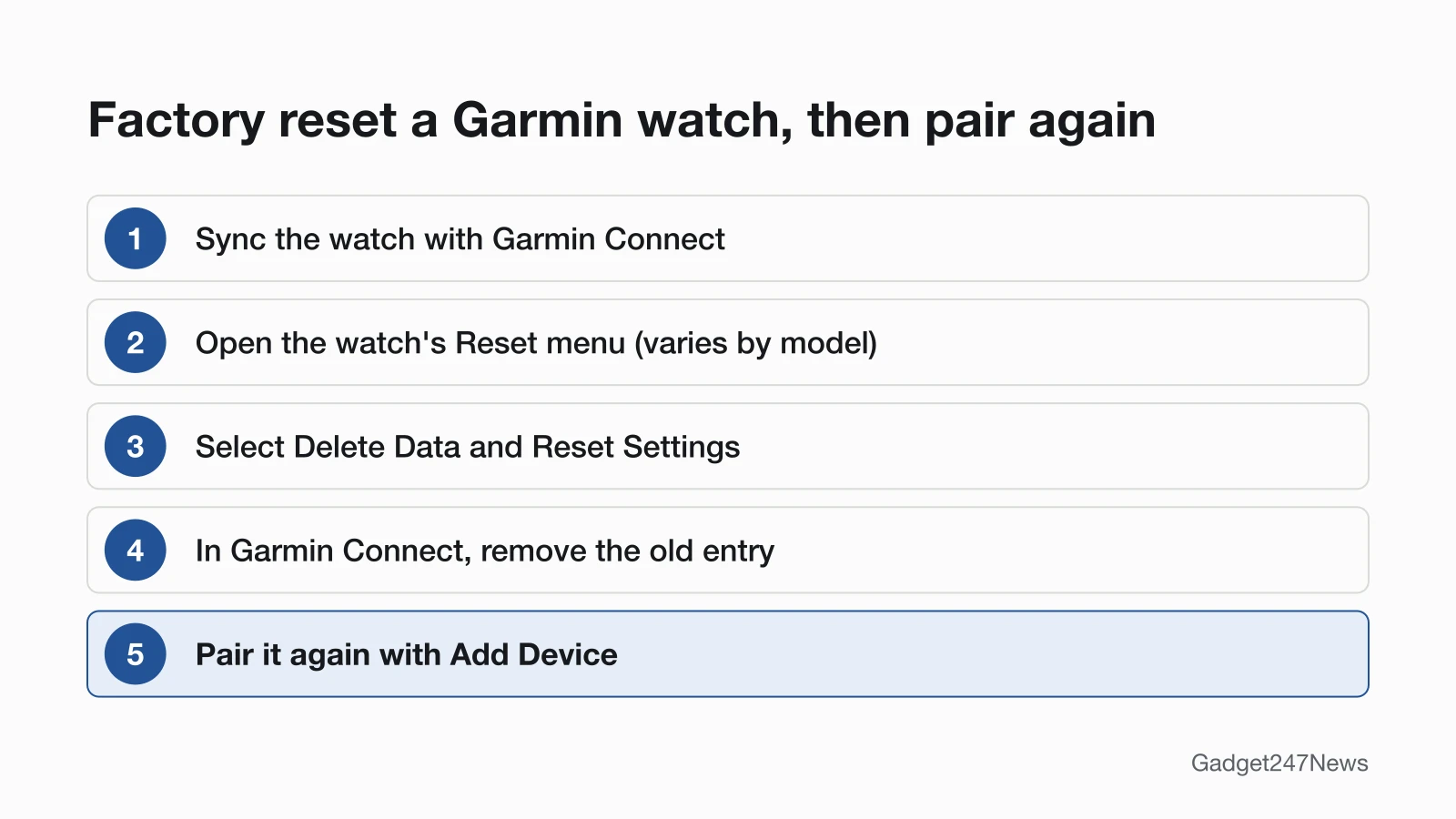
- Sync the watch with Garmin Connect so your activity data uploads.
- Open the Reset menu for your model (table below).
- Select Delete Data and Reset Settings to erase everything, or Reset Default Settings to keep your history.
Reset Menu by Model
| Watch | How to open the Reset menu |
|---|---|
| Forerunner 265 | From the watch face, hold UP › System › Reset |
| Forerunner 55 | From the watch face, hold UP › menu icon › System › Reset |
| Venu 3, vívoactive 5 | Hold Button B › Settings › System › Reset |
| fēnix 8 | From the watch face, hold the middle-left button › Watch Settings › System › Restore & Reset › Reset |
| fēnix 7 | Hold MENU › System › Reset |
| Instinct 3 Solar, Instinct 3 AMOLED | Hold MENU › System › Reset |
Extra options vary by model: the fēnix 8 adds Delete All Messages, Reset Dive Computer and Delete Temporary Files.
How to Check the Reset Worked and Pair Again
Then reconnect the watch to your phone:
- If Garmin Connect still lists the watch, remove it: More › Garmin Devices › your watch › three-dot menu › Remove Device.
- Forget the watch in the phone's Bluetooth settings (iPhone: Forget This Device; Android: Unpair).
- Pair it again from Add Device, as in how to pair a Garmin watch with your iPhone or Android phone. On watches with Back Up & Restore, Garmin Connect asks whether to apply the backup stored in your account.
If Resetting Your Garmin Watch Doesn't Work
A watch that restarts but still won't send steps or workouts to your phone has a sync fault; the fixes are in Garmin Connect sync problems.
Garmin Watch Keeps Rebooting
For a watch that keeps rebooting, Garmin says to "ensure you have applied all available updates to your watch," using the Garmin Express program on a computer.
Garmin Pay and Music After a Factory Reset
Delete Data and Reset Settings deletes the Garmin Pay wallet from the watch, and the Forerunner 265, Venu 3, fēnix 7 and fēnix 8 manuals say it deletes stored music too. Back Up & Restore doesn't save the wallet, so set up Garmin Pay again after you pair.
Reset Questions
How do I reset an unresponsive Garmin watch?
Hold the power button until the watch powers off (up to 30 seconds), release it, then press it again. If the screen stays blank, connect the watch to a wall outlet or computer and hold the power button for a full 60 seconds, Garmin's step for a watch that won't turn on.
How do I reset the time on a Garmin watch?
Sync with Garmin Connect: a paired watch takes its time from your phone. GPS watches can also set it from a satellite fix. On most models, Settings › System › Time › Time Source chooses Auto or Manual.
How do I reset a Garmin vívoactive 5, Forerunner 55 or fēnix 7?
A vívoactive 5 restarts with Button A and resets from Button B › Settings › System › Reset. A Forerunner 55 restarts with LIGHT and resets from UP. A fēnix 7 restarts with LIGHT and resets from MENU › System › Reset.
Sources
We checked this page against the pages below, most recently on . How we verify fixes
- My Garmin Watch Freezes or Reboots (Garmin, support.garmin.com)Official
- Garmin Connect App: Device or Accessory Not Found During the Pairing Process (Garmin, support.garmin.com)Official
- My Garmin Wearable or Edge Device Will Not Turn On (Garmin, support.garmin.com)Official
- Remove and Add a Device From the Garmin Connect App (Garmin, support.garmin.com)Official
- Using the Back Up and Restore Feature on Select Garmin Watches (Garmin, support.garmin.com)Official
- The Time on My Garmin Watch Is Wrong (Garmin, support.garmin.com)Official
- Forerunner 265 Series Watch Owner's Manual: Restarting the Watch (Garmin, www8.garmin.com)Official
- Forerunner 265 Series Watch Owner's Manual: Resetting All Default Settings (Garmin, www8.garmin.com)Official
- Forerunner 55 Owner's Manual: Restarting the Watch (Garmin, www8.garmin.com)Official
- Forerunner 55 Owner's Manual: Resetting All Default Settings (Garmin, www8.garmin.com)Official
- Venu 3 Owner's Manual: Restarting the Watch (Garmin, www8.garmin.com)Official
- Venu 3 Owner's Manual: Resetting All Default Settings (Garmin, www8.garmin.com)Official
- vívoactive 5 Owner's Manual: Restarting the Watch (Garmin, www8.garmin.com)Official
- vívoactive 5 Owner's Manual: Resetting All Default Settings (Garmin, www8.garmin.com)Official
- fēnix 8 Owner's Manual: Manually Restarting Your Watch (Garmin, www8.garmin.com)Official
- fēnix 8 Owner's Manual: Resetting All Default Settings (Garmin, www8.garmin.com)Official
- fēnix 7 Standard/Solar/Pro Series Owner's Manual: Restarting Your Watch (Garmin, www8.garmin.com)Official
- fēnix 7 Standard/Solar/Pro Series Owner's Manual: Resetting All Default Settings (Garmin, www8.garmin.com)Official
- Instinct 3 Solar Series Owner's Manual: Restarting Your Watch (Garmin, www8.garmin.com)Official
- Instinct 3 Solar Series Owner's Manual: Resetting All Default Settings (Garmin, www8.garmin.com)Official
- Instinct 3 AMOLED Series Owner's Manual: Restarting Your Watch (Garmin, www8.garmin.com)Official
- Instinct 3 AMOLED Series Owner's Manual: Resetting All Default Settings (Garmin, www8.garmin.com)Official