Garmin Watch Won't Turn On? Causes and Fixes

By Suraj Giri, Founder & Publisher. Reviewed by Suraj Giri on .
Published · 5 min read
How this page was made
- Sources. Checked against 12 official pages from Garmin, most recently on . See the sources.
- No device testing. We don't test fixes on physical devices, so nothing on this page is a hands-on result. A fact counts as verified only when it matches an official source page.
- AI use. As with every page on Gadget247News, AI tools helped research, outline, draft and edit this page, and re-read the official pages to flag facts that didn't match. The illustration at the top was generated with Runway and is labelled under the image.
- Human sign-off. Suraj Giri, Founder & Publisher, read this page and signed it off on . The site won't publish a page without that sign-off.
- Changes. The published and updated dates move only when the content changes, and every change gets a dated note. Spot an error or a fix that didn't work? Email info@gadget247news.com.
Read our AI use policy, editorial policy and corrections policy.
Garmin says a watch that is "unresponsive or has a blank screen" is "likely frozen or the battery is depleted." This page covers a Garmin watch with a dark, frozen or rebooting screen. A watch that turns on but won't take a charge has its own page, and every other fault starts from the Garmin watch not working hub.
Restart and power buttons differ from brand to brand; for Apple Watch, Galaxy Watch, Pixel Watch and the rest, see smartwatch reset steps by brand.
Why Your Garmin Watch Won't Turn On
A Garmin watch stays dark for one of five reasons, all named in Garmin's won't-turn-on and freeze FAQs:
- A low-power state. Garmin says watches "can get caught in a low-power state, causing the device to appear frozen or unable to power on."
- A fully drained battery, which Garmin calls "depleted."
- No charge reaching the watch: a faulty outlet or USB port, a cable with bent or missing pins, or dirty contacts.
- Frozen software, such as a watch "stuck on the blue triangle" or one that keeps rebooting.
- A damaged charging port with "debris, corrosion, or damage."
Causes 1 and 2 look the same from the outside, and Garmin's first step, a forced restart on power, is written for both.
How to Fix a Garmin Watch That Won't Turn On
These follow Garmin's own order: Garmin starts with a forced restart on the charger, then checks the power source and the watch.
Fix 1: Force Restart It While It's Plugged In
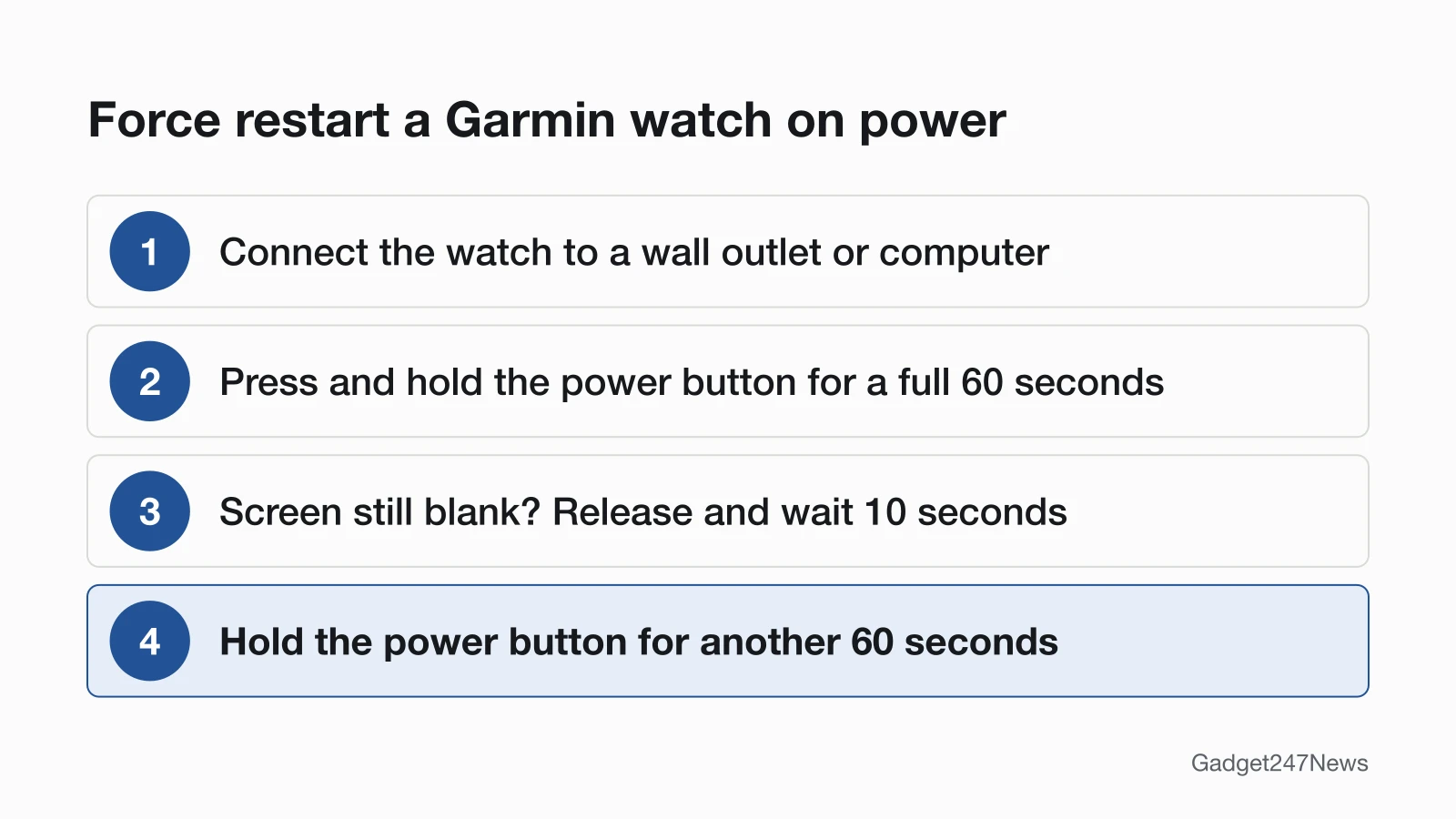
Force restart the watch on power:
- Connect the watch to a proven power source: a wall outlet or a computer.
- Press and hold the power button for a full 60 seconds.
- If the screen stays blank, release the button, wait 10 seconds and hold it for another 60 seconds.
Garmin says: "You may lose minor data like recent steps, but your saved activities should not be impacted." This is a power cycle, not a factory reset. The ordinary restart and the factory reset are on restart or reset a frozen Garmin watch.
Which Button Is the Power Button?
The power button depends on the model. Garmin's pairing FAQ powers off 5-button watches with the upper-left button and 2-button watches with the upper-right button. The owner's manuals name the button and the hold for each family:
| Model family (example) | Power button | Turn-on hold | Source |
|---|---|---|---|
| Forerunner (265) | LIGHT | One second (15 seconds turns it off) | Forerunner 265 manual |
| fēnix (8) | Upper-left button | Three seconds | fēnix 8 manual |
| Venu (3) | A | One second (15 seconds turns it off) | Venu 3 manual |
| vívoactive (5) | A | One second (15 seconds turns it off) | vívoactive 5 manual |
| Instinct (3 Solar) | CTRL | Hold; no time given | Instinct 3 Solar manual |
Each time belongs to its own model: the 15-second hold comes from the Forerunner 265, Venu 3 and vívoactive 5 manuals, not from a Garmin-wide rule. Those three manuals also warn that "Restarting the watch may erase your data or settings."
Fix 2: Check the Outlet and the Cable
Garmin's second step checks whether any charge reaches the watch:
- Try a different outlet to rule out a faulty wall adapter or USB port.
- Check that the cable's charging pins aren't bent, missing or stuck at different heights.
- Clean the gold contact points on both the watch and the charger with a cotton swab or pencil eraser dipped in rubbing alcohol, then let them dry completely.
If the screen comes back but the battery level won't climb, go to Garmin watch not charging.
Fix 3: Inspect the Watch's Charging Port
Look into the watch's charging port for debris, corrosion or damage. If the port is intact, clean the contacts gently the same way and let the area air dry completely before you reconnect power. Garmin's cleaning FAQ adds two don'ts: no sharp objects, and never poke or prod any openings. A port that looks damaged is a job for Garmin Support, listed below.
Specific Cases
Three cases need more than Garmin's general order: two model families, a frozen screen, and water.
fēnix 8 and vívoactive 5 Won't Turn On
fēnix 8: hold the upper-left button for three seconds to turn it on. On a fēnix 8 AMOLED or Solar, holding that button for five seconds requests assistance, so don't hold it longer than you need. If the watch has stopped responding, its manual gives two ways to force a restart: hold the upper-left button until the watch turns off, then hold it again to turn it on, or plug the watch into a USB-C charging port for at least 30 seconds, unplug the cable and plug it in again.
vívoactive 5: hold A for 15 seconds until the watch turns off, then hold A for one second to turn it on.
Stuck on the Garmin Logo, Frozen or Rebooting
Garmin's freeze FAQ covers a watch that is "frozen, stuck on the blue triangle, rebooting, or will not power on." For a frozen watch with a physical button:
- Press and hold the power button until the watch powers off (hold up to 30 seconds).
- Release the power button.
- Press it again to turn the watch back on.
Garmin warns that these steps may cost "recent steps taken or a loss of current time." A watch that keeps rebooting needs "all available updates," which can be installed with the Garmin Express program.
Won't Turn On After Water Exposure
Garmin's won't-turn-on and freeze FAQs don't mention water. The Forerunner 265 manual's Device Care page says to "Avoid pressing the buttons under water" and to rinse the watch with fresh water after chlorine or salt water, but it gives no drying steps. Check your own model's Device Care page, then contact Garmin Support.
Still not working?
If the screen is still dark after Garmin's three steps, work through this list:
- Try the next fix: Garmin watch not charging (if it turns on but won't charge).
- Reset your Garmin watch: restart or reset a frozen Garmin watch (you'll need to pair it again afterwards).
- Contact Garmin Support: Garmin Support.
- Check repair or warranty options: Understanding Garmin Service Options.
Started after an update? Check the Update Tracker for known issues.
Related Problems
Two nearby faults look like a power failure but need different steps.
Turns On but Won't Charge
A screen that comes back while the battery level stays put means the fault has moved from power to charging. The Garmin watch not charging guide starts with the contacts and the cable pins, then the outlet.
Frozen or Won't Turn Off
A watch that ignores a normal power-off can be forced off with the same hold of up to 30 seconds used for a frozen screen above. The model-by-model restart steps sit on the Garmin restart and reset page.
Garmin Power: Quick Answers
How do I reset an unresponsive Garmin watch?
Press and hold the power button until the watch powers off, for up to 30 seconds, then press it once more to switch it back on. If the screen stays blank, connect the watch to power and hold the power button for a full 60 seconds. Neither of these Garmin steps is a factory reset.
Why is my Garmin screen not turning on?
Garmin says a blank screen means the watch is likely frozen or its battery is depleted. Watches can also get caught in a low-power state. Garmin's first fix is the 60-second forced restart on the charger, followed by a check of the outlet, the cable and the contacts.
My Garmin GPS won't turn on: is this the same fix?
This page covers Garmin watches only. For a handheld GPS, a car navigator, an inReach device or a fish finder, look up that product on Garmin Support. Garmin's won't-turn-on FAQ does include Edge bike computers, with separate port-cleaning steps.
Sources
We checked this page against the pages below, most recently on . How we verify fixes
- My Garmin Wearable or Edge Device Will Not Turn On (Garmin, support.garmin.com)Official
- My Garmin Watch Freezes or Reboots (Garmin, support.garmin.com)Official
- Garmin Connect App: Device or Accessory Not Found During the Pairing Process (Garmin, support.garmin.com)Official
- Forerunner 265 Series Watch Owner's Manual: Restarting the Watch (Garmin, www8.garmin.com)Official
- fēnix 8 Series Owner's Manual: Button Functions (Garmin, www8.garmin.com)Official
- fēnix 8 Series Owner's Manual: Manually Restarting Your Watch (Garmin, www8.garmin.com)Official
- Venu 3 series Owner's Manual: Restarting the Watch (Garmin, www8.garmin.com)Official
- vívoactive 5 Owner's Manual: Restarting the Watch (Garmin, www8.garmin.com)Official
- Instinct 3 Solar Series Owner's Manual: Restarting Your Watch (Garmin, www8.garmin.com)Official
- Cleaning the Charging Contacts on a Garmin Wearable (Garmin, support.garmin.com)Official
- Forerunner 265 Series Watch Owner's Manual: Device Care (Garmin, www8.garmin.com)Official
- Understanding Garmin Service Options (Garmin, support.garmin.com)Official