Headphones Muffled or Quiet? How to Get Full Sound Back

By Suraj Giri, Founder & Publisher. Reviewed by Suraj Giri on .
Published · 8 min read
How this page was made
- Sources. Checked against 21 official pages from Apple, Google, Samsung, Sony, Bose and Skullcandy, most recently on . See the sources.
- No device testing. We don't test fixes on physical devices, so nothing on this page is a hands-on result. A fact counts as verified only when it matches an official source page.
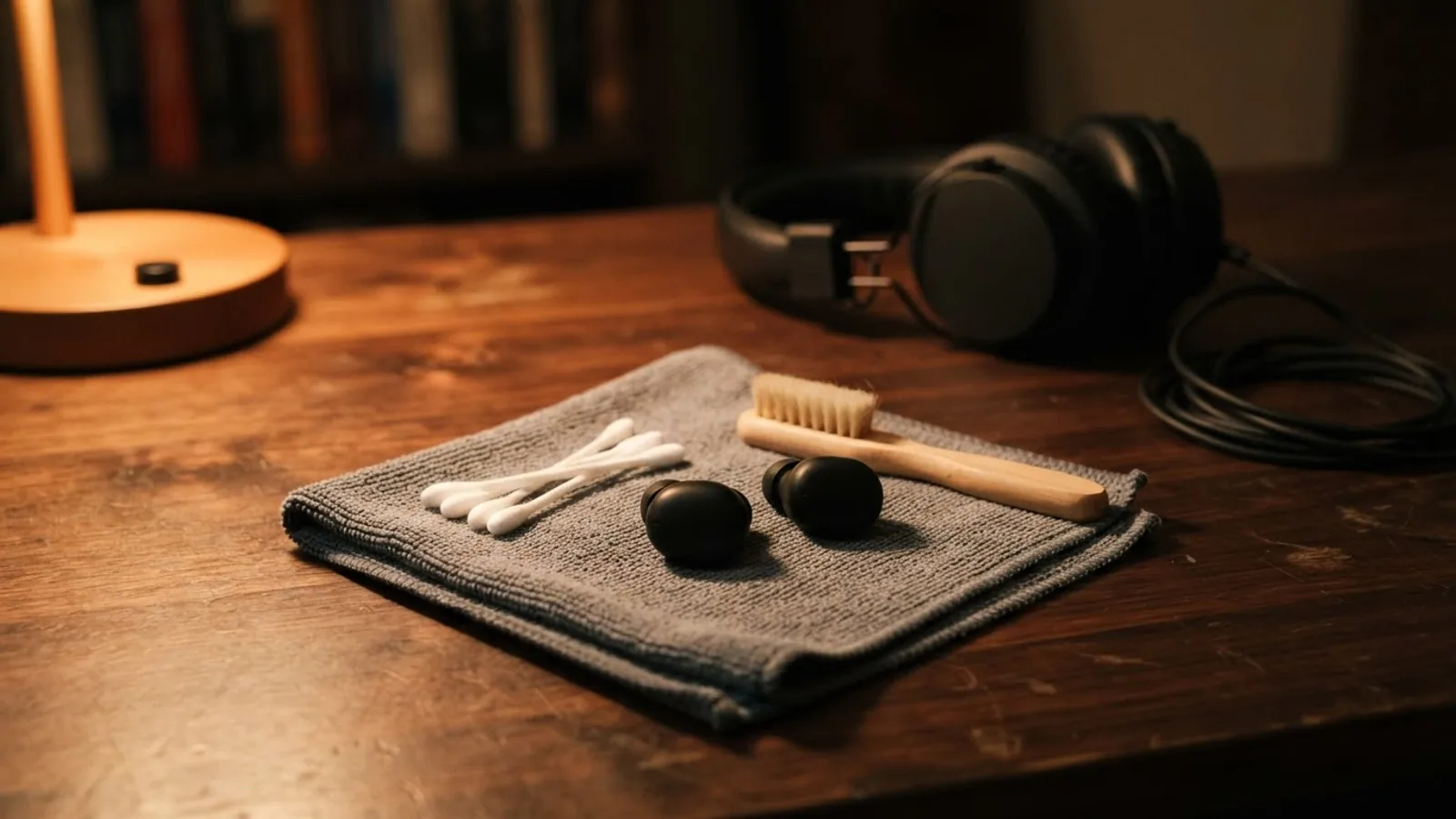
- AI use. As with every page on Gadget247News, AI tools helped research, outline, draft and edit this page, and re-read the official pages to flag facts that didn't match. The illustration at the top was generated with Runway and is labelled under the image.
- Human sign-off. Suraj Giri, Founder & Publisher, read this page and signed it off on . The site won't publish a page without that sign-off.
- Changes. The published and updated dates move only when the content changes, and every change gets a dated note. Spot an error or a fix that didn't work? Email info@gadget247news.com.
Read our AI use policy, editorial policy and corrections policy.
Headphones usually sound muffled or quiet because earwax or dust is blocking the speaker mesh or eartips, the eartips don't seal, or a volume limit is turned on. Clean the mesh gently, try a different eartip size, and check your phone's volume and Headphone Safety settings. Static points to wireless interference or software. Silence, pairing and charging faults are on the main headphones not working page.
This page covers sound that is muffled or quiet on both sides. If only one side is quiet or silent, go to headphones only working on one side instead. AirPods owners can start with Why Are My AirPods So Quiet, which covers the AirPods speaker mesh and the Balance slider.
Find Your Problem: Muffled, Quiet or Static
Match what you hear to a row. Each first fix comes from the makers' support pages, and the last column names the section below with the full explanation.
| Symptom | Most likely cause | First fix | Section |
|---|---|---|---|
| Muffled on both sides | Earwax or debris on the speaker mesh or eartips | Clean the speaker mesh and eartips gently with a soft-bristled brush. | Why Do My Earbuds Sound Muffled? |
| Quiet even at full volume | A volume limit or a headphone-safety setting | Check your phone's headphone volume limit, then turn the volume up again. | Why Is My Headphone Volume So Low? |
| Suddenly quieter | Your iPhone lowered the volume after a headphone notification | Turn the volume back up; your iPhone lowers it the next time you connect after a headphone notification. | Earbuds Suddenly Got Quieter? |
| Static, hiss or crackling | Wireless interference or software | Bring your phone closer to the earbuds, then update the earbuds and the phone. | Why Do I Hear Static in My Headphones? |
| Wired headphones muffled | A plug that isn't fully in, or a dirty plug | Push the plug in firmly and completely, and wipe it with a dry cloth. | Wired Headphones Sound Muffled? |
When no row fits exactly, try the steps in the order below: cleaning and fit first, settings next, a reset last.
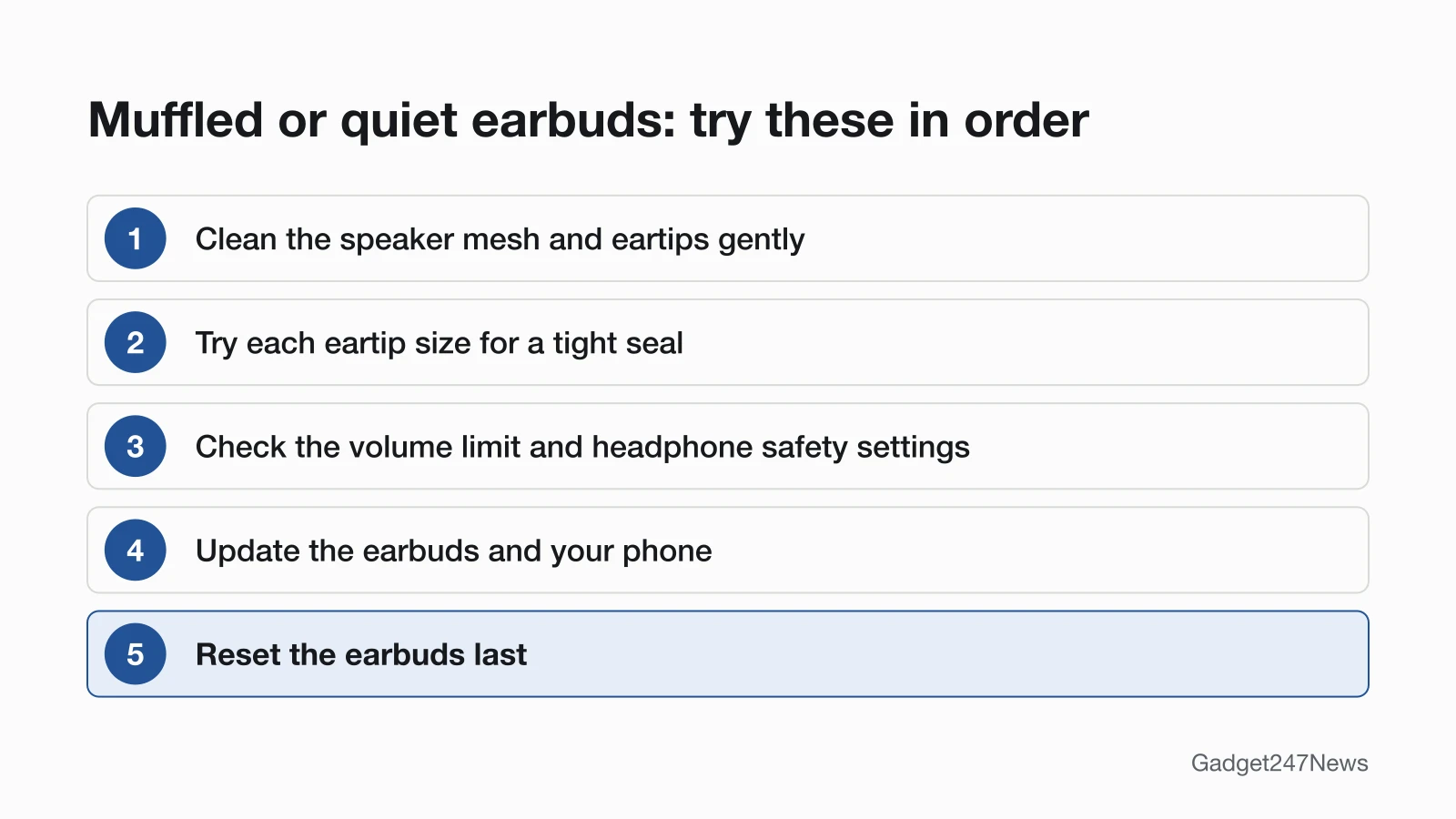
Why Do My Earbuds Sound Muffled?
Earbuds sound muffled when earwax or debris covers the speaker mesh, or the eartips don't seal your ear canal. Sony says that when earwax sticks to the mesh of the earbud tip, "the sound may become muffled or difficult to hear." A loose seal costs bass: Google calls for "a tight seal to get the best audio quality" on Pixel Buds and suggests trying all three eartip sizes, and Apple links a loss of bass on AirPods with noise cancelling to earbuds that need cleaning. Check the listening mode too. Transparency mode "lets outside sound in", in Apple's words, so switch modes and compare before you clean; Transparency Mode vs Noise Cancelling: What's the Difference explains both.
Apple, Bose and Sony build a seal check into their settings or apps. On AirPods Pro, go to Settings → Bluetooth, tap the Info button next to your AirPods, then tap Ear Tip Fit Test (AirPods Pro 1 and 2) or Test Acoustic Seal (AirPods Pro 3). Bose puts the Earbud Seal Test in the Settings menu of the Bose app, and Sony's app runs Determines Optimal Earbud Tips on the WF-1000XM5. Sony also notes that the best tip size for your left and right ears may be different.
How to Clean Earbuds Without Damaging Them
Clean earbuds gently, with soft tools and little or no liquid:
- Brush the speaker mesh with a soft-bristled toothbrush, the tool Apple and Google both use for their meshes.
- Don't run earbuds under water or push tools into the openings. Apple says "Don't run your AirPods under water, and don't use sharp objects or abrasive materials", Google says not to insert anything into the speaker holes, and Bose says never to put a cleaning tool into the nozzle.
- Let the earbuds dry completely before you charge or wear them; Apple and Google both give them two hours.
Apple (AirPods 3, AirPods 4 and AirPods 5) and Google (Pixel Buds) publish their own micellar-water methods, and How to Clean Earbuds Safely covers each brand's steps.
Why Is My Headphone Volume So Low?
Headphone volume stays low when a phone setting caps it, or the phone and the earbuds hold separate volume levels. On iPhone, Reduce Loud Audio lowers headphone volume when it goes above a decibel level you set; it sits in Settings → Sounds & Haptics → Headphone Safety. Some earbuds keep their own volume apart from the phone's: Sony says that when the two aren't synced, you turn up both. On Android, Google's Pixel Buds fixes are to turn off Disable absolute volume in Developer Options on Pixel phones, or turn on Media volume sync on other Android phones. On Pixel Buds Pro, Conversation Detection can lower or pause audio. An off-center Balance slider makes one side quieter, which is a one-side problem.
Earbuds Suddenly Got Quieter?
Earbuds used with an iPhone, iPad or Apple Watch can suddenly get quieter after a headphone notification. Apple explains: "After receiving a notification, the next time you plug in your headphones or connect them via Bluetooth, your volume will be automatically set to a lower level. You can still turn your volume back up if you choose." Turn the volume back up. Apple adds that in certain countries and regions, headphone notifications can't be turned off. To see the notifications you received, open the Health app on your iPhone, tap Browse, then tap Hearing → Headphone Notifications.
Why Do I Hear Static in My Headphones?
Static in Bluetooth headphones comes from wireless interference or a software glitch. Apple lists static and buzzing among the symptoms of interference, and says to bring the Bluetooth devices closer together and away from sources such as microwave ovens, power cables and cordless phones. Sony adds that crowded places, such as busy trains, can cause noise. If the static stays, Samsung's order for Galaxy Buds is to update the earbuds and phone, unpair, restart the earbuds in the case, pair again, reset, then request service. Google's Pixel Buds advice against unwanted noise is dry ear canals and regular cleaning. A faint, constant hiss with noise cancelling on can be normal: Sony says "a small amount of white noise may be heard constantly". Static that comes with dropouts is a connection problem; see Bluetooth earbuds dropping the connection.
Wired Headphones Sound Muffled?
Wired headphones sound muffled when the plug isn't all the way in or isn't clean. Sony's support page says a plug that isn't completely connected can cause "no sound, muffled sound, or noise", so insert it firmly and completely, and clean the plug with a dry cloth. A damaged cable is a repair job, which this page doesn't cover.
Sound Problems? Fixes by Brand
Sound fixes differ by brand. AirPods have their own sound pages; for the other brands, the first fix below comes from the maker's support page and the link goes to the brand hub.
| Brand | First fix | Page |
|---|---|---|
| AirPods quiet | Clean the speaker mesh and center the Balance slider. | Why Are My AirPods So Quiet |
| AirPods keep pausing | Turn off Automatic Ear Detection in your AirPods settings. | Why Do My AirPods Keep Pausing |
| AirPods noise cancelling not working | Check the listening mode is set to Noise Cancellation. | AirPods Noise Cancelling Not Working |
| Turn on noise cancelling (AirPods) | Noise cancelling works on AirPods Pro 1 to 3, AirPods 4 (ANC), AirPods 5 and AirPods Max 1 and 2; the guide shows where to switch it on. | How to Turn On Noise Cancelling on AirPods |
| Beats | Charge both Beats earbuds in the case (or charge your Beats headphones), then center the Balance slider in Settings → Accessibility → Audio & Visual on your iPhone. | all Beats headphones fixes |
| Sony | Clean earwax off the mesh of the earbud tips (WF-1000XM5 Help Guide). | Sony Headphones Problems and Fixes: Pairing, Battery, Sound |
| Bose | Check the fit with the Earbud Seal Test in the Bose app, and clear wax from the eartips and nozzles (QuietComfort Ultra Earbuds (2nd Gen)). | Bose Headphones Problems and Fixes: Pairing, Battery, Sound |
| JBL | Start with the cleaning, fit and volume steps above; the JBL hub lists the JBL fixes. | JBL Earbuds Problems and Fixes: Pairing, Battery, Sound |
| Skullcandy | Put both Skullcandy earbuds in the case until their lights come on (close the lid for 2 seconds on Rail ANC and Push Active), then take them out together so they re-sync. | Skullcandy Earbuds Problems and Fixes |
| Samsung Galaxy Buds | For static, follow Samsung's order: update, unpair, restart in the case, then pair again. | Galaxy Buds Problems and Fixes: Pairing, Battery, Sound |
| Google Pixel Buds | Try all three eartip sizes for a tight seal. | Pixel Buds Problems and Fixes: Pairing, Battery, Sound |
The Beats and Skullcandy first fixes target a side that went quiet; the brand hubs carry the full steps for each model.
Bluetooth Codecs and Sound Quality
A codec is, in Sony's words, an "audio coding algorithm" used to send sound over Bluetooth, and Sony's WF-1000XM5 switches automatically to whichever codec your phone uses to send the music. Codec settings change sound quality: Sony notes that AAC "is mainly used in Apple products such as iPhone", and its fix for low sound quality is to move from SBC to AAC or pick Prioritize Sound Quality. The connection profile matters too. Sony says to switch the Bluetooth connection to A2DP when the earbuds are connected over HFP or HSP, and Bose names Stereo A2DP as the correct profile. Bluetooth Codecs Explained: AAC, aptX and LDAC compares the codecs.

Sound Changed After an Update?
A firmware update can change sound features, so check your EQ settings after an update. Apple's AirPods firmware 9A348 added a Custom EQ that adjusts "the low, mid, and high frequency response on AirPods 4 and later, AirPods Pro 2 and later, and AirPods Max 2". Sony's WF-1000XM5 plays no sound during an automatic software update; Sony says to put the earbuds in the case, close the lid and wait about 5 minutes. AirPods Firmware Versions and What Each Update Changed lists each AirPods version, and the latest smartwatch and earbud updates track known issues for the other brands. Get an email when an earbud update changes how your earbuds sound, and when it's fixed.
Still Muffled? When to Contact the Manufacturer
Contact the manufacturer when cleaning, fit and settings haven't brought the sound back. Work down this list first:
Still not working?
- Try the next fix: if one earbud is quieter than the other, use the one-side guide linked at the top of this page.
- Reset the earbuds: hard reset wireless earbuds with your brand's control (you'll need to pair them again afterwards).
- Contact the manufacturer's support with your model name and the steps you've already tried.
- Check repair or warranty options: Samsung's static-noise page ends with a service request, and Apple says AirPods whose noise cancelling still fails after a reset might need service.
Started after an update? Check the Update Tracker for known issues.
Sources
We checked this page against the pages below, most recently on . How we verify fixes
- Apple: If your left or right AirPod isn't working (Apple, support.apple.com)Official
- Apple: How to clean your AirPods (Apple, support.apple.com)Official
- Apple: Headphone notifications on your iPhone, iPad, or Apple Watch (Apple, support.apple.com)Official
- Apple: If Active Noise Cancellation isn't working as expected on your AirPods (Apple, support.apple.com)Official
- Apple: Active Noise Cancellation and Transparency modes for AirPods (Apple, support.apple.com)Official
- Apple: Change the settings of your AirPods and AirPods Pro (Apple, support.apple.com)Official
- Apple: Resolve Wi-Fi and Bluetooth issues caused by wireless interference (Apple, support.apple.com)Official
- Apple: About firmware updates for AirPods (Apple, support.apple.com)Official
- Apple Beats User Guide: Charge Beats (Apple, support.apple.com)Official
- Google: Fix Google Pixel Buds audio issues (Google, support.google.com)Official
- Samsung: Static noise coming from a Samsung earbud (Samsung, samsung.com)Official
- Sony WF-1000XM5 Help Guide: No sound, no sound from one side (Sony, helpguide.sony.net)Official
- Sony WF-1000XM5 Help Guide: Low sound level (Sony, helpguide.sony.net)Official
- Sony WF-1000XM5 Help Guide: Noise or unusual sound can be heard (Sony, helpguide.sony.net)Official
- Sony WF-1000XM5 Help Guide: Low sound quality, no low-frequency sound (Sony, helpguide.sony.net)Official
- Sony WF-1000XM5 Help Guide: Supported codecs (Sony, helpguide.sony.net)Official
- Sony: No sound, muffled sound, or noise occurs when connecting with the headphone cable (Sony, sony.com)Official
- Bose: QuietComfort Ultra Earbuds (2nd Gen) owner's guide (Bose, assets.bosecreative.com)Official
- Skullcandy Product Help: Dime 3 (Skullcandy, skullcandy.com)Official
- Skullcandy Product Help: Rail ANC (Skullcandy, skullcandy.com)Official
- Skullcandy Product Help: Push Active (Skullcandy, skullcandy.com)Official