One Earbud Not Working? Left or Right Side Fixes

By Suraj Giri, Founder & Publisher. Reviewed by Suraj Giri on .
Published · 8 min read
How this page was made
- Sources. Checked against 22 official pages from Apple, Google, Samsung, Bose, JBL, Skullcandy and Sony, most recently on . See the sources.
- No device testing. We don't test fixes on physical devices, so nothing on this page is a hands-on result. A fact counts as verified only when it matches an official source page.
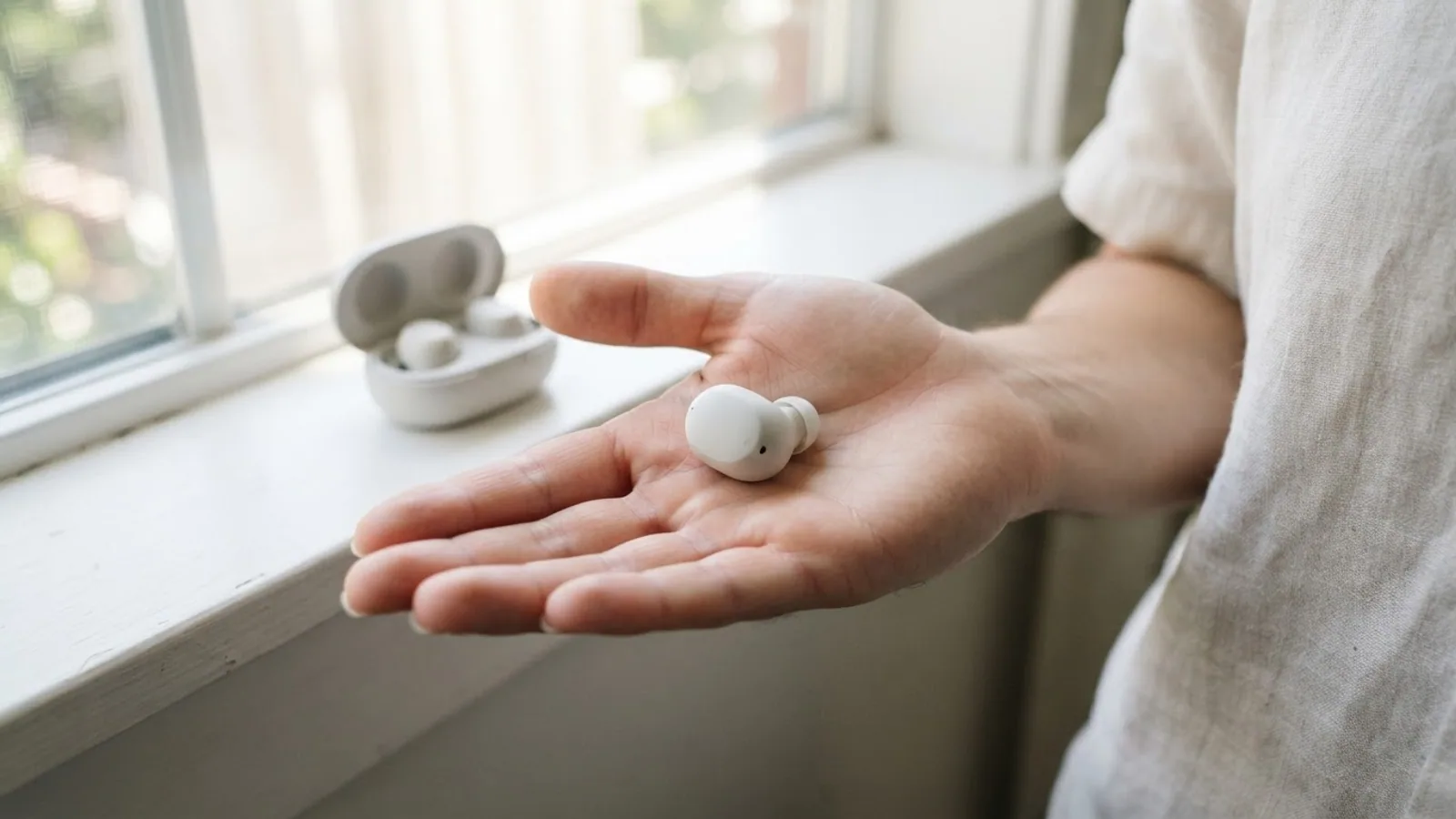
- AI use. As with every page on Gadget247News, AI tools helped research, outline, draft and edit this page, and re-read the official pages to flag facts that didn't match. The illustration at the top was generated with Runway and is labelled under the image.
- Human sign-off. Suraj Giri, Founder & Publisher, read this page and signed it off on . The site won't publish a page without that sign-off.
- Changes. The published and updated dates move only when the content changes, and every change gets a dated note. Spot an error or a fix that didn't work? Email info@gadget247news.com.
Read our AI use policy, editorial policy and corrections policy.
When only one earbud works, put both earbuds in the charging case, let them charge, then check that your phone's audio balance is centered. If one side is still quiet, check its speaker mesh for earwax or debris. Reset the earbuds only after these checks. Find your symptom or brand below; for other problems, start from earbud and headphone fixes by symptom.
Left or right makes no difference to the fix, because the same checks apply to either side. If both earbuds sound quiet or muffled, that's a different problem, and the guide to earbuds muffled by earwax covers it. AirPods owners can go straight to one AirPod Not Working, which follows Apple's full order for a silent or quieter AirPod.
Find Your Problem: Which Side, Which Symptom
The table matches six one-side symptoms to the most likely cause and the first fix to try. Rows marked "below" are answered further down this page.
| Symptom | Most likely cause | First fix | Where to go |
|---|---|---|---|
| One side quieter | Blocked speaker mesh, or the audio balance off-center | Center the balance setting, then clean the mesh. | Below: quieter earbud |
| One side silent | That earbud is flat or has lost sync | Charge both earbuds in the case, then take them out together. | Below: silent earbud |
| One side won't charge | Dirty charging contacts in the case or on the earbud | Clean the charging contacts on the bud and inside the case. | earbuds Not Charging |
| One side keeps dropping | Low charge or wireless interference | Charge both, then move away from Wi-Fi routers and microwaves. | Why Earbuds Keep Disconnecting |
| Callers can't hear you | Microphone set to one AirPod, or a blocked microphone mesh | Set the AirPods Microphone setting to Automatically Switch AirPods. | AirPods Microphone Not Working |
| Only one side of wired headphones | Loose plug, extension cable or a faulty headphone | Try another device; if it's still one-sided, the headphones or their cable are at fault. | Below: headphones |
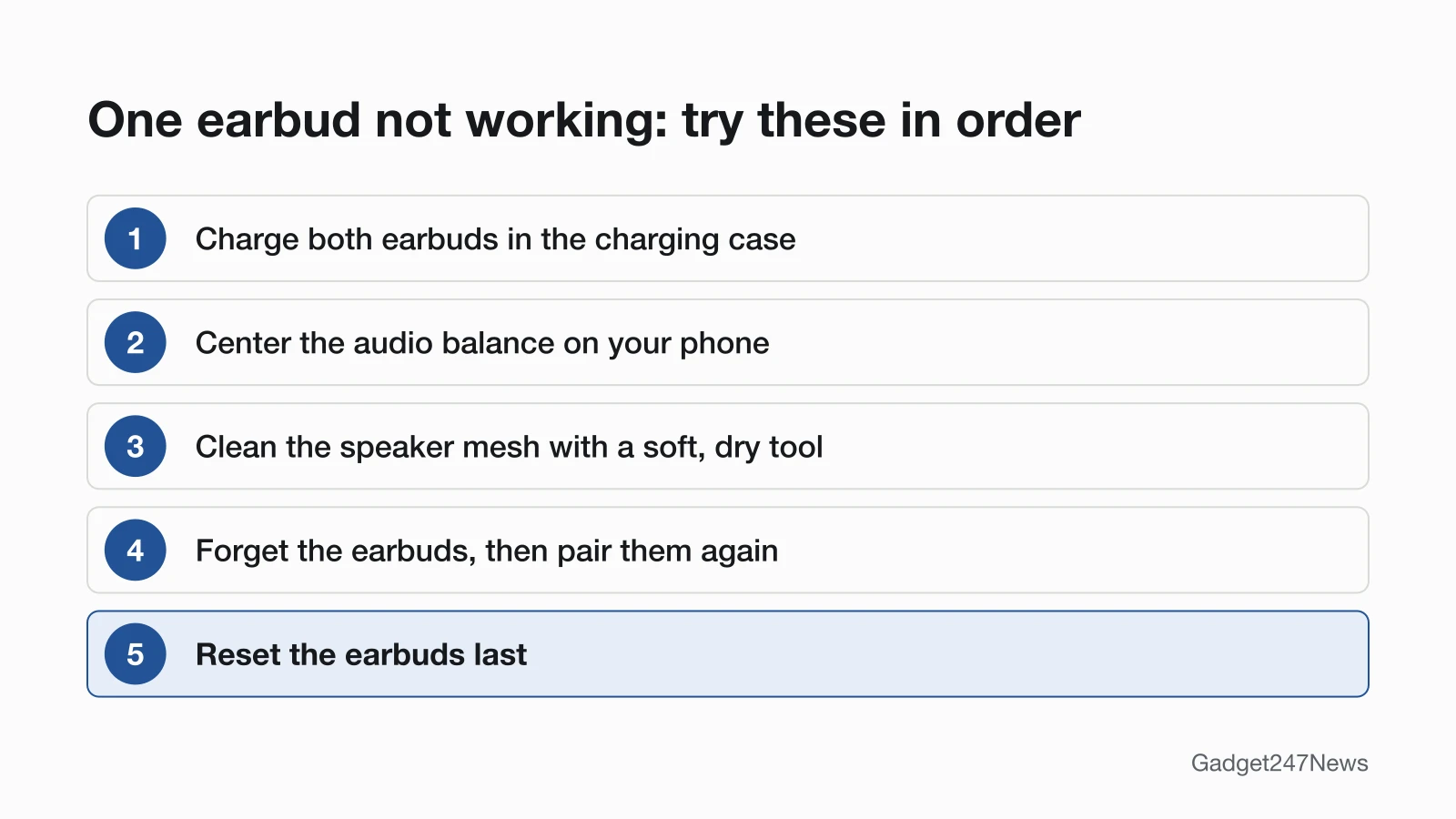
The microphone row is written for AirPods. On other earbuds, clear dirt from the microphone openings first; Google's rule for Pixel Buds is to remove dirt around the microphone or speaker holes without putting anything inside them. The diagram below shows the order to try for a silent or quiet side.
Why Is One Earbud Quieter Than the Other?
One earbud is quieter than the other when its speaker mesh is blocked with earwax or debris, or your phone's audio balance is off-center. Apple's steps for an AirPod that is louder or quieter than the other check both: remove the ear tips, look at the microphone and speaker mesh, clean any debris, then set the Balance slider in the middle. Sony's WF-1000XM5 guide names the same cause: earwax on the mesh can make the sound muffled or difficult to hear. Fit matters too. For Galaxy Buds, Samsung says to make sure both earbuds fit securely and that the left and right ear tips are the same size and properly attached.
How to Check the Audio Balance
The audio balance slider sits in your phone's Accessibility settings. Keep it in the middle so both earbuds get the same volume.
- iPhone: Settings > Accessibility > Audio & Visual > Balance. Make sure the Balance slider is set in the middle.
- Android: Google places the balance control under Audio adjustment in your Accessibility settings. On a Samsung Galaxy phone, go to Settings > Accessibility > Hearing enhancements and move the Left/right sound balance slider to the center. Menu names can vary by phone model and software version, so look for left/right balance in Accessibility if your menus don't match.
If the slider is already centered, clean the mesh next.
How to Clean a Blocked Earbud Mesh
Clean a blocked mesh dry and gently. The makers' own rules keep water and tools out of the openings:
- Use a soft, dry tool: Bose says to wipe the earbud nozzle opening with a dry, soft cotton swab and never to insert a cleaning tool into the nozzle.
- Keep water and sharp objects away: Apple says not to run AirPods under water or clean them with sharp objects or abrasive materials, and Google says not to insert anything into the Pixel Buds microphone or speaker holes.
- Let the earbuds dry completely: after a damp clean, Apple says to let AirPods dry for at least two hours before they go back in the case, and Google says to let Pixel Buds dry completely for 2 hours.
Liquid cleaning methods are brand-specific. Apple's method for AirPods 3, AirPods 4 and AirPods 5 meshes uses micellar water, distilled water and a soft-bristled children's toothbrush, while Google brushes Pixel Buds meshes with a toothbrush and a small amount of micellar or plain water. Each brand's full method is in our guide on how to clean earbuds.
One Earbud Silent or Not Connecting?
A silent earbud is usually flat or out of sync with the other earbud, not blocked. Put both earbuds in the charging case and let them charge; Apple's time for AirPods is 30 seconds. Google's Pixel Buds audio checklist, which it says also covers a left or right earbud that isn't working, includes the same check: make sure the earbuds and case are charged. Open the case near your phone and check that each earbud shows a charge. Then test the silent earbud alone, the way Apple does it: that AirPod in your ear, the other one closed in the case. If it still won't play, forget the earbuds on your phone, pair them again, and reset them last. One earbud can run lower than the other, and Bose's guide notes that its status light then shows the lower battery level. When the earbuds won't pair at all, fix earbuds that won't connect first.
Why Is Only One Side of My Earbuds Charging?
Only one side charges when dust, wax or other debris covers that earbud's charging contacts, or the earbud isn't seated in the case. Wipe the contacts on the earbud and inside the case with a dry, soft cloth, then seat the earbud again; on Pixel Buds, Google says the case light blinks when each earbud is placed correctly. The earbuds not charging guide in the table above has the full set of charging checks.
Only One Side of Your Headphones Working?
Over-ear Bluetooth headphones get the same first check as earbuds: center the balance setting on your phone, then work through the reset in the last section if one side stays silent. Wired headphones and earbuds fail differently. Plug them in firmly, take off any extension cable and test them on another device. Sony says that if the problem stays on another player, the headphones should be replaced. Play a stereo track as well: Samsung notes that when mono audio is played, it's normal for only one earbud to work, and Sony says a mono device outputs sound only to the left side.
One Earbud Not Working? Fixes by Brand
Each maker re-syncs its left and right earbuds its own way, so the first fix changes by brand. Every row gives a first fix drawn from that brand's support pages and links to the full guide.
| Brand | First fix | Page |
|---|---|---|
| AirPods | Put both AirPods in the case for 30 seconds, then check that the Balance slider is centered in Settings → Accessibility → Audio & Visual. | one AirPod Not Working |
| Beats headphones and earbuds | Charge both Beats earbuds in the case (or charge your Beats headphones), then center the Balance slider in Settings > Accessibility > Audio & Visual on your iPhone. | one Beats Earbud Not Working |
| Samsung Galaxy Buds | Put both buds in the case and re-sync them: hold the case's connect button (Buds3, Buds4) or both touchpads (earlier models) for 7 seconds. | left or right Samsung Galaxy Bud not working |
| Bose | Put both Bose earbuds in the case until they snap into place, close and reopen the lid, then take them out again. | one Side of Bose Earbuds Not Working |
| JBL | Forget the JBL earbuds on your phone, pair the left and right earbuds to each other using your model's manual pairing steps, then pair them with your phone again. | one JBL Earbud Not Working |
| Skullcandy | Put both Skullcandy earbuds in the case until their lights come on (close the lid for 2 seconds on Rail ANC and Push Active), then take them out together so they re-sync. | one Skullcandy Earbud Not Working |
| Sony earbuds | Pair them again, then put both earbuds in the case and close the lid. | Sony headphones fixes |
| Google Pixel Buds | Check the eartips are attached and both buds are seated so the case light blinks. | Pixel Buds fixes |
Sony and Pixel Buds have no one-side guide of their own, so those rows lead to the brand hubs. JBL notes that its reset does not automatically pair the two earpieces together, so pair left and right again after any reset.
Is It the Earbud or the Microphone?
If people can't hear you but you can hear them, the fault is in the microphone, not the earbud's speaker. AirPods let you choose which one is used: Apple's Microphone setting offers Automatically Switch AirPods, Always Left AirPod or Always Right AirPod, and the AirPods Microphone Not Working guide in the symptom table covers the rest.
One Earbud Stopped Working After an Update?
If one side stopped suddenly after an update, check for a known issue before you reset anything. Apple says AirPods firmware updates are delivered automatically while your AirPods are charging and in Bluetooth range of your iPhone, iPad or Mac that's connected to Wi-Fi. To update them, Apple's steps are to connect the charging case to power, put your AirPods in it with the lid closed, keep them in Bluetooth range and wait at least 30 minutes. Sony's WF-1000XM5 help guide adds that no sound plays from the earbuds during an automatic software update, and it says to close them in the case and wait about 5 minutes. Then check the earbud and smartwatch Update Tracker for reports on your model. Get an email when an earbud update breaks something, and when it's fixed.
Can You Replace One Earbud on Its Own?
Apple and Samsung both offer a single earbud on its own. Apple lists a damaged left or right AirPod as its own service option, and a lost AirPod or case can be ordered as a replacement. Samsung says that if you lose one side of your Galaxy Buds, you can buy one earbud separately and couple it with the one you still have. For other brands, check the maker's official service page. AirPods repair options explains Apple's service routes.
Still Not Working? When to Contact the Manufacturer
Contact the maker when the fixes above and the brand guide have both failed, in this order:
- Try the next fix: earbuds not charging, if the silent side has also stopped charging.
- Reset your earbuds: follow the steps to reset your earbuds for your brand (you'll need to pair them again afterwards).
- Contact the maker's support: the official Apple, Samsung, Google, Sony, Bose, JBL and Skullcandy pages we checked are listed under Sources at the end of this page. Have your model name ready.
- Check repair or warranty options on the maker's official service page.
Started after an update? Check the Update Tracker for known issues.
Sources
We checked this page against the pages below, most recently on . How we verify fixes
- If your left or right AirPod isn't working (Apple, support.apple.com)Official
- How to clean your AirPods (Apple, support.apple.com)Official
- Change the settings of your AirPods and AirPods Pro (Apple, support.apple.com)Official
- About firmware updates for AirPods (Apple, support.apple.com)Official
- Apple Service and Repair for AirPods (Apple, support.apple.com)Official
- Charge Beats headphones, earphones, and speakers (Apple, support.apple.com)Official
- Fix Google Pixel Buds audio issues (Google, support.google.com)Official
- Fix Pixel Buds that won't charge (Google, support.google.com)Official
- Troubleshoot connectivity issues (Google Pixel Buds Help) (Google, support.google.com)Official
- Use accessibility features on Android (Google, support.google.com)Official
- What to do when sound is not heard from one side of your Samsung Galaxy Buds series (Samsung, samsung.com)Official
- Samsung earbuds don't connect or won't stay connected (Samsung, samsung.com)Official
- Samsung earbuds do not turn on or charge (Samsung, samsung.com)Official
- How to Couple or Link a New Replacement Earbud with an Old One (Samsung, samsung.com)Official
- No sound from wired headphone on Galaxy phone or tablet (Samsung, samsung.com)Official
- QuietComfort Ultra Earbuds (2nd Gen) owner's guide (Bose, assets.bosecreative.com)Official
- TWS Left & Right Not Pairing Together (JBL, support.jbl.com)Official
- Skullcandy Rail ANC product help (Skullcandy, skullcandy.com)Official
- Skullcandy Push Active product help (Skullcandy, skullcandy.com)Official
- Skullcandy Dime 3 product help (Skullcandy, skullcandy.com)Official
- WF-1000XM5 Help Guide: No sound, no sound from one side (Sony, helpguide.sony.net)Official
- The sound from one side (left or right) of the wired headphones is very low (Sony, sony.com)Official