How to Restart or Factory Reset a Fitbit

By Suraj Giri, Founder & Publisher. Reviewed by Suraj Giri on .
Published · 4 min read
How this page was made
- Sources. Checked against 8 official pages from Google, most recently on . See the sources.
- No device testing. We don't test fixes on physical devices, so nothing on this page is a hands-on result. A fact counts as verified only when it matches an official source page.
- AI use. As with every page on Gadget247News, AI tools helped research, outline, draft and edit this page, and re-read the official pages to flag facts that didn't match. The illustration at the top was generated with Runway and is labelled under the image.
- Human sign-off. Suraj Giri, Founder & Publisher, read this page and signed it off on . The site won't publish a page without that sign-off.
- Changes. The published and updated dates move only when the content changes, and every change gets a dated note. Spot an error or a fix that didn't work? Email info@gadget247news.com.
Read our AI use policy, editorial policy and corrections policy.
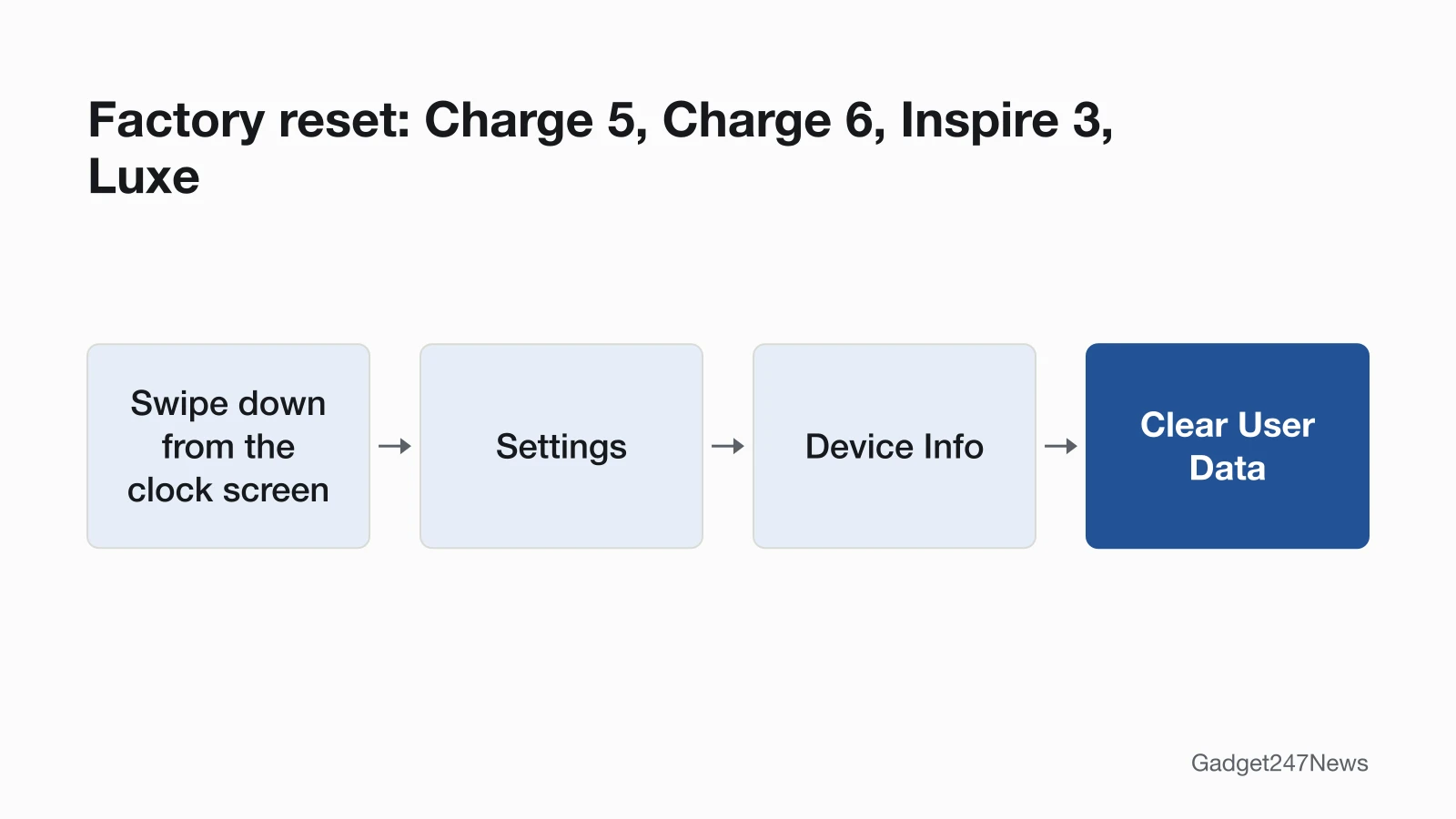
Restart your Fitbit from Settings › Restart Device, or hold the button for 10 seconds on a Sense or Versa watch. The original Versa uses two buttons instead. A factory reset erases the Fitbit, so use it last: Settings › Device Info › Clear User Data on Charge 5, Charge 6, Inspire 3 and Luxe, or Settings › About › Factory Reset on Sense and Versa. More fixes are on the Fitbit Problems and Fixes hub. Watches from other brands have their own steps: see how to factory reset a smartwatch.
Restart vs Factory Reset: Which One Do You Need?
A restart turns the Fitbit off and on and keeps your activity data; a factory reset erases it, and you set it up again.
| Option | What it does | Keeps your data? | Use it when |
|---|---|---|---|
| Restart | Turns the Fitbit off and on | Yes | It won't sync, freezes or keeps rebooting |
| Restart on the charger | The same restart, with the Fitbit on its cable | Yes | Buttons and screen don't respond |
| Factory reset | Removes apps, stored data, personal information, saved cards and settings | No | Before you give it away, or as a last resort |
How to Restart a Fitbit
Google's restart labels and hold times differ by model:
| Model | How to restart |
|---|---|
| Charge 5, Charge 6, Luxe | Swipe down › Settings › Restart Device › Restart |
| Inspire 3 | Swipe down › Settings › swipe up › Restart Device › swipe up › Restart |
| Charge 3, Charge 4 | Settings › About › Reboot Device |
| Inspire 2 | Settings › Reboot Device |
| Sense, Sense 2, Versa Lite, Versa 2, Versa 3, Versa 4 | Hold the button 10 seconds until the Fitbit logo appears |
| Versa (original) | Hold the left and bottom-right buttons 10 seconds until the logo appears |
| Google Fitbit Air | On the charger, hold the button on the back of the charger 10 seconds, or until the status light flashes white |
Older models have their own steps on Google's restart page, which also warns against pushing a paper clip into a Fitbit's sensor holes.
How to Restart a Frozen Fitbit on Its Charger
Connect a frozen Fitbit to its charging cable, then use your model's method:
- Charge 5, Charge 6, Luxe: on the flat end of the charger, press the button 3 times with a one-second pause between each press, then wait 10 seconds or until the Fitbit logo appears.
- Inspire 3 and Inspire 2: hold the buttons 10 seconds, then release.
- Charge 3 and Charge 4: hold the button 8 seconds, then release.
- Sense and Versa: hold the side button 10 seconds and release when the Fitbit logo appears.
How to Factory Reset a Fitbit
Google's erase steps run in the Fitbit's own Settings app. On the original Charge and Charge HR, Google says to reset only "at the direction of Fitbit Customer Support."
Factory Reset Steps by Model
| Model | Menu path on the Fitbit | Note |
|---|---|---|
| Charge 5, Charge 6, Inspire 3, Luxe | Swipe down › Settings › Device Info › Clear User Data | Charge 5, Charge 6, Luxe: the option often shows only on the charger |
| Sense series, Versa series | Settings › About › Factory Reset | Versa Lite Edition: deleting apps also removes personal information |
| Charge 3, Charge 4 | Settings › About › Clear User Data | None |
| Inspire, Inspire HR, Inspire 2, Ace 3 | Settings › Clear User Data, then press the screen 3 seconds | Inspire 2: deactivate Tile first |
| Google Fitbit Air and models not on Google's list | No steps listed | Data clears when it's paired to a new account |
Remove the Fitbit From Your Google Health Account
Do this after erasing; removing a Fitbit deletes any data you haven't synced.
- Open the Google Health app.
- At the top left, tap Connections, then the Fitbit under "Devices."
- Tap System › Disconnect device.
How to Check the Reset Worked
A restart worked when the Fitbit logo or a smile icon appears and the clock face returns; sync to check your data. After Clear User Data on an Inspire or Ace 3, the tracker vibrates and the clock screen appears. To set the Fitbit up again, tap Connections › Add device in the Google Health app, as in How to pair a Fitbit with your iPhone or Android phone.
If Resetting Doesn't Work
Three problems can follow a reset: a dark screen, a failed pairing and a Sense 2 boot loop.
Your Fitbit Won't Restart or Stays Dark
Charge it from a wall outlet for 60 minutes, not a computer, then repeat the charger restart. At 0%, Google says, the screen "might stay black for several minutes." If it stays dark, see Fitbit won't turn on.
It Reset but Won't Pair Again
Forget the Fitbit in your phone's Bluetooth settings first: Forget This Device on an iPhone, Unpair or Forget on Android. Google warns that skipping this "leaves residual, corrupted data that prevents successful re-pairing." If it still won't pair, see why your Fitbit won't connect to the app.
Sense 2 Stuck Restarting After an Update
Google's fix for a Sense 2 boot loop is a factory reset on the charger, so it erases the watch:
- Plug the Sense 2 into its charger.
- Press and hold the button about 8 seconds, until the screen turns off.
- Release on the short vibration.
- Press and hold the button again right away.
- Release when the blue logo appears and disappears.
- Press and hold one final time until you feel a vibration.
If the loop began with a firmware install, Fitbit Won't Update covers stuck updates. Known issues by version are on Fitbit and Pixel Watch problems after an update.
Reset Questions
How do you restart your Fitbit?
Restart a Charge 5, Charge 6, Luxe or Inspire 3 from Settings › Restart Device; hold the button for 10 seconds on a Sense or Versa 2, 3 or 4. Charge 3, Charge 4 and Inspire 2 call it Reboot Device.
How do you fix an unresponsive Fitbit?
Fix an unresponsive Fitbit with your model's charger restart. If the screen stays blank, charge it for at least one hour, then update and sync its firmware; Google says that fixes most blank-screen issues.
Does a factory reset delete everything on my Fitbit?
A factory reset deletes the Fitbit's apps, stored data, personal information, saved cards and settings. Suica stays, so remove it in the Google Health app first.
Sources
We checked this page against the pages below, most recently on . How we verify fixes
- Google Health Help: Restart your Fitbit device (Google, support.google.com)Official
- Google Health Help: How do I erase my Fitbit device? (Google, support.google.com)Official
- Google Health Help: Troubleshoot updating your Fitbit device (Google, support.google.com)Official
- Google Health Help: Why isn't my Fitbit device's battery charging? (Google, support.google.com)Official
- Google Health Help: How do I set up my Fitbit device? (Google, support.google.com)Official
- Google Health Help: How to fix a blank, unresponsive, rebooting, or flickering Fitbit device screen (Google, support.google.com)Official
- Google Health Help: Why won't my Fitbit device sync? (Google, support.google.com)Official
- Google Health Help: What is new with the redesigned Google Health app (Google, support.google.com)Official