How to Pair a Fitbit With Your iPhone or Android Phone

By Suraj Giri, Founder & Publisher. Reviewed by Suraj Giri on .
Published · 4 min read
How this page was made
- Sources. Checked against 9 official pages from Google, most recently on . See the sources.
- No device testing. We don't test fixes on physical devices, so nothing on this page is a hands-on result. A fact counts as verified only when it matches an official source page.
- AI use. As with every page on Gadget247News, AI tools helped research, outline, draft and edit this page, and re-read the official pages to flag facts that didn't match. The illustration at the top was generated with Runway and is labelled under the image.
- Human sign-off. Suraj Giri, Founder & Publisher, read this page and signed it off on . The site won't publish a page without that sign-off.
- Changes. The published and updated dates move only when the content changes, and every change gets a dated note. Spot an error or a fix that didn't work? Email info@gadget247news.com.
Read our AI use policy, editorial policy and corrections policy.
Put your Fitbit on its charger, open the Google Health app (formerly the Fitbit app), sign in with Google and follow the prompts to connect it. Fitbit works with Android 11 or later and iPhones with iOS 16.4 or later. Once paired, the Fitbit syncs its data to the app throughout the day. For other Fitbit faults, see Fitbit Problems and Fixes; with another brand, see what to do when a smartwatch won't connect to your phone.
How to Pair Your Fitbit With Your Phone
Pair a Fitbit from inside the Google Health app, not from the phone's Bluetooth screen: Google says you "can't set up your Fitbit device" there.
- Connect the Fitbit to its charger.
- Turn on Bluetooth: Settings › Bluetooth on an iPhone, Settings › Connections › Bluetooth on Android.
- Install the Google Health app from the Google Play Store or the App Store.
- Open it and tap Sign in with Google. Without a Google Account, tap Sign in › Create account.
- Follow the on-screen instructions to create your account and connect the Fitbit to your phone.
- Enter your height, weight and sex when asked. The app uses them to estimate stride length, distance, basal metabolic rate (BMR) and calorie burn.
Some Fitbit models send your phone a setup notification when you connect them; tap it and follow its instructions instead. Google's setup page doesn't describe a pairing code on the Fitbit's screen, so follow what the app shows.
Add a Fitbit to an Account You Already Use
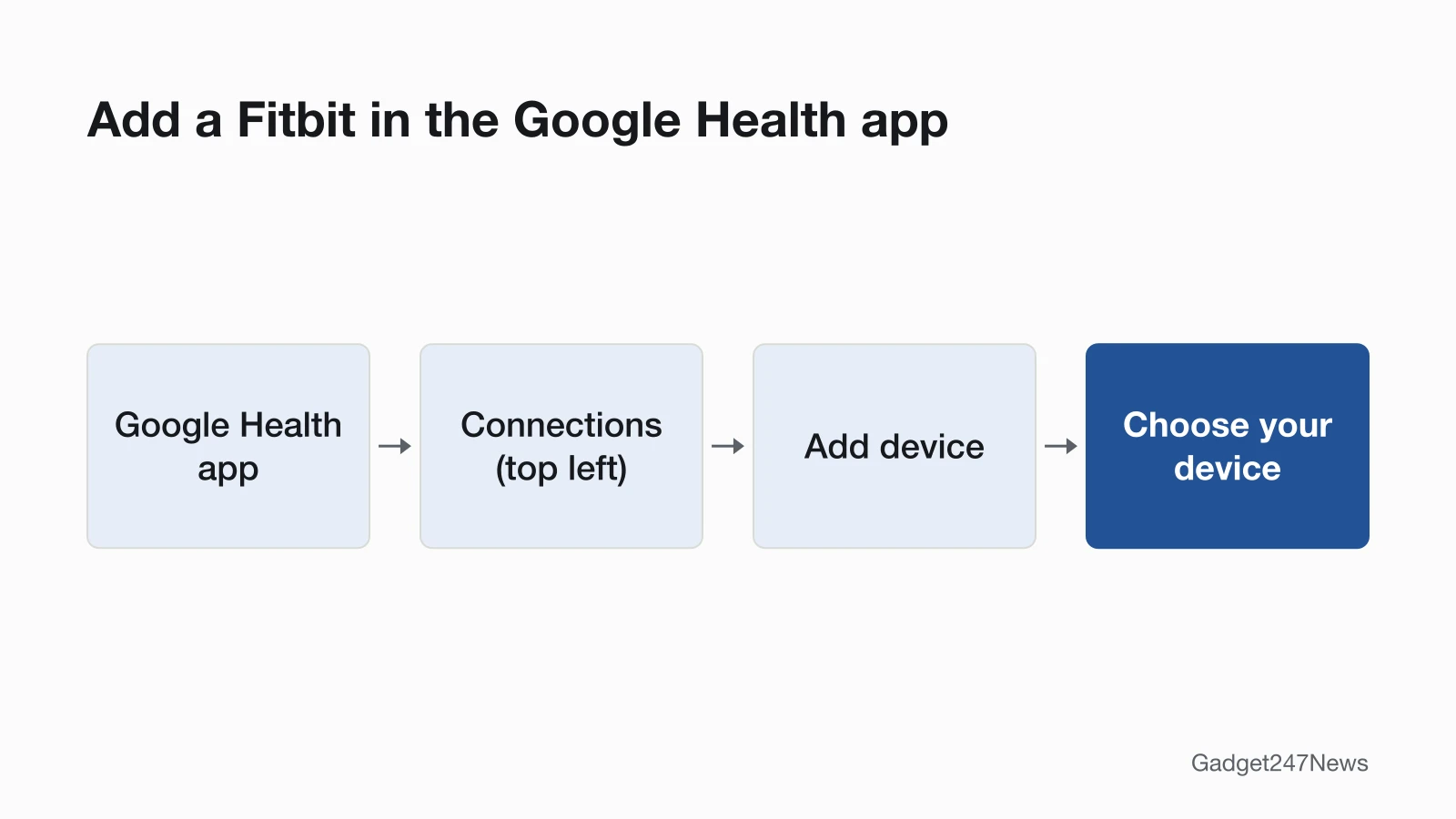
If you already use the Google Health app, add the Fitbit from Connections:
- Open the Google Health app.
- At the top left, tap Connections › Add device.
- Choose your device and follow the on-screen instructions.
- To replace a Fitbit that's already paired, or pair a different one, tap Add more devices.
On an iPhone, first remove the Fitbit you're replacing from the Bluetooth list in the Settings app. Google allows one Fitbit or Pixel Watch per account at a time, except that 1 Fitbit Air and 1 Pixel Watch can be used together.
How to Pair Your Fitbit Again or With a New Phone
To move a Fitbit to a new phone, remove it on the old phone, then add it on the new one:
- On the old phone, sync the Fitbit, then open the Google Health app and tap Connections › your Fitbit › System › Disconnect device. Any data you haven't synced is deleted.
- Forget the Fitbit in the old phone's Bluetooth settings; Google asks for this before you use a different phone if your Fitbit gets notifications. If the old phone stays nearby, uninstall the Google Health app on it too, because a Fitbit "can only sync with one device at a time."
- On the new phone, install the Google Health app, sign in with your Google Account and tap Connections › Add device.
- If Google Support asks you to erase the Fitbit first, follow the steps to factory reset a Fitbit, then pair it again.
Google's setup page doesn't list a factory reset as a step for a new phone.
How to Check Your Fitbit Is Paired
A paired Fitbit appears under "Devices" in Connections, with its battery percentage and last synced time:
- In the Google Health app, tap Connections at the top left; your Fitbit is listed under "Devices."
- Tap the Fitbit to see the "last synced when" note below its image.
- Open the app with the Fitbit nearby. It syncs automatically each time you do.
Can Fitbit Sync to Apple Health?
Yes, the Google Health app connects to Apple Health on an iPhone or iPad with iOS 16.4 or higher, bringing data in from Apple Health and sharing data to it. On Android, the matching connection is Health Connect, which needs Android 9 or higher.
How to Connect the Google Health App to Apple Health
Check that the iPhone is online and that you're signed in to the Google Health app with an adult Google Account, then:
- Open the Google Health app.
- At the top left, tap Connections › Apps and services.
- Under "Add connections," tap Apple Health.
- Tap Get started. On the consent page titled "Sync Google Health with Apple Health," tap Agree.
- Tap Turn All Categories On, or tick the categories you want and tap Allow.
- When the confirmation page appears, tap Done.
Google Health currently shows three months of your past Apple Health data. In Google's table, skin temperature and heart rate variability come in from Apple Health but aren't written back. After a reinstall of the Google Health app, you'll need to connect Apple Health again; if data stops arriving, see Fitbit not syncing. This covers device settings only and isn't medical advice.
If Your Fitbit Won't Pair
When setup fails, Google's order is: turn Bluetooth off for 10 seconds and on again, restart the Fitbit and then the phone, remove all other Fitbit devices from your Google account, forget the Fitbit in the phone's Bluetooth settings, then uninstall and reinstall the Google Health app. On Android, Power Saving Mode must be off, because it "frequently causes the device to disable Bluetooth." The full fix guide is Fitbit Not Connecting to Your Phone.
Pairing Questions
How do I sync my Fitbit to my phone?
A paired Fitbit syncs by itself: data moves to the Google Health app throughout the day, and again each time you open the app near the Fitbit. For a manual sync, pull down on the Today tab, or use Connections › Sync. When the numbers stop updating, see what to do if your Fitbit won't sync.
Do I need a Google Account for Fitbit?
Yes, you need a Google Account: Google requires one to sign up for the Google Health app and to activate newly released Fitbit devices. A Fitbit account stopped opening the app after May 19, 2026, so move it to Google first; our story on the Fitbit app becoming the Google Health app has the dates. Google Workspace accounts can't be linked.
Sources
We checked this page against the pages below, most recently on . How we verify fixes
- Google Health Help: How do I set up my Fitbit device? (Google, support.google.com)Official
- Google Health app setup requirements (Google, support.google.com)Official
- Google Health Help: Why can't I set up my Fitbit device? (Google, support.google.com)Official
- Google Health Help: Why won't my Fitbit device sync? (Google, support.google.com)Official
- Google Health Help: How do Fitbit devices sync their data? (Google, support.google.com)Official
- Google Health Help: How do I use Apple Health with the Google Health app? (Google, support.google.com)Official
- Google Health Help: How do I use Health Connect with the Google Health app? (Google, support.google.com)Official
- Google Health Help: How to move your Fitbit Account to a Google Account (Google, support.google.com)Official
- Google Health Help: What is new with the redesigned Google Health app (Google, support.google.com)Official