Is Fitbit Going Away? What the Google Move Means for You

By Suraj Giri, Founder & Publisher. Reviewed by Suraj Giri on .
Published · 3 min read
How this page was made
- Sources. Checked against 4 official pages from Google, most recently on . See the sources.
- No device testing. We don't test fixes on physical devices, so nothing on this page is a hands-on result. A fact counts as verified only when it matches an official source page.
- AI use. As with every page on Gadget247News, AI tools helped research, outline, draft and edit this page, and re-read the official pages to flag facts that didn't match. The illustration at the top was generated with Runway and is labelled under the image.
- Human sign-off. Suraj Giri, Founder & Publisher, read this page and signed it off on . The site won't publish a page without that sign-off.
- Changes. The published and updated dates move only when the content changes, and every change gets a dated note. Spot an error or a fix that didn't work? Email info@gadget247news.com.
Read our AI use policy, editorial policy and corrections policy.
Last checked: .
No, Fitbit isn't going away. Google says existing Fitbit users are upgraded to the new app, and it introduced a new tracker, Fitbit Air, on May 7, 2026. What's gone is the Fitbit app name and the separate Fitbit account. Checked against Google's help pages on September 26, 2026.
Fitbit devices and Pixel Watch now connect to the Google Health app (formerly the Fitbit app), and signing in takes a Google Account. If your data stopped syncing after the switch, see Fitbit Not Syncing; for other service changes and outages we track, start with Is Garmin Connect Down.
| Item | Detail | Source |
|---|---|---|
| Start date | May 19, 2026; automatic app update for most people by May 26 | Google Health Help |
| Account | Google Account required; no Fitbit account sign-in after May 19, 2026 | Google Health Help |
| Phone needed | Android 11 or higher, or iOS 16.4 or higher | Google Health app setup requirements |
Affected Devices
Google's help page covers app users with and without a connected device:
- Fitbit trackers and watches: Google names Charge 5, Charge 6, Sense and Versa 3 where features changed.
- Pixel Watch: covered too; with a watch connected, the app has 4 tabs: Today, Fitness, Sleep and Health.
- App users with no device: they get a smaller app with the Today and Health tabs only.
Neither Google help page names a Fitbit device that stops working.
What to Do Now
Moving a Fitbit account to a Google Account is the one step Google requires.
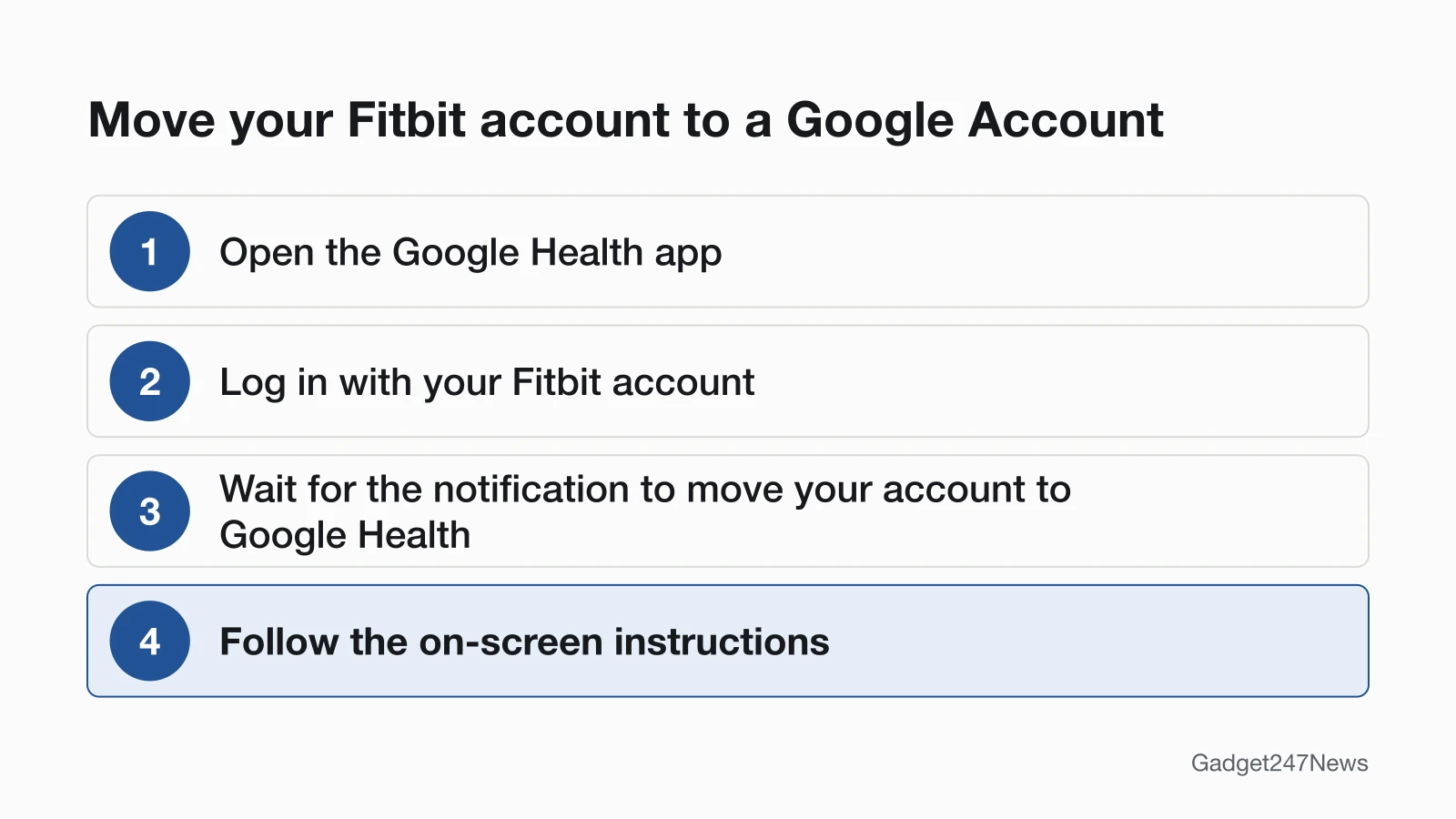
How to Move Your Fitbit Account to a Google Account
Google's steps:
- Open the Google Health app.
- Log in with your Fitbit account.
- Wait for the notification to move your account to Google Health.
- Follow the on-screen instructions.
Until you move, you can't use the rest of the app. The move takes a few minutes and can't be undone, though you can cancel until the final step. Google Workspace accounts can't be used, and a Fitbit account made with a Gmail address still has to move. Children under 13 (or the applicable age in your country) move with you; older children and adults move themselves. Google scheduled data deletions to begin July 15, 2026, and says some users may still be able to move during this period.
Removed Features and Your Data
Google lists these features as removed:
- Groups and the Community Feed
- Sleep Profile, including the monthly sleep animals
- Snore Detection on Fitbit Sense and Versa 3
- Stress-check graphs in the mobile app (Scan Quick Reset still works on Charge 5, Charge 6 and Sense)
- Recipes for Premium users
Data from removed features could be downloaded or deleted until July 15, 2026, when Google said it would begin deleting it.
Fitbit Not Syncing After the Switch?
Check that you've moved to a Google Account first. If it's moved and your data still won't sync, follow our Fitbit Not Syncing guide.
Background
Google announced the Google Health app and the screenless Fitbit Air tracker on May 7, 2026. A Google Account is now also required to activate newly released Fitbit and Pixel devices.
Will Google Stop Making Fitbit Devices?
How We'll Update This Page
- We re-check Google's two help pages monthly, and whenever Google posts a Fitbit or Google Health announcement.
- Each check updates the What Changed box and the checked date.
- New deadlines get a dated entry here.
More device news: Fitbit and Pixel Watch Updates: Rollout and Known Issues for software updates, AirPods and Apple Watch Recalls and Safety Notices, and what to do with an Oura Ring not syncing during an outage.
Sources
We checked this page against the pages below, most recently on . How we verify fixes
- Google Health Help: What is new with the redesigned Google Health app (Google, support.google.com)Official
- Google Health Help: How to move your Fitbit Account to a Google Account (Google, support.google.com)Official
- Google Help: Google Health app setup requirements (Google, support.google.com)Official
- Google blog: A new era for your health and wellness (May 7, 2026) (Google, blog.google)Official