Is Garmin Connect Down? Status and Sync Fixes

By Suraj Giri, Founder & Publisher. Reviewed by Suraj Giri on .
Published · 3 min read
How this page was made
- Sources. Checked against 2 official pages from Garmin, most recently on . See the sources.
- No device testing. We don't test fixes on physical devices, so nothing on this page is a hands-on result. A fact counts as verified only when it matches an official source page.
- AI use. As with every page on Gadget247News, AI tools helped research, outline, draft and edit this page, and re-read the official pages to flag facts that didn't match. The illustration at the top was generated with Runway and is labelled under the image.
- Human sign-off. Suraj Giri, Founder & Publisher, read this page and signed it off on . The site won't publish a page without that sign-off.
- Changes. The published and updated dates move only when the content changes, and every change gets a dated note. Spot an error or a fix that didn't work? Email info@gadget247news.com.
Read our AI use policy, editorial policy and corrections policy.
Last checked: .
Status last checked: September 26, 2026, 2 p.m. ET on Garmin's official status page. We don't show live data; open Garmin's page for the current state.
Garmin Connect wasn't down at our last check, and when Garmin shows no problem, your sync issue is local: Garmin Watch Not Syncing With Garmin Connect has the fix. For other watch faults that aren't a Garmin outage, fix your smartwatch by symptom, and for earbud problems instead, start with wireless earbuds not working.
The key facts from our check:
| Item | Detail | Source |
|---|---|---|
| Status | All 30 items ONLINE (8 platforms, 22 features) | Garmin status page |
| Checked | September 26, 2026, 2 p.m. ET | Garmin status page |
| Devices named | None; the page lists services, not models | Garmin status page |
| Outage start and end times | Not given; the page shows the current state only | Garmin status page |
How to Check Garmin Connect Status Yourself
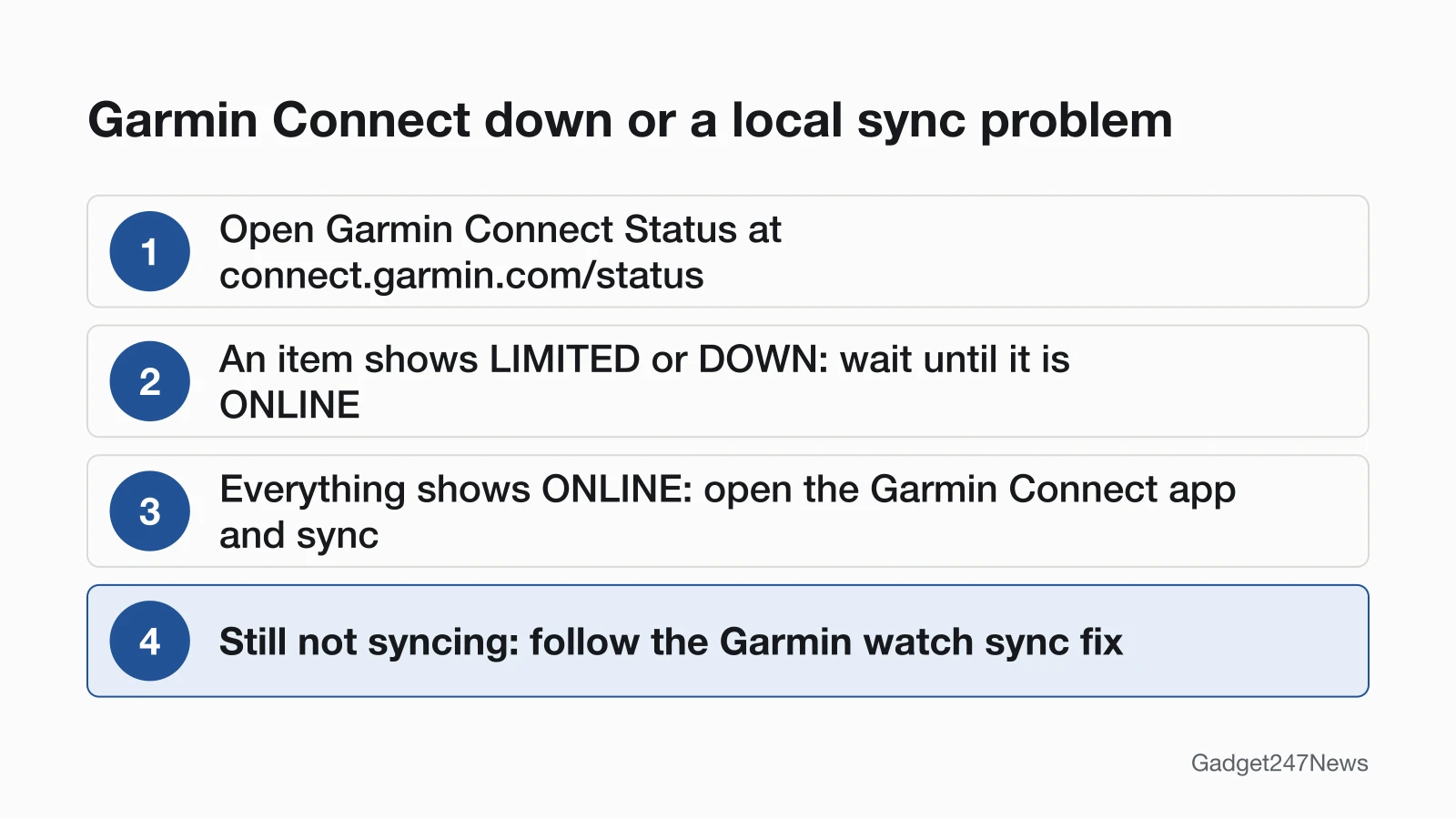
Open Garmin's official status page at connect.garmin.com/status, which lists each platform and feature with a colored label. Garmin says it will "tell you the status of what's working and what's down," and its sync support page says to check it before trying advanced steps.
Affected Devices and Services
Garmin's status page names services, not watch models, so it never lists which watches an outage hits. At our check it covered 30 items (our grouping, Garmin's names):
- Platforms (8): Garmin Connect, Garmin Golf, Garmin Dive, Connect IQ, Garmin Jr., LiveTrack, Garmin Express and Tacx.
- Sync features (4): Activity Uploads, Wellness Sync, Third Party Sync and Strava.
- Watch and account features (7): Device Registration, Garmin Pay, Workouts, Courses, Garmin Coach, Challenges & Connections and Incident Detection & Assistance.
- Other features (11): including Activity Details, ECG, Nutrition, Reports and Segments.
When a device isn't syncing, Garmin says you may see daily steps not updating in the app, recorded workouts missing from your account, and an old or missing weather forecast.
What to Do Now
Your next step depends on Garmin's labels:
- An item shows LIMITED or DOWN: wait. Resetting or re-pairing your watch won't fix a problem on Garmin's side, so leave it until the item is ONLINE again.
- Everything shows ONLINE: sync. Open the Garmin Connect app with your watch connected. Garmin says syncing should start on its own; a green dot at the top of the Home screen confirms it.
- Still not syncing: use the sync fix. Follow Garmin Watch Not Syncing With Garmin Connect for the full troubleshooting order.
Garmin Not Syncing but Connect Isn't Down?
Then the fault sits between your watch, your phone and the app. Garmin's checklist starts with Bluetooth on both devices and a cellular or Wi-Fi signal on your phone; the sync fix has the rest.
Background
How Garmin's page works, and how we keep this one current.
How Garmin Reports Outages
Garmin labels each platform and feature ONLINE (green), LIMITED (yellow) or DOWN (red), with room for a short reason under any item. The "as of" time at the top isn't Garmin's update time: the page's code reads your own device's clock, so it shows when you opened the page, in your time zone. There's no incident history. For software updates rather than outages, see known issues after an earbud or smartwatch update.
How We'll Update This Page
Our routine for this page:
- We check Garmin's status page at least daily, and every 30 minutes while any item isn't ONLINE.
- Each check updates the What Changed box and the Status last checked line, in ET.
- Each incident gets a dated log entry: Garmin's item names, labels and reason text, and when we saw them change.
- We never estimate outage size from third-party trackers or social posts.
Incident log: none recorded as of September 26, 2026.
Other Status and Device News
Sources
We checked this page against the pages below, most recently on . How we verify fixes
- Garmin Connect Status (Garmin, connect.garmin.com)Official
- Garmin: My Device Is Not Syncing Data to the Garmin Connect App (Garmin, support.garmin.com)Official