Sony Headphones Not Connecting? Causes and Fixes

By Suraj Giri, Founder & Publisher. Reviewed by Suraj Giri on .
Published · 6 min read
How this page was made
- Sources. Checked against 18 official pages from Sony, Apple and Google, most recently on . See the sources.
- No device testing. We don't test fixes on physical devices, so nothing on this page is a hands-on result. A fact counts as verified only when it matches an official source page.
- AI use. As with every page on Gadget247News, AI tools helped research, outline, draft and edit this page, and re-read the official pages to flag facts that didn't match. The illustration at the top was generated with Runway and is labelled under the image.
- Human sign-off. Suraj Giri, Founder & Publisher, read this page and signed it off on . The site won't publish a page without that sign-off.
- Changes. The published and updated dates move only when the content changes, and every change gets a dated note. Spot an error or a fix that didn't work? Email info@gadget247news.com.
Read our AI use policy, editorial policy and corrections policy.
This guide is for Sony headphones and earbuds that won't connect, won't show up in your Bluetooth list or won't pair. It follows the order of Sony's own Help Guide pages and belongs to the Sony Headphones Problems and Fixes set. Headphones that connect and then drop out have a separate guide, linked under Still not working? below.
For another brand, start with Bluetooth headphones not connecting instead.
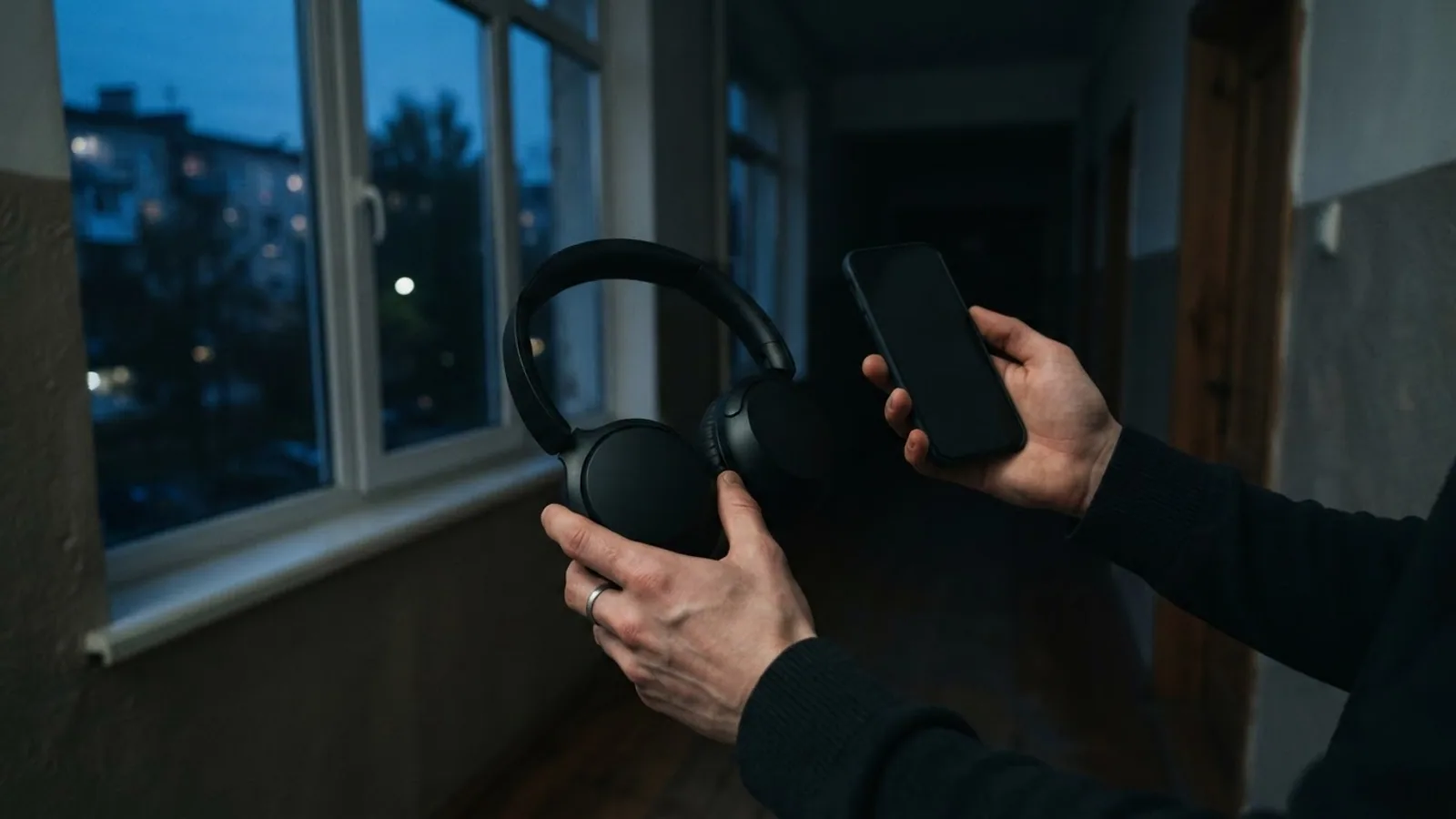
Why Won't My Sony Headphones Connect?
Sony headphones most often won't connect because they reconnected to the last device they used instead of yours. Sony's troubleshooting pages name these causes, most common first:
- The last device grabbed them. Sony's WF-1000XM5 guide: "If the headset automatically connects to the last connected Bluetooth device, you may fail to connect the headset to other devices via a Bluetooth connection."
- Bluetooth is off, or the phone is asleep. Sony's first checks are the headset power, the Bluetooth switch and the device's sleep mode.
- They aren't in pairing mode. Pairing mode is canceled after 5 minutes, and earbuds can't enter it with the case lid closed or an eartip loose.
- The phone kept old pairing data. After an initialize or repair, a device that still holds the pairing may refuse to pair.
- An LE Audio device is nearby (WF-1000XM5). It can connect by itself when pairing mode starts.
- The battery or case is low. Charging is part of step 1 in Sony's troubleshooting list.
Reset and initialize sit at the end of every Sony list, so save them for last.
How to Fix Sony Headphones That Won't Connect
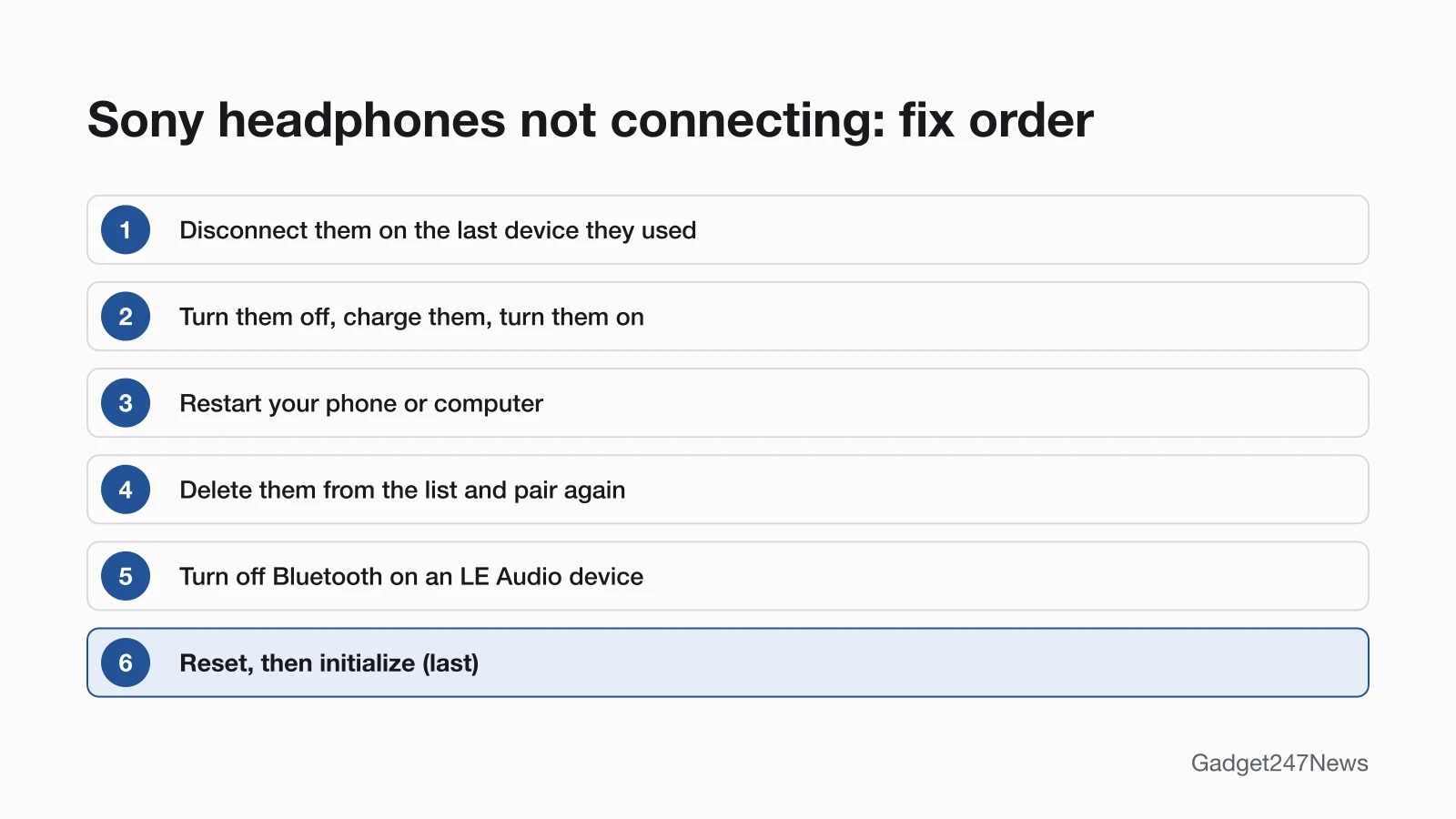
These follow the order of Sony's Help Guide; reset and initialize come last.
Fix 1: Disconnect the Last Device They Used
To stop the last device from taking over, disconnect the headphones there first:
- Check that your Sony headphones are on and your phone's Bluetooth is on. If the phone is in sleep mode, wake it.
- On the phone or laptop the headphones used last, disconnect them or turn its Bluetooth off.
- On your phone, tap the model name in Bluetooth settings.
Sony's WH-1000XM5 guide adds one more check here: if the Bluetooth connection has been terminated, make the connection again from your phone.
Fix 2: Turn Them Off, Charge Them, Turn Them On
Sony's first troubleshooting step restarts the power: with a charge for headphones, with the case for earbuds:
- Headphones: "Turn the headset off, charge it, and then turn it on again." (WH-1000XM6). The WH-1000XM5 can't be turned on while charging, so remove the USB Type-C cable first.
- Earbuds: set both in the case, close the lid once, then open it and take them out (WF-1000XM6). Sony's WF-1000XM5 guide also says to charge the charging case, and notes that you "may be able to resolve some issues by setting the headset units into the charging case".
If they won't take a charge at all, see Sony headphones not charging.
Fix 3: Restart Your Phone or Computer
Restart the phone or computer you're connecting to; Sony's WH-1000XM6 step 2 reads "Restart the device being connected such as your computer or smartphone." Sony's WF-1000XM5 pairing page adds that you then pair the headphones with it again.
Fix 4: Delete Them and Pair Again
Deleting the old pairing clears data that can block a fresh connection:
- Delete the headphones from your device's Bluetooth list. iPhone: Settings > Bluetooth, tap the More Info button next to them, then Forget this Device. Android: tap Settings next to their name, then Forget.
- Bring the headphones within 1 m (3.2 ft) of the device.
- Start pairing mode. WH-1000XM6: hold the (Bluetooth) button for about 5 seconds or more. WF-1000XM6, WF-1000XM5, WF-C510: lid open, hold the case's pairing button for about 5 seconds or more. Other models are in How to Connect and Pair Sony Headphones With Any Device.
- Tap the model name, and enter 0000 if a passkey is requested.
On an iPhone, Apple notes that forgetting an accessory unpairs it on all devices signed in to your Apple Account.
Fix 5: Used LE Audio Before? Turn That Device's Bluetooth Off
A device that used LE Audio can grab WF-1000XM5 earbuds: Sony says it "may be automatically connected with the headset when the headset enters pairing mode". Turn off Bluetooth on that device, then pair the new one. Bluetooth LE Audio for earbuds and headphones explains the standard.
Fix 6 (Last): Reset, Then Initialize
Reset first, and initialize only if the headphones still don't work properly. Sony's WH-1000XM6 list puts one step before both: search the Sony support site from the menu of the Sony | Sound Connect app. Sony resets the headset when it "cannot be turned on or cannot be operated even when it is turned on". Sony keeps the two apart: after a reset, "The pairing information and other settings are retained", while initializing restores factory settings and "deletes all pairing information". After an initialize, delete the headphones on your phone and pair them again. How to Reset Sony Headphones has the buttons for each model.
Sony Not Connecting by Device and Model
The six fixes apply to every model; these extra checks depend on what you pair with and which Sony you own.
Won't Connect to an iPhone, MacBook or Laptop
iPhone: after an initialize or repair, an iPhone that "retains pairing information for the headset" may refuse to pair, so forget them first (Fix 4). Mac: Sony's WH-1000XM6 guide needs macOS 11 or later and the computer speaker set to ON; in "OFF" mode, "no sound can be heard from the headset". Windows: Sony says to "delete the headset pairing information on your computer and perform pairing again". Step-by-step pages: How to Connect Sony Headphones to a Windows PC and How to Connect Sony Headphones to Android.
Sony Earbuds Won't Pair (WF-1000XM5, WF-C510, WF-C500)
Sony earbuds with a case button only enter pairing mode with the lid open and both earbuds seated. The WF-1000XM5 guide says pairing mode fails "if the headset is not set securely in the charging case, such as when the earbud tips are not properly attached". Charge the case, seat both earbuds, close the lid once and open it again, then hold the pairing button for about 5 seconds or more (WF-1000XM5, WF-C510). The WF-C500 uses the buttons on both earbuds instead, held for about 5 seconds.
Still not working?
- Try the next fix: Why Sony headphones keep disconnecting (if they connect and then drop out).
- Reset your Sony headphones: How to reset Sony headphones (after an initialize you'll need to pair them again).
- Contact Sony Support: Sony Support (external).
- Check repair or warranty options: Sony Product Repair (external).
Started after an update? Check the Update Tracker for known issues.
Stopped Connecting After an Update?
Sony updates headphone software through the Sony | Sound Connect app. WF-1000XM5 earbuds can't be used during an automatic software update: Sony says to set them in the case, close the lid, "then wait for about 5 minutes". If connecting failed right after an update, check Sony, Bose and JBL firmware updates for known issues.
Sony Headphones Not Connecting: Quick Answers
Why won't my Sony headphones connect to my iPhone?
They usually connected to another device first, or the iPhone kept old pairing data. Turn off Bluetooth on the other phone or laptop, then tap the headphones in the iPhone's Bluetooth list. If that fails, tap Forget this Device on the iPhone and pair them again.
Why won't my Sony headphones connect to my MacBook?
They may still be connected to your phone, so turn the phone's Bluetooth off first. Sony's WH-1000XM6 guide also asks for macOS 11 or later and the Mac's speaker set to ON. Then select the model on the Bluetooth screen and click Connect.
Why won't my Sony earbuds pair?
The case lid is closed, an eartip isn't attached properly, or the case needs a charge. Charge the case, seat both earbuds, open the lid and hold the pairing button on the back of the case for about 5 seconds or more (WF-1000XM5).
Sources
We checked this page against the pages below, most recently on . How we verify fixes
- WF-1000XM5 Help Guide: Unable to make a Bluetooth connection. (Sony, helpguide.sony.net)Official
- WF-1000XM5 Help Guide: Pairing with a Bluetooth device cannot be done. (Sony, helpguide.sony.net)Official
- WF-1000XM5 Help Guide: Unable to turn on the headset. (Sony, helpguide.sony.net)Official
- WH-1000XM5 Help Guide: Unable to make a Bluetooth connection. (Sony, helpguide.sony.net)Official
- WH-1000XM5 Help Guide: Unable to turn on the headset. (Sony, helpguide.sony.net)Official
- WH-1000XM6 Help Guide: Troubleshooting (Sony, helpguide.sony.net)Official
- WH-1000XM6 Help Guide: Resetting the headset (Sony, helpguide.sony.net)Official
- WH-1000XM6 Help Guide: Initializing the headset to restore factory settings (Sony, helpguide.sony.net)Official
- WH-1000XM6 Help Guide: Pairing and connecting with an Android smartphone (Sony, helpguide.sony.net)Official
- WH-1000XM6 Help Guide: Pairing and connecting with a computer (Mac) (Sony, helpguide.sony.net)Official
- WH-1000XM6 Help Guide: Connecting to a paired computer (Windows 11) (Sony, helpguide.sony.net)Official
- WH-1000XM6 Help Guide: What you can do with the "Sony | Sound Connect" app (Sony, helpguide.sony.net)Official
- WF-1000XM6 Help Guide: Troubleshooting (Sony, helpguide.sony.net)Official
- WF-C510 Help Guide: Pairing and connecting with an Android smartphone (Sony, helpguide.sony.net)Official
- WF-C500 Help Guide: Pairing and connecting with an Android smartphone (Sony, helpguide.sony.net)Official
- Connect a third-party Bluetooth accessory to your iPhone or iPad (Apple, support.apple.com)Official
- Find & set up Bluetooth devices near your Android device (Google, support.google.com)Official
- Sony Electronics Support (Sony, sony.com)Official