How to Turn Sony Headphones On and Off

By Suraj Giri, Founder & Publisher. Reviewed by Suraj Giri on .
Published · 4 min read
How this page was made
- Sources. Checked against 20 official pages from Sony, most recently on . See the sources.
- No device testing. We don't test fixes on physical devices, so nothing on this page is a hands-on result. A fact counts as verified only when it matches an official source page.
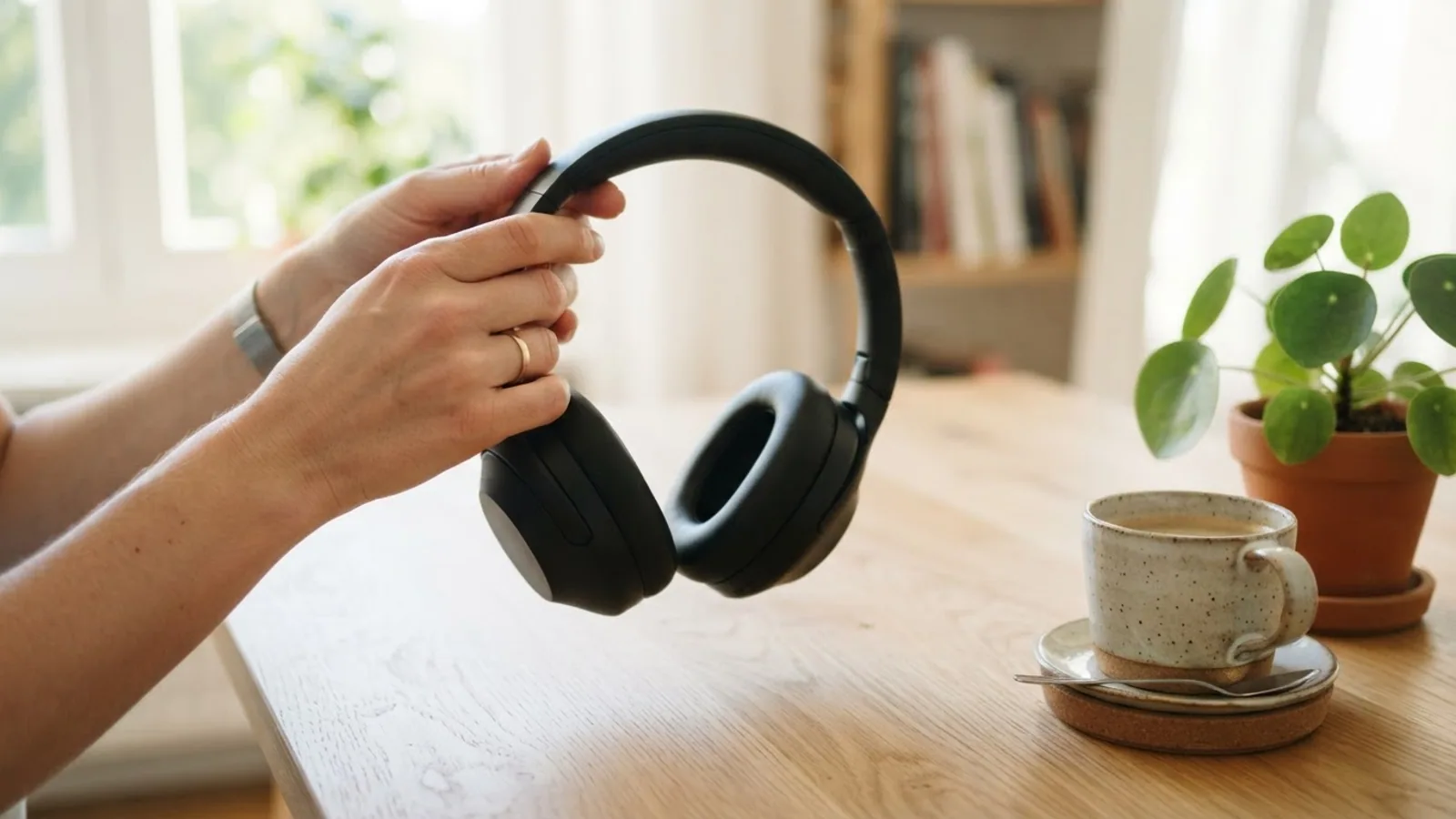
- AI use. As with every page on Gadget247News, AI tools helped research, outline, draft and edit this page, and re-read the official pages to flag facts that didn't match. The illustration at the top was generated with Runway and is labelled under the image.
- Human sign-off. Suraj Giri, Founder & Publisher, read this page and signed it off on . The site won't publish a page without that sign-off.
- Changes. The published and updated dates move only when the content changes, and every change gets a dated note. Spot an error or a fix that didn't work? Email info@gadget247news.com.
Read our AI use policy, editorial policy and corrections policy.
To turn Sony headphones on or off, press and hold the (power) button for about 2 seconds: on the WH-1000XM6, WH-1000XM5 and WH-CH520 the blue indicator flashes as they turn on and goes out as they turn off. Sony earbuds use the charging case instead. Take them out to turn them on, then put them back and close the lid to turn them off. Steps cover the models on the Sony headphones not working hub.
Speak-to-Chat, the feature that pauses or lowers your music when you talk, has its own off steps near the end. If there's no sign of power at all, charge first; for other brands, see how to get your earbuds charging again.
How to Turn On Sony Headphones and Earbuds
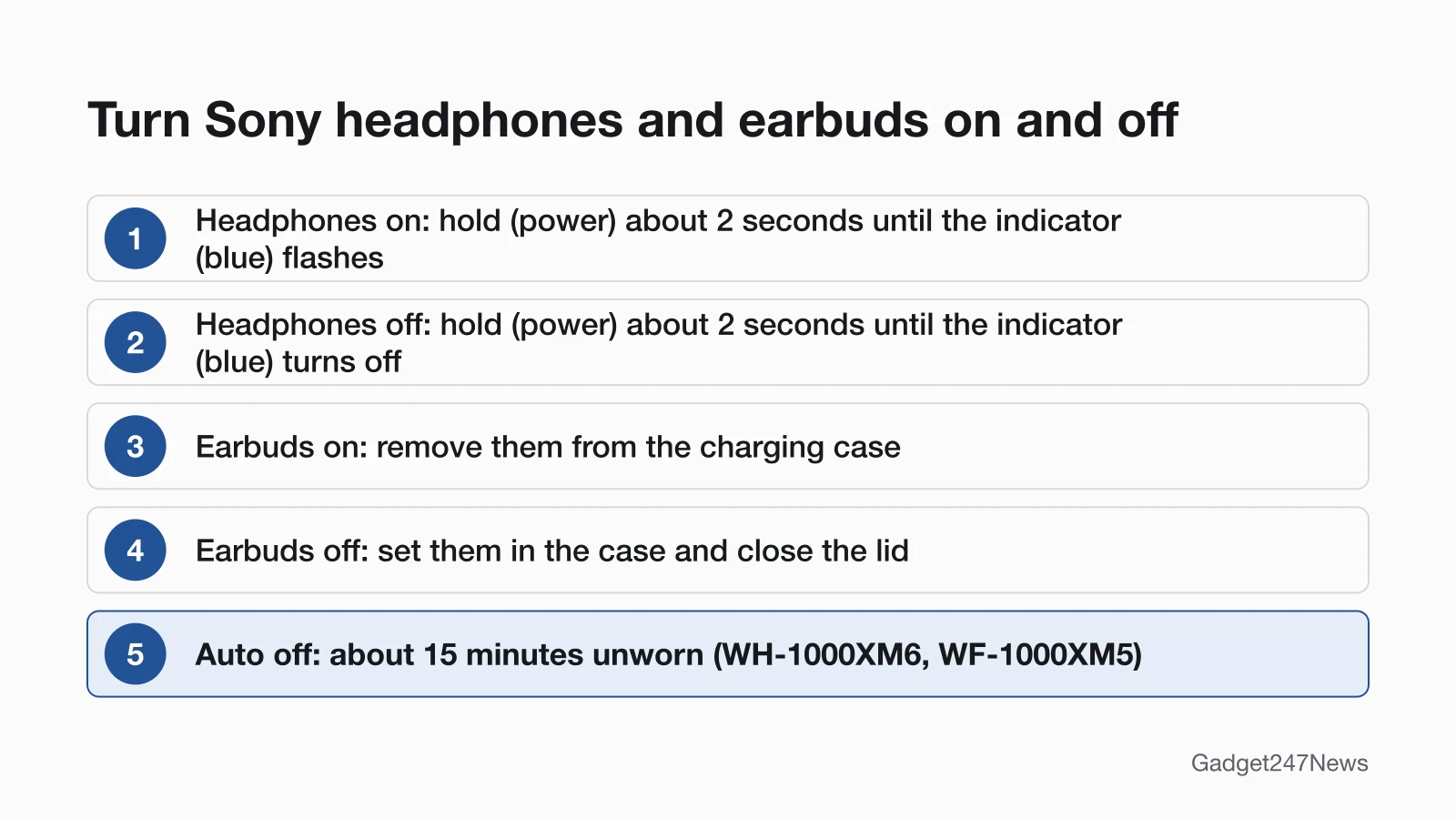
To turn on Sony headphones, hold the (power) button until the blue indicator flashes; to turn on Sony earbuds, take them out of the charging case.
- WH-1000XM6 and WH-CH520: press and hold the (power) button for about 2 seconds or more until the indicator (blue) flashes.
- WH-1000XM5: press and hold the (power) button for about 2 seconds until the indicator (blue) flashes. Remove the USB Type-C cable first if it's charging.
- WF-1000XM5, WF-1000XM4, WF-C510 and WF-C500: remove the earbuds from the charging case and they turn on automatically. Take out one and only that one turns on.
- Earbuds that turned off outside the case: tap the touch sensor or put them in your ears (WF-1000XM5, WF-1000XM4), or press and hold the buttons on both earbuds for about 2 seconds or more (WF-C510). Setting them in the case and taking them out again also works.
How to Turn Off Sony Headphones and Earbuds
To turn off Sony headphones, hold the (power) button again until the blue indicator goes out; to turn off Sony earbuds, put them back in the case.
- WH-1000XM6 and WH-CH520: press and hold the (power) button for about 2 seconds or more until the indicator (blue) turns off.
- WH-1000XM5: press and hold the (power) button for about 2 seconds until the indicator (blue) turns off.
- WF-1000XM5 and WF-C510: put the left earbud (the one with the tactile dot) in the left hole and the right earbud in the right hole, then close the charging case lid.
- WF-C500 and WF-1000XM4: set the earbuds into the charging case, and they turn off automatically.
Every model in this guide can also be turned off from the Sony | Sound Connect app. Turn WH-1000XM6 or WH-1000XM5 headphones off before they go in a bag: Sony says "Wearing detection may react incorrectly."
Do Sony Headphones Turn Off Automatically?
Yes, five of the seven Sony models in this guide switch off after about 15 minutes. On the WH-1000XM6 and WH-1000XM5, "The headset will automatically turn off after 15 minutes of not being worn." WF-1000XM5 and WF-1000XM4 earbuds turn off after about 15 minutes out of your ears, while the WF-C510 turns off "After 15 minutes of Bluetooth disconnection". The app can change this setting on all four WH-1000XM and WF-1000XM models here. If the battery still runs down quickly, see Sony headphones battery drain.
How to Check Your Sony Headphones Are On
Watch the indicator or listen:
- WH-1000XM6: turning on, the indicator flashes twice in blue; turning off, it lights up in blue for about 2 seconds.
- WF-1000XM5 and WF-C510: before they connect to a phone, tap the touch sensor (WF-1000XM5) or press a button (WF-C510), and a notification sound tells you they're on.
- WF-C500 and WF-1000XM4: the WF-C500 says "Power on", and WF-1000XM4 earbuds announce the remaining battery charge when you put them in your ears.
If Your Sony Headphones Won't Turn On
Charge them first, then work down Sony's list. A charging WH-1000XM5 can't turn on, so remove the USB Type-C cable. For WF-1000XM5 earbuds, charge the case, clean the charging ports and check the case indicator, then take them out. During an automatic software update, set them in the case, close the lid and wait for about 5 minutes. Sony ends with a reset, then an initialize: use the Sony headphones soft and factory reset steps. If the battery never fills, see Sony headphones not charging; if they turn on but won't pair, see Sony headphones won't connect.
How to Turn Off Speak-to-Chat on Sony Headphones
Speak-to-Chat pauses or mutes your music when you start talking (the WH-1000XM6 lowers the volume instead), and Sony ships it switched off: "In the factory settings, Speak-to-Chat is disabled." To turn it off:
- WH-1000XM5: hold 2 fingers to the touch sensor control panel until you hear "Speak-to-chat deactivated".
- WH-1000XM6: turn it off in the Sony | Sound Connect app. Sony's guide says: "To disable, change the setting with the 'Sony | Sound Connect' app."
- WF-1000XM5: switch it off in the Sony | Sound Connect app (its guide still says "Sony | Headphones Connect").
These Help Guide pages don't give the app's menu path.
If Speak-to-Chat starts by accident (Sony names electric toothbrushes, coughing and humming), set it to "L Sensitivity". Once active, it ends after about 15 seconds without your voice in the factory settings; to end it sooner, tap the touch sensor on either WF-1000XM5 earbud.
Sony Headphones Power: Quick Answers
Why won't my Sony headphones turn on?
Sony headphones won't turn on when the battery is flat, a WH-1000XM5 is still on its charging cable, or earbuds are mid-update. Charge them, unplug the cable and hold the (power) button for about 2 seconds; if nothing happens, reset, then initialize.
How do I turn on Sony earbuds?
Take Sony earbuds out of the charging case and they turn on automatically. If they switched themselves off outside the case, tap the touch sensor (WF-1000XM5) or hold the buttons on both earbuds for about 2 seconds or more (WF-C510).
Why do my Sony headphones pause when I talk?
Your Sony headphones pause when you talk because Speak-to-Chat is on: it starts when it hears your voice and pauses or mutes the music on the WH-1000XM5 and WF-1000XM5. Turn it off with the steps above.
Sources
We checked this page against the pages below, most recently on . How we verify fixes
- WH-1000XM6 Help Guide: Turning on the headset (Sony, helpguide.sony.net)Official
- WH-1000XM6 Help Guide: Turning off the headset (Sony, helpguide.sony.net)Official
- WH-1000XM6 Help Guide: About the indicator (Sony, helpguide.sony.net)Official
- WH-1000XM5 Help Guide: Turning on the headset (Sony, helpguide.sony.net)Official
- WH-1000XM5 Help Guide: Turning off the headset (Sony, helpguide.sony.net)Official
- WH-1000XM5 Help Guide: Unable to turn on the headset. (Sony, helpguide.sony.net)Official
- WH-CH520 Help Guide: Turning on the headset (Sony, helpguide.sony.net)Official
- WH-CH520 Help Guide: Turning off the headset (Sony, helpguide.sony.net)Official
- WF-1000XM5 Help Guide: Turning on the headset (Sony, helpguide.sony.net)Official
- WF-1000XM5 Help Guide: Turning off the headset (Sony, helpguide.sony.net)Official
- WF-1000XM5 Help Guide: Unable to turn on the headset. (Sony, helpguide.sony.net)Official
- WF-1000XM4 Help Guide: Turning on the headset (Sony, helpguide.sony.net)Official
- WF-1000XM4 Help Guide: Turning off the headset (Sony, helpguide.sony.net)Official
- WF-C510 Help Guide: Turning on the headset (Sony, helpguide.sony.net)Official
- WF-C510 Help Guide: Turning off the headset (Sony, helpguide.sony.net)Official
- WF-C500 Help Guide: Turning on the headset (Sony, helpguide.sony.net)Official
- WF-C500 Help Guide: Turning off the headset (Sony, helpguide.sony.net)Official
- WH-1000XM6 Help Guide: Speaking with someone while wearing the headset (Speak-to-Chat) (Sony, helpguide.sony.net)Official
- WH-1000XM5 Help Guide: Speaking with someone while wearing the headset (Speak-to-Chat) (Sony, helpguide.sony.net)Official
- WF-1000XM5 Help Guide: Speaking with someone while wearing the headset (Speak-to-Chat) (Sony, helpguide.sony.net)Official