Sony Headphones Not Charging? Causes and Fixes

By Suraj Giri, Founder & Publisher. Reviewed by Suraj Giri on .
Published · 7 min read
How this page was made
- Sources. Checked against 16 official pages from Sony, most recently on . See the sources.
- No device testing. We don't test fixes on physical devices, so nothing on this page is a hands-on result. A fact counts as verified only when it matches an official source page.
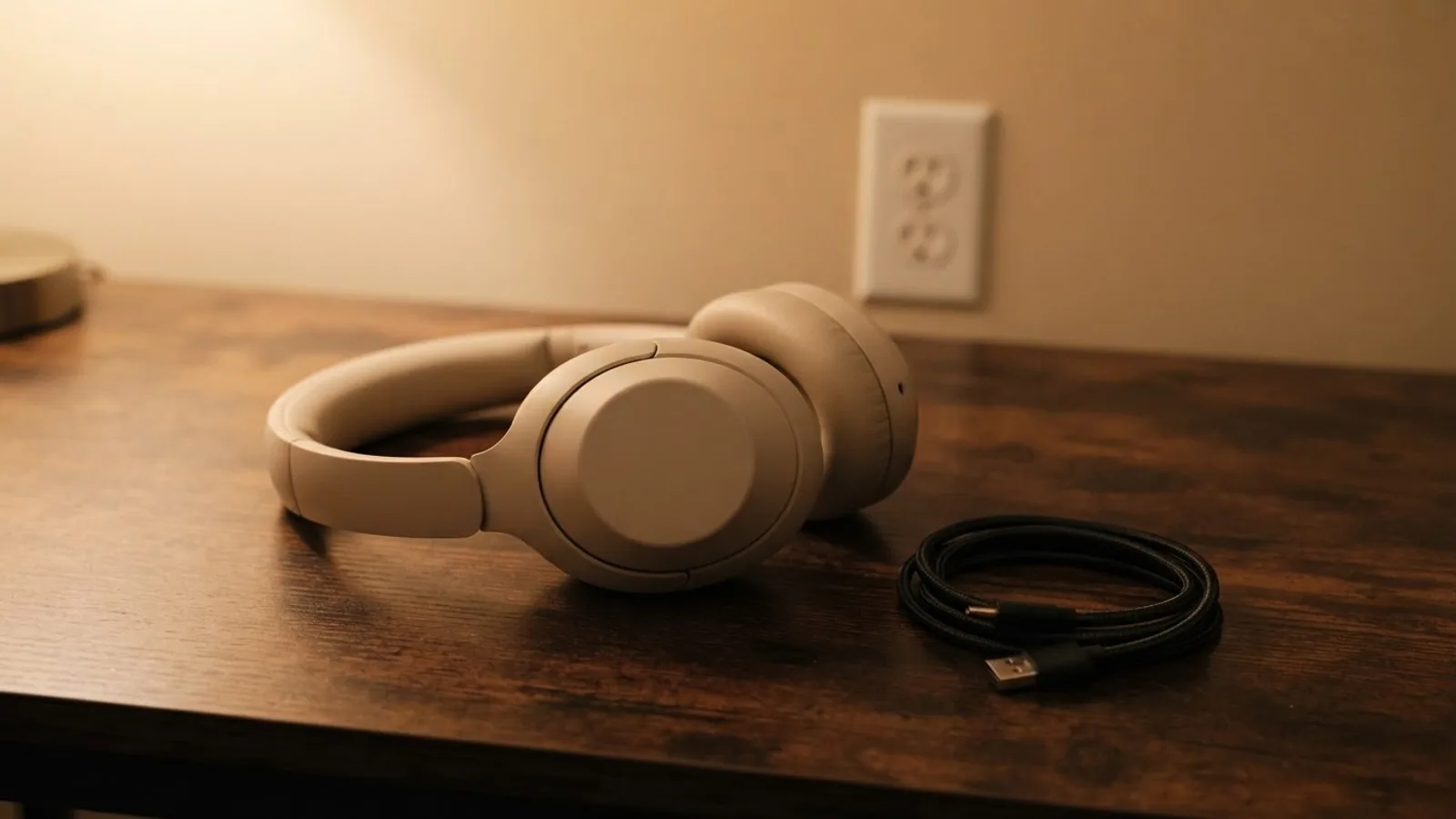
- AI use. As with every page on Gadget247News, AI tools helped research, outline, draft and edit this page, and re-read the official pages to flag facts that didn't match. The illustration at the top was generated with Runway and is labelled under the image.
- Human sign-off. Suraj Giri, Founder & Publisher, read this page and signed it off on . The site won't publish a page without that sign-off.
- Changes. The published and updated dates move only when the content changes, and every change gets a dated note. Spot an error or a fix that didn't work? Email info@gadget247news.com.
Read our AI use policy, editorial policy and corrections policy.
This guide is for Sony headphones or earbuds with no charging light, an orange light that flashes, or a battery that won't fill. If they charge but run down quickly, the battery drain guide in Still not working? below is the better fit. Pairing, sound and other faults start at Sony headphones pairing, battery and sound fixes.
For other brands, or one earbud not charging on any pair, use the cross-brand guide.
Why Won't My Sony Headphones Charge?
Sony's Help Guides point to six kinds of cause, grouped here in the order this guide fixes them:
- The power source: a USB hub, a computer in sleep or hibernation, or an adapter below the output Sony specifies.
- The cable: "Charging may not be successful with cables other than the supplied USB Type-C cable."
- The seating: "If the headset units are floating in the charging case, the headset units may not be charged" (WF-1000XM5), or the WF-C500's eartips aren't attached properly.
- The port: dust or water in the USB-C port, or dirt on the charging ports of earbuds and their case.
- The room: too hot or too cold for the model's charging range.
- The battery: it sat unused for a long time, which makes charging slower, or its usage hours have dropped a lot.
How to Fix Sony Headphones That Won't Charge
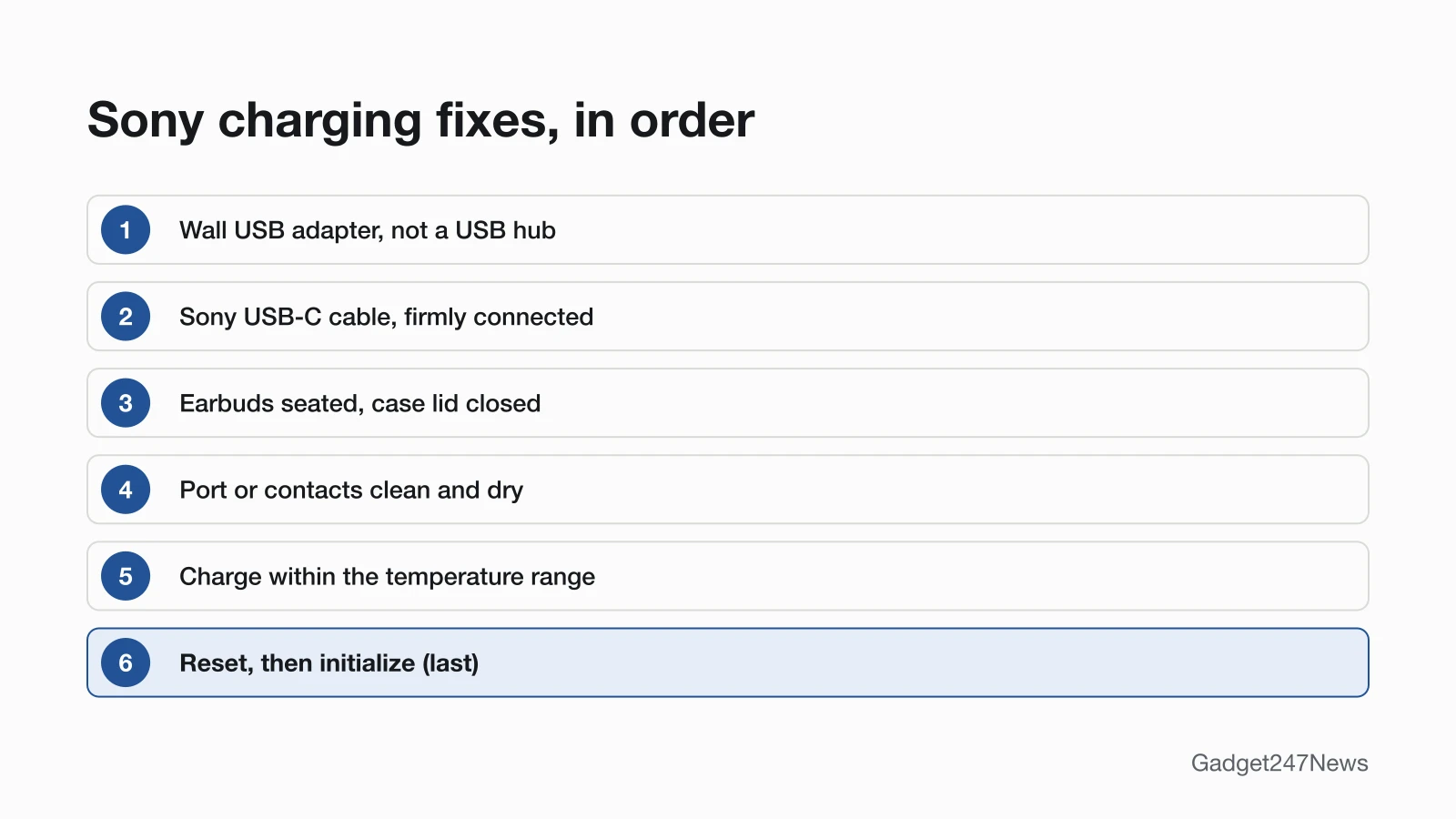
These follow Sony's Help Guide checks; reset and initialize come last.
Fix 1: Use a Wall Adapter, Not a USB Hub
Charge from a USB wall adapter, or straight from a computer that's awake, never through a USB hub.
- Plug the USB-C cable into a USB AC adaptor rated for your model (table below).
- On a computer, connect directly, not through a hub, and keep it awake: Sony says the headset "cannot be charged when the computer goes into standby (sleep) or hibernation mode."
- Leave it until the orange light turns off.
| Model | USB AC adaptor, at least | Full charge from empty |
|---|---|---|
| WH-1000XM6 | 1.5 A | About 3.5 hours |
| WH-1000XM5 | 1.5 A | About 3.5 hours |
| WH-CH520 | 0.5 A (500 mA) | About 3 hours |
| WF-1000XM6, WF-1000XM5 | 0.5 A (500 mA) | About 2 hours (earbuds and case) |
| WF-C510 | 0.5 A (500 mA) | About 3 hours (earbuds and case) |
| WF-C500 | 0.5 A (500 mA) | About 3 hours (earbuds and case) |
Fix 2: Use Sony's Cable
Use the USB-C cable Sony specifies for your model, and push it fully home:
- Supplied cable: the WH-1000XM6, WH-1000XM5, WH-CH520, WF-1000XM6, WF-1000XM5 and WF-C500 guides all say to use the supplied USB Type-C cable.
- WF-C510: Sony's guide says to use "a commercially available USB Type-C cable", one "compliant with USB standards".
- Connection: "check that the cable is firmly connected to the charging case" (WF-1000XM5, WF-C500).
Fix 3: Seat the Earbuds and Close the Case
Earbuds that float loose in the case may not charge, so seat them one by one:
- Put the left earbud (the one with the tactile dot) in the left hole of the case and the right earbud in the right hole; magnets set them in position (WF-1000XM5, WF-C510).
- Watch the case light: if the case still has charge, it lights orange or green for about 3 seconds (WF-1000XM5, WF-C510) or about 6 seconds (WF-1000XM6).
- Close the lid. Sony: "Be sure to close the charging case lid to prevent the battery of the charging case from being consumed."
On the WF-C500, check the eartips too: Sony warns that "If earbud tips by other manufacturers are used, the headset may not be charged with the supplied charging case."
Fix 4: Clean and Dry the Port or Contacts
Clean the charging ports on earbuds and their case, and dry the USB-C port on the WH-1000XM6, before you try again:
- Earbuds: "Clean the charging ports with a soft dry cloth" (WF-1000XM5, WF-C500). A routine for the whole case is in how to clean your earbuds and case.
- WH-1000XM6: "Make sure the USB Type-C port is clear of any foreign objects", and "If water droplets are present on the charging port, allow it to dry completely before charging." On headset software Ver. 2.0.0 or later, the headset tells you by voice guidance and in the Sony | Sound Connect app when it detects water or foreign objects in the port.
Fix 5: Read the Charging Light
A steady orange light means the battery is charging; orange flashing means the headset has detected a problem while charging. The meanings differ by model.
WH-1000XM6 (USB Type-C port charging indicator):
| Light | Meaning |
|---|---|
| Orange, steady | Charging |
| Off | Charging complete |
| Orange, repeatedly flashes twice | Abnormal temperature |
| Orange, repeatedly flashes slowly | Abnormal charging |
WF-1000XM5 (charging case indicator):
| Light | Meaning |
|---|---|
| Orange, steady | Charging |
| Orange for about 1 minute, then off | Battery was already full |
| Off | Fully charged |
| Orange, repeatedly flashes twice, about 1 second apart | Abnormal charging temperature |
| Orange, repeatedly flashes slowly, about 0.5 seconds apart | An error: charging can't be performed |
| Orange for about 3 seconds, then off, as you take the earbuds out | Case battery low |
| No light as you take the earbuds out | Case battery empty |
After long storage, the light may not come on straight away. Sony's advice: "Please wait a moment until the indicator lights up."
Fix 6: Charge at Room Temperature
Move the headset somewhere within its charging range and try again. The WH-1000XM6, WH-1000XM5 and WH-CH520 guides give a charging temperature range of 5 °C to 35 °C (41 °F to 95 °F). For efficient charging, Sony recommends 15 °C to 35 °C (59 °F to 95 °F) for the WH-1000XM5, WF-C510 and WF-C500, and 15 °C to 30 °C (59 °F to 86 °F) for the WF-1000XM6 and WF-1000XM5. If the WF-C500's case light flashes orange on a USB adapter, Sony says to check the room temperature, then disconnect the cable and connect it again.
Fix 7 (Last): Reset, Then Initialize
Sony's charging troubleshooting pages for the WH-1000XM5, WF-1000XM5 and WF-C500 list the same two steps: "Reset the headset. Initialize the headset, and pair the headset and the device again." A reset keeps your pairing information; initializing deletes it, so you pair again afterwards. The buttons for each model are in How to Reset Sony Headphones.
Sony Earbuds, Wireless Charging and Headphones
Three model-specific cases explain a battery that charges slowly or stops short of full.
Sony Earbuds Not Charging Fully
On the WF-1000XM5, one earbud works as the "main headset unit", so it "consumes the rechargeable battery faster than the other unit" and the two sides take different times to charge; Sony says "this is not a malfunction". The WF-C500 guide says the same about left and right charging times. Keep the lid closed while charging so the case battery isn't wasted (WF-1000XM5, WF-C510). The earbuds alone take about 1.5 hours to fill on the WF-1000XM6, WF-1000XM5 and WF-C510, and about 2.5 hours on the WF-C500.
Wireless (Qi) Charging on the WF-1000XM5
The WF-1000XM5 and WF-1000XM6 cases charge on Qi wireless chargers. Close the lid and place the case on the charger with the SONY logo facing up. Charging may slow down or stop if the case is misaligned, or at high or low temperatures, depending on the charger. Move other wireless-charging devices 30 cm (11.81 in.) or more away from the charger. The WF-C510 charging page covers USB-C cable charging only.
Sony Headphones (Over-Ear) Not Charging Fully
Sony says the WH-1000XM6 battery "does not fully charge when the headset is on", and charging stops at approximately 80% if you use the headphones while they charge. The WH-1000XM5 and WH-CH520 turn off automatically if charging starts while they're on, and while plugged in they can't be turned on or play music.
Still not working?
- Try the next fix: Sony headphones battery draining fast (if they charge but run down quickly).
- Reset your Sony headphones: How to reset Sony headphones (after an initialize you'll need to pair them again).
- Contact Sony Support: Sony Support.
- Check repair or warranty options: Sony Product Repair.
Started after an update? Check the Update Tracker for known issues.
Related Battery Problems
Two other battery faults look like a charging problem:
- Charges, then drains fast: see Sony headphones battery draining fast (linked above).
- Won't turn on at all: see How to Turn Sony Headphones On and Off.
A battery whose usage hours have fallen sharply is a service job. Sony: "If the usage hours of the built-in rechargeable battery decrease significantly, the battery should be replaced. Consult the Sony support contact or your nearest Sony dealer."
Sony Headphones Charging: Quick Answers
Why are my Sony headphones not charging?
Sony's Help Guides list four power-side causes: a USB hub, a sleeping laptop, an adapter below Sony's minimum output, and a cable other than the one Sony specifies. Plug that cable into a wall adapter and watch for the orange light.
Why are my Sony earbuds not charging?
The earbuds aren't seated in the case, the eartips aren't attached properly (WF-C500), the charging ports are dirty, or the case battery is empty. Seat both, clean the ports with a soft dry cloth, close the lid and charge the case.
Why won't my Sony earbuds charge fully?
On the WF-1000XM5, the main earbud uses more battery than the other, so the two take different times to charge, which Sony says is "not a malfunction". An open lid also wastes the case battery. Close the lid and charge the case.
Sources
We checked this page against the pages below, most recently on . How we verify fixes
- WH-1000XM6 Help Guide: Charging the headset (Sony, helpguide.sony.net)Official
- WH-1000XM6 Help Guide: About the indicator (Sony, helpguide.sony.net)Official
- WH-1000XM5 Help Guide: Charging the headset (Sony, helpguide.sony.net)Official
- WH-1000XM5 Help Guide: Charging cannot be done. (Sony, helpguide.sony.net)Official
- WH-CH520 Help Guide: Charging the headset (Sony, helpguide.sony.net)Official
- WF-1000XM6 Help Guide: Charging (Sony, helpguide.sony.net)Official
- WF-1000XM5 Help Guide: Charging (Sony, helpguide.sony.net)Official
- WF-1000XM5 Help Guide: Headset cannot be charged or charging time is too long. (Sony, helpguide.sony.net)Official
- WF-1000XM5 Help Guide: About the indicator (Sony, helpguide.sony.net)Official
- WF-1000XM5 Help Guide: Resetting the headset (Sony, helpguide.sony.net)Official
- WF-1000XM5 Help Guide: Initializing the headset to restore factory settings (Sony, helpguide.sony.net)Official
- WF-C510 Help Guide: Charging (Sony, helpguide.sony.net)Official
- WF-C500 Help Guide: Charging (Sony, helpguide.sony.net)Official
- WF-C500 Help Guide: Charging cannot be done. (Sony, helpguide.sony.net)Official
- Sony Support (Sony USA) (Sony, sony.com)Official
- Product Repair (Sony USA) (Sony, us.esupport.sony.com)Official