Apple Watch Stuck on the Red Lightning Bolt? How to Fix It

By Suraj Giri, Founder & Publisher. Reviewed by Suraj Giri on .
Published · 5 min read
How this page was made
- Sources. Checked against 7 official pages from Apple, most recently on . See the sources.
- No device testing. We don't test fixes on physical devices, so nothing on this page is a hands-on result. A fact counts as verified only when it matches an official source page.
- AI use. As with every page on Gadget247News, AI tools helped research, outline, draft and edit this page, and re-read the official pages to flag facts that didn't match. The illustration at the top was generated with Runway and is labelled under the image.
- Human sign-off. Suraj Giri, Founder & Publisher, read this page and signed it off on . The site won't publish a page without that sign-off.
- Changes. The published and updated dates move only when the content changes, and every change gets a dated note. Spot an error or a fix that didn't work? Email info@gadget247news.com.
Read our AI use policy, editorial policy and corrections policy.
A red lightning bolt is Apple Watch's low-battery screen, and Apple's first fix for it is time on the charger. This page is part of our Apple Watch sync and battery fixes; if your watch shows no bolt at all when it's on the charger, Apple Watch won't charge is the better match.

What the Red Lightning Bolt Means
A red lightning bolt means your Apple Watch doesn't have enough battery power to turn on. When you connect the watch to its charging cable, the red bolt changes to a red lightning bolt inside a ring. If the screen stays blank when you press the side button, or a charging cable icon appears, Apple says the watch might need up to 30 minutes of charging before it turns on.
Red Bolt, Bolt in a Ring, Yellow Symbol: What Each Means
Only the two red symbols belong to this problem:
| Symbol | Meaning |
|---|---|
| Red lightning bolt | Not enough battery power to turn on |
| Red lightning bolt inside a ring | The same low-power state, with the watch connected to its charging cable |
| Yellow charging symbol | Low Power Mode is on; it turns off when the battery reaches 80 percent, unless you set it to stay on for a number of days |
The yellow symbol is the charging symbol on the watch face in Low Power Mode, so it isn't the red bolt problem.
Why Your Apple Watch Is Stuck on the Red Bolt
Five causes keep a watch on the red bolt, and each one matches a step in Apple's guide:
- A fully drained battery. A watch that's out of power can need up to 30 minutes on the charger before the lightning bolt even appears.
- A watch that isn't seated. The charger's magnets have to align with the back of the watch.
- The wrong or a faulty cable or adapter, or a cable that isn't plugged in all the way.
- Dirt or plastic wrap. A dirty watch back or charger, or wrap left on the charger, gets in the way.
- A dock at the wrong angle. A 44mm, 45mm or 49mm watch on a dock or MagSafe Duo Charger may not line up, and an Apple Watch Ultra can need its band removed.
How to Fix the Red Lightning Bolt
Work down this list; stop when the watch turns on.
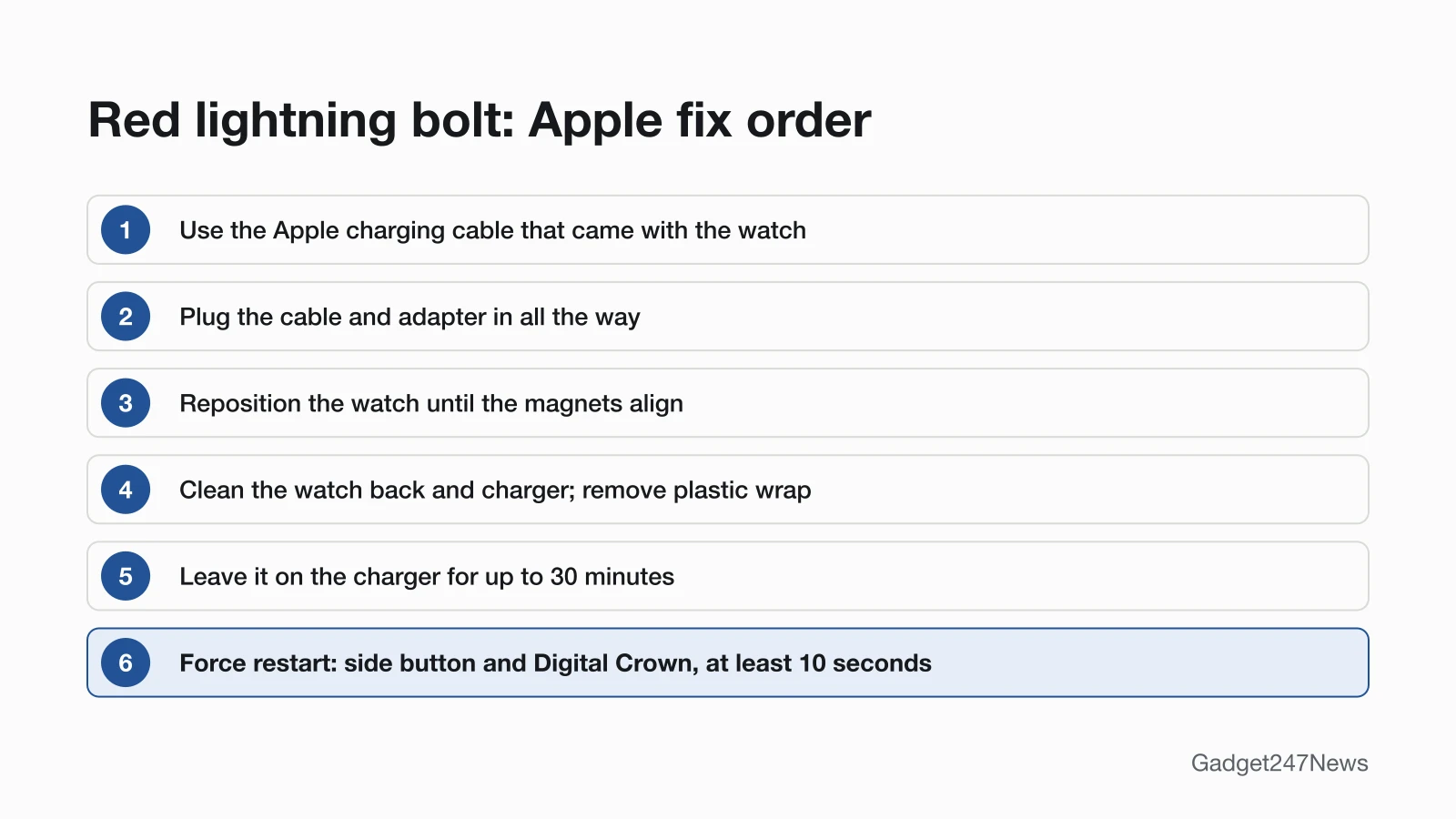
Fix 1: Charge It for Up to 30 Minutes
Give the watch up to 30 minutes on Apple's own charger before you try anything else:
- Use the Apple Watch Magnetic Charging Cable or Apple Watch Magnetic Fast Charging USB-C Cable that came with the watch.
- Plug the cable all the way into the USB power adapter, then plug the adapter all the way into a power outlet.
- Position the back of the watch on the charger and leave it there for up to 30 minutes.
When charging begins, a charging symbol appears on the watch face and a chime plays, unless the watch is in Silent Mode. Apple also lets you plug the cable into a USB port instead of an adapter. Fast charging on Apple Watch Series 7 and later needs a compatible charger and an 18W or greater USB-C Power Adapter.
Once the watch turns on, press the side button to see the battery percentage in Control Center; our guide shows other ways to check your Apple Watch is charging.
Fix 2: Check the Charger and the Watch Back
If the bolt never changes, check the contact between the watch and the charger:
- Reposition the back of the watch on the charger until the magnets align and a lightning bolt appears.
- Clean the back of the watch and the magnetic charger.
- Remove all plastic wrap from both sides of the charger.
- Try a different Apple Watch charging cable and a different USB power adapter.
- On an Apple Watch Magnetic Charging Dock or MagSafe Duo Charger with a 44mm, 45mm or 49mm watch, set the charger at a different angle or lay it flat. If an Apple Watch Ultra or later still won't connect reliably with the charger lying flat, remove the band before you place the watch on it.
Apple shows a different message when a WPT-compliant charger bought in China or Indonesia is used with an Apple Watch it doesn't support: "Unable to charge. This is a country-specific charger. It is incompatible with this Apple Watch." That isn't the red bolt problem.
Fix 3: Force Restart on the Charger
If the watch still won't charge, Apple's next step is a force restart:
- Leave the watch on its charger.
- Press and hold both the side button and the Digital Crown for at least 10 seconds.
- Let go when the Apple logo appears.
Apple's user guide saves the force restart for a watch you can't restart normally, and a watch on its charger is one: "You can't restart your Apple Watch while it's charging." Apple gives the same button hold for a watch you can't turn off; our guide to a frozen Apple Watch screen covers that case.
Fix 4: Check Battery Health When It Turns On
Once the watch is on, check the battery's condition in Settings:
- Open the Settings app on your Apple Watch.
- Tap Battery, then tap Battery Health.
- Scroll down to Maximum Capacity. The percentage compares the battery's capacity with when it was new.
If Battery Health shows a message that says Battery Needs Service, contact Apple Support. Apple notes that Apple Watch batteries, like all rechargeable batteries, have a limited lifespan and might need replacing eventually.
Fix 5: Reset Only if It Keeps Happening
A reset erases the watch's content and settings, and Apple's red bolt steps don't include one. Save it for a watch that turns on but keeps draining or freezing, and use How to Restart or Factory Reset an Apple Watch. If you've forgotten the passcode, the reset page links the passcode route.

Still Not Working?
- Try the next fix: Apple Watch not turning on.
- Reset your Apple Watch: How to Restart or Factory Reset an Apple Watch (you'll need to pair it again afterwards).
- Contact Apple Support: get service.
- Check repair or warranty options: Apple Watch battery replacement cost.
Started after an update? Check the Update Tracker's watchOS Versions and Known Issues page for known issues.
Related Charging Problems on Other Watches
The red bolt, the 30-minute wait and the 10-second hold come from Apple's Apple Watch guide and don't carry over to other brands. For Samsung, Garmin, Fitbit and Pixel Watch charging problems, start with our smartwatch charging fixes.
Red Lightning Bolt: Quick Answers
Why is my Apple Watch plugged in but not charging?
Apple's checks for a watch with no bolt on the charger include magnet alignment, an Apple cable and adapter plugged in all the way, and a clean charger with no plastic wrap; its last step is a force restart. The full checklist is in Apple Watch Not Charging.
Why does my Apple Watch show a red charging icon when I first charge it?
The red bolt inside a ring means the watch is connected to its charging cable but doesn't yet have enough power to turn on. Give it up to 30 minutes on the charger. If the watch was completely out of power, Apple says the lightning bolt itself can take up to 30 minutes to appear.
How do you revive a dead Apple Watch?
Charge it for up to 30 minutes on its Apple charger, reposition it until the magnets align, then force restart it with the side button and Digital Crown held for at least 10 seconds. The full steps are in Apple Watch Won't Turn On.
Is it worth replacing the battery on an Apple Watch?
Check Battery Health first: if it shows Battery Needs Service, contact Apple Support. Costs and repair options are covered on Apple Watch Battery Replacement.
Sources
We checked this page against the pages below, most recently on . How we verify fixes
- If your Apple Watch won't turn on or won't charge (Apple, support.apple.com)Official
- Check your battery and charge your Apple Watch (Apple, support.apple.com)Official
- Charge the battery on Apple Watch (Apple Watch User Guide) (Apple, support.apple.com)Official
- Use Low Power Mode on your Apple Watch (Apple, support.apple.com)Official
- Restart Apple Watch (Apple Watch User Guide) (Apple, support.apple.com)Official
- If the battery in your Apple Watch drains too quickly (Apple, support.apple.com)Official
- If you forgot your Apple Watch passcode (Apple, support.apple.com)Official