watchOS Versions and Known Issues on Apple Watch

By Suraj Giri, Founder & Publisher. Reviewed by Suraj Giri on .
Published · 7 min read
How this page was made
- Sources. Checked against 7 official pages from Apple, most recently on . Release dates or reported issues from MacRumors are named where we use them. See the sources.
- No device testing. We don't test fixes on physical devices, so nothing on this page is a hands-on result. A fact counts as verified only when it matches an official source page.
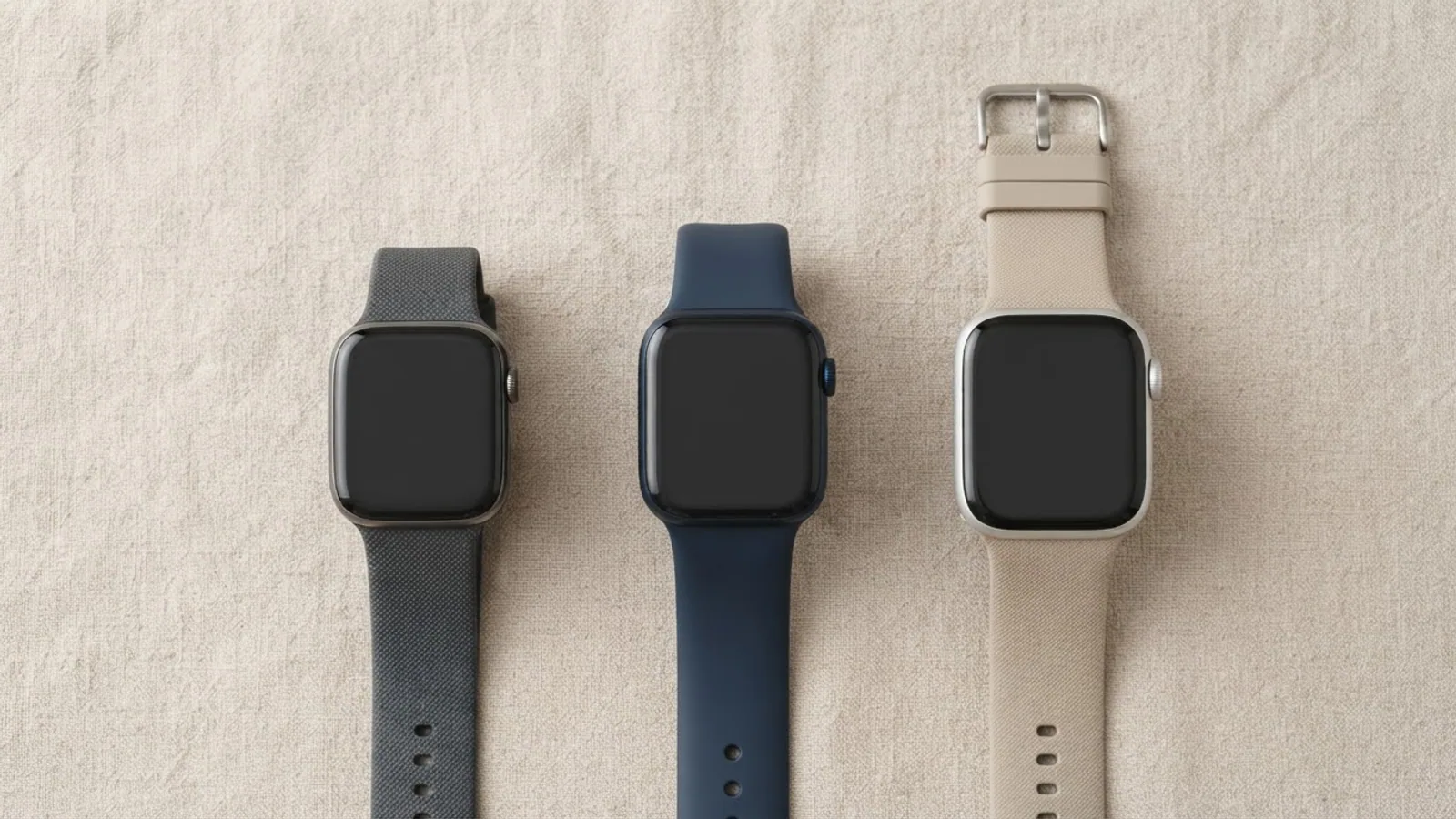
- AI use. As with every page on Gadget247News, AI tools helped research, outline, draft and edit this page, and re-read the official pages to flag facts that didn't match. The illustration at the top was generated with Runway and is labelled under the image.
- Human sign-off. Suraj Giri, Founder & Publisher, read this page and signed it off on . The site won't publish a page without that sign-off.
- Changes. The published and updated dates move only when the content changes, and every change gets a dated note. Spot an error or a fix that didn't work? Email info@gadget247news.com.
Read our AI use policy, editorial policy and corrections policy.
The current watchOS version for each Apple Watch, with release dates, what changed and known issues, from Apple's release notes and security releases list. Last checked: September 26, 2026. For a side-by-side view with AirPods, Pixel Watch and Garmin, see the watchOS updates on the Update Tracker.
Current watchOS Version for Your Apple Watch
watchOS 27.0.1 (September 23, 2026) is the current version for Apple Watch Series 12 and Apple Watch Ultra 4. watchOS 27 (September 14, 2026) is current for Apple Watch SE 3, Series 9 and later and Ultra 2 and later. Apple lists 27.0.1 as available for Series 12 and Ultra 4 only, so any other watch showing watchOS 27 is up to date.
| Watch group | Current version | Released | Source |
|---|---|---|---|
| Apple Watch Series 12, Apple Watch Ultra 4 | watchOS 27.0.1 | September 23, 2026 | Apple security releases; About watchOS 27 Updates |
| Apple Watch SE 3, Series 9 and later, Ultra 2 and later (other watchOS 27 models) | watchOS 27 | September 14, 2026 | Apple security releases; Update your Apple Watch |
| Series 6 and later models that can't run watchOS 27 (Apple lists 26.6 for "Apple Watch Series 6 and later") | watchOS 26.6 | July 27, 2026 | Apple security releases |
Apple's update page doesn't name the models that stop at watchOS 26.6; it says Software Update "will show you the newest version that your watch can use." Older watches get separate updates: Apple's security releases page lists watchOS 10.6.2 (February 2, 2026) for Apple Watch Series 4, Series 5 and SE.
Which Apple Watch Models Can Update to watchOS 27?
Three groups of Apple Watch can update to watchOS 27, in Apple's words:
- Apple Watch SE 3
- Apple Watch Series 9 and later
- Apple Watch Ultra 2 and later
Updating requires iPhone 11 or later, or iPhone SE (2nd generation) or later, with iOS 27. Apple adds that not all watchOS 27 features are available on all devices. If you're unsure which watch you own, Which Apple Watch do I have? How to check your model shows where to find it.
Known Issues in watchOS 27
watchOS 27 has one restart bug that Apple fixed in 27.0.1, one Digital Crown change with no workaround, a documented short-term battery effect and a discontinued app. We list issues Apple documents or reputable outlets report; we don't list forum-only reports.
| Issue | Affected | Status | Source | What to do |
|---|---|---|---|---|
| Apple Watch may restart unexpectedly | Series 12 and Ultra 4 on watchOS 27 | Fixed in watchOS 27.0.1, per Apple's notes: "fixing an issue where Apple Watch may restart unexpectedly" | About watchOS 27 Updates; Apple security releases; MacRumors, September 23, 2026 | Update to 27.0.1: how to update Apple Watch |
| Double-clicking the Digital Crown no longer switches to your last app | All watches on watchOS 27: older models open the app grid; on Series 12 and Ultra 4, Apple reserves it for Live Rewind, which MacRumors says arrives later in 2026 | Reported by MacRumors, September 17, 2026 (behavior change) | MacRumors | No workaround; MacRumors says Apple offers no option to restore it |
| Battery life or heat briefly worse right after updating | Apple devices after a major release | Documented by Apple as temporary; the watchOS 27 notes add that updates "may affect performance and/or battery life" | About Apple software updates; About watchOS 27 Updates | Apple Watch battery drain after an update |
| Walkie-Talkie discontinued | Every Apple Watch that updates to watchOS 27 | Documented by Apple, September 17, 2026 (by design) | Use Walkie-Talkie on your Apple Watch | Friends both on watchOS 5.3 through watchOS 26.6 can still use it: how to use Walkie-Talkie on Apple Watch |
After the update, Apple says, "the Walkie-Talkie app will no longer appear on your watch, and it's not available to download from the App Store." A watch on watchOS 26 or earlier can't start a Walkie-Talkie conversation with a friend who has updated. For the other releases in the history below, we found no documented known issues; the fixes Apple lists are in the What changed column.
What Changed in watchOS 27.0.1 and watchOS 27
watchOS 27.0.1 is a bug-fix release for Apple Watch Series 12 and Apple Watch Ultra 4, and watchOS 27 is the feature release for every compatible model.
watchOS 27, released September 14, 2026, brings these changes, in Apple's terms:
- Siri AI, with a dedicated Siri app that syncs conversations across your Apple products with iCloud
- Workout Buddy without your iPhone nearby, when the watch has a Wi-Fi or cellular connection
- A single-handed tap gesture: tap your index finger and thumb together once to select a Smart Stack widget
- A dynamic app grid that highlights your most popular and recently used apps
- One Find My app showing People, Devices and Items on a map
- Battery extension notifications that offer to turn off features such as gestures and Raise to Speak
- Walkie-Talkie removed: the app disappears after the update and can't be downloaded again
Cycle Tracking in watchOS 27 can send cycle deviation notifications to people age 40 and over; Apple explains the feature on its Cycle Tracking support page. This covers device settings only and isn't medical advice.
The Gadget247News update newsletter will send an email for each new watchOS release and known issue once it opens; sign-up isn't available yet.
watchOS Version History
The table lists all 12 watchOS 26 and watchOS 27 releases, newest first. Dates and "Available for" come from Apple's security releases page; the notes are Apple's watchOS 26 and watchOS 27 release notes, condensed.
| Version | Released | Available for | What changed |
|---|---|---|---|
| 27.0.1 | September 23, 2026 | Series 12 and Ultra 4 | Fixes unexpected restarts |
| 27 | September 14, 2026 | Series 9 and later (Apple's compatibility list: SE 3, Series 9 and later, Ultra 2 and later) | Siri AI, tap gesture, dynamic app grid and more (see above) |
| 26.6 | July 27, 2026 | Series 6 and later | Bug fixes and security updates |
| 26.5 | May 11, 2026 | Series 6 and later | Pride Luminance face; fixes Messages using SMS instead of iMessage with a dual SIM iPhone; fixes Workout audio alerts without the phone nearby |
| 26.4 | March 24, 2026 | Series 6 and later | AirPods Max 2 support; one-tap workout start; 8 new emoji |
| 26.3 | February 11, 2026 | Series 6 and later | Important bug fixes |
| 26.2.1 | January 26, 2026 | Series 6 and later | AirTag (2nd generation) support and bug fixes |
| 26.2 | December 12, 2025 | Series 6 and later | Sleep score notification controls; Enhanced Safety Alerts (US); fixes Music not advancing to the next song |
| 26.1 | November 3, 2025 | Series 6 and later | Improvements and bug fixes |
| 26.0.2 | September 29, 2025 | Series 6 and later | Bug fixes and important security updates |
| 26.0.1 | September 18, 2025 | Ultra 3 | Not described in Apple's watchOS 26 notes; no published CVE entries |
| 26 | September 15, 2025 | Series 6 and later | Liquid Glass design, hypertension notifications (Series 9 and later, Ultra 2 and later, users 22 and older), sleep score, Workout Buddy |
For watchOS 11 and earlier, Apple's security releases page keeps the full list with dates.
How to Check and Update watchOS
Apple's conditions for a watchOS update: your iPhone on the latest iOS, your Apple Watch "at least 50 percent charged", your iPhone "connected to Wi-Fi", and the iPhone kept near the watch throughout. Apple says the update "could take from several minutes to an hour", so leave the watch on its charger until it restarts.
- On iPhone: Apple Watch app, My Watch tab, General, Software Update.
- On the watch (connected to Wi-Fi): Settings, General, Software Update, then Install.
The full steps, including where your watch shows its version, are in How to Update Apple Watch.
watchOS Update Won't Install?
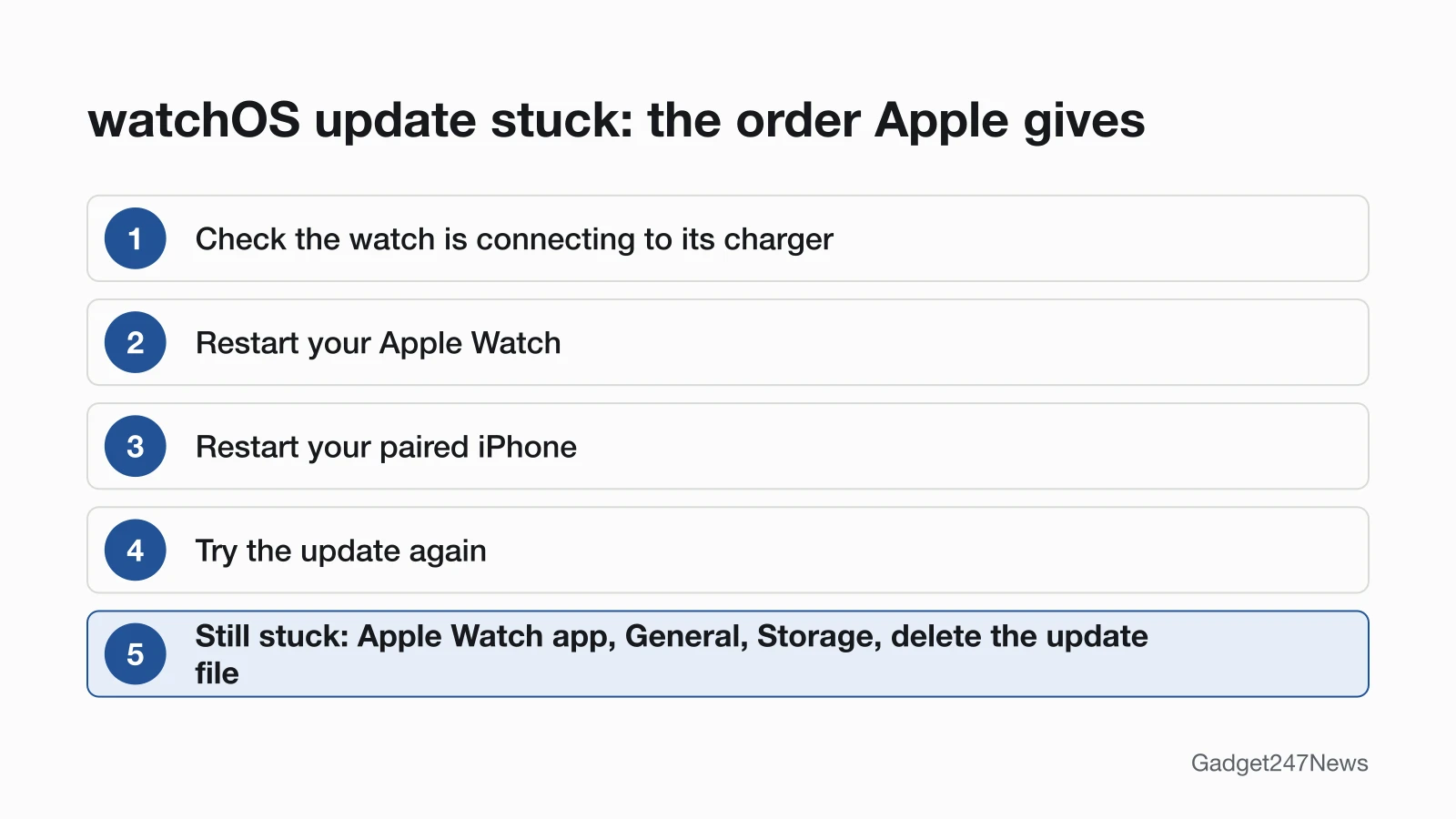
Apple's order for a stuck watchOS update: check the watch is connecting to its charger, restart the Apple Watch and the paired iPhone, then try again. If the update won't start, delete the update file under General, then Storage, in the Apple Watch app. The full fix is in Apple Watch won't update. If you need to restart first, see how to switch off an Apple Watch; if the watch has lost its link to the iPhone, start with Apple Watch pairing and sync fixes. A watch that won't power down is a separate problem, covered in Apple Watch Won't Turn Off.
Can You Downgrade watchOS or Leave the Beta?
No, you can't downgrade watchOS. Apple's security releases page says that after a watchOS update is installed, "it cannot be downgraded to the previous version." If you installed a beta, Apple says to remove the beta profile before you can update to the next major version: in the Apple Watch app, open My Watch, General, Profiles, tap the beta profile and tap Delete Profile. On the iPhone, open Settings, General, Profiles & Device Management and delete that profile too. Restart both devices, then check for the update again.
watchOS Update News
watchOS news we've logged, newest first.
- September 23, 2026: Apple releases watchOS 27.0.1 for Series 12 and Ultra 4 with a fix for unexpected restarts. Read the MacRumors report.
- September 17, 2026: Apple's Walkie-Talkie support page, dated that day, says Walkie-Talkie is discontinued in watchOS 27. Read Apple's Walkie-Talkie page.
- September 14, 2026: watchOS 27 arrives for Apple Watch SE 3, Series 9 and later and Ultra 2 and later. Read Apple's watchOS 27 notes.
Sources
We checked this page against the pages below, most recently on . News outlets are cited only for release dates and reported issues. How we verify fixes
- Apple: About watchOS 27 Updates (Apple, support.apple.com)Official
- Apple: Apple security releases (Apple, support.apple.com)Official
- Apple: Update your Apple Watch (Apple, support.apple.com)Official
- Apple: About watchOS 26 Updates (Apple, support.apple.com)Official
- Apple: Use Walkie-Talkie on your Apple Watch (Apple, support.apple.com)Official
- Apple: About Apple software updates (Apple, support.apple.com)Official
- Apple: Track your period with Cycle Tracking (Apple, support.apple.com)Official
- MacRumors: PSA: watchOS 27 Removes This Useful Feature From Your Apple Watch (September 17, 2026) (MacRumors, macrumors.com)News outlet
- MacRumors: Apple Releases watchOS 27.0.1 With Fix for Restart Bug (September 23, 2026) (MacRumors, macrumors.com)News outlet