JBL Earbuds Not Charging? Causes and Fixes

By Suraj Giri, Founder & Publisher. Reviewed by Suraj Giri on .
Published · 5 min read
How this page was made
- Sources. Checked against 7 official pages from JBL and Apple, most recently on . See the sources.
- No device testing. We don't test fixes on physical devices, so nothing on this page is a hands-on result. A fact counts as verified only when it matches an official source page.
- AI use. As with every page on Gadget247News, AI tools helped research, outline, draft and edit this page, and re-read the official pages to flag facts that didn't match. The illustration at the top was generated with Runway and is labelled under the image.
- Human sign-off. Suraj Giri, Founder & Publisher, read this page and signed it off on . The site won't publish a page without that sign-off.
- Changes. The published and updated dates move only when the content changes, and every change gets a dated note. Spot an error or a fix that didn't work? Email info@gadget247news.com.
Read our AI use policy, editorial policy and corrections policy.
This page covers JBL earbuds and headphones that won't start charging, stop charging partway, or show no charging light. If they charge but run down fast, see Related Battery Problems below. For other JBL faults, start from JBL earbuds not working.
The fixes come from JBL's own support pages. For earbuds from other makers, see the cross-brand guide to an earbud case not charging.
Why Won't My JBL Earbuds Charge?
JBL earbuds that won't charge almost always have dirt on their metal charging contacts: JBL says charging problems are "almost always caused by dirt on the metal charging contacts". JBL's charging pages point to six causes, starting with the one JBL names first:
- Dirty charging contacts. Sweat, skin grease and ear wax build up on them, and JBL notes that gold plating "does not prevent surface dirt".
- Protective film on new earbuds, which keeps the case pins from touching the earbuds' contact plates.
- A bad USB cable. JBL's battery page says the problem "could be as simple as a bad USB charging cable".
- A weak charger or a faulty outlet. JBL wants a charger "rated at least 2.0a (2 amps) output".
- A battery that needs a long charge. JBL's list includes charging overnight for at least 8 hours.
- A damaged or loose charging port. A connector that "can be wiggled" may mean the port is damaged.
A factory reset isn't on this list because it's a last step, not a cause.
How to Fix JBL Earbuds That Won't Charge
These fixes start where JBL says to start, with the contacts, and keep the reset for last.
Fix 1: Clean the Charging Contacts
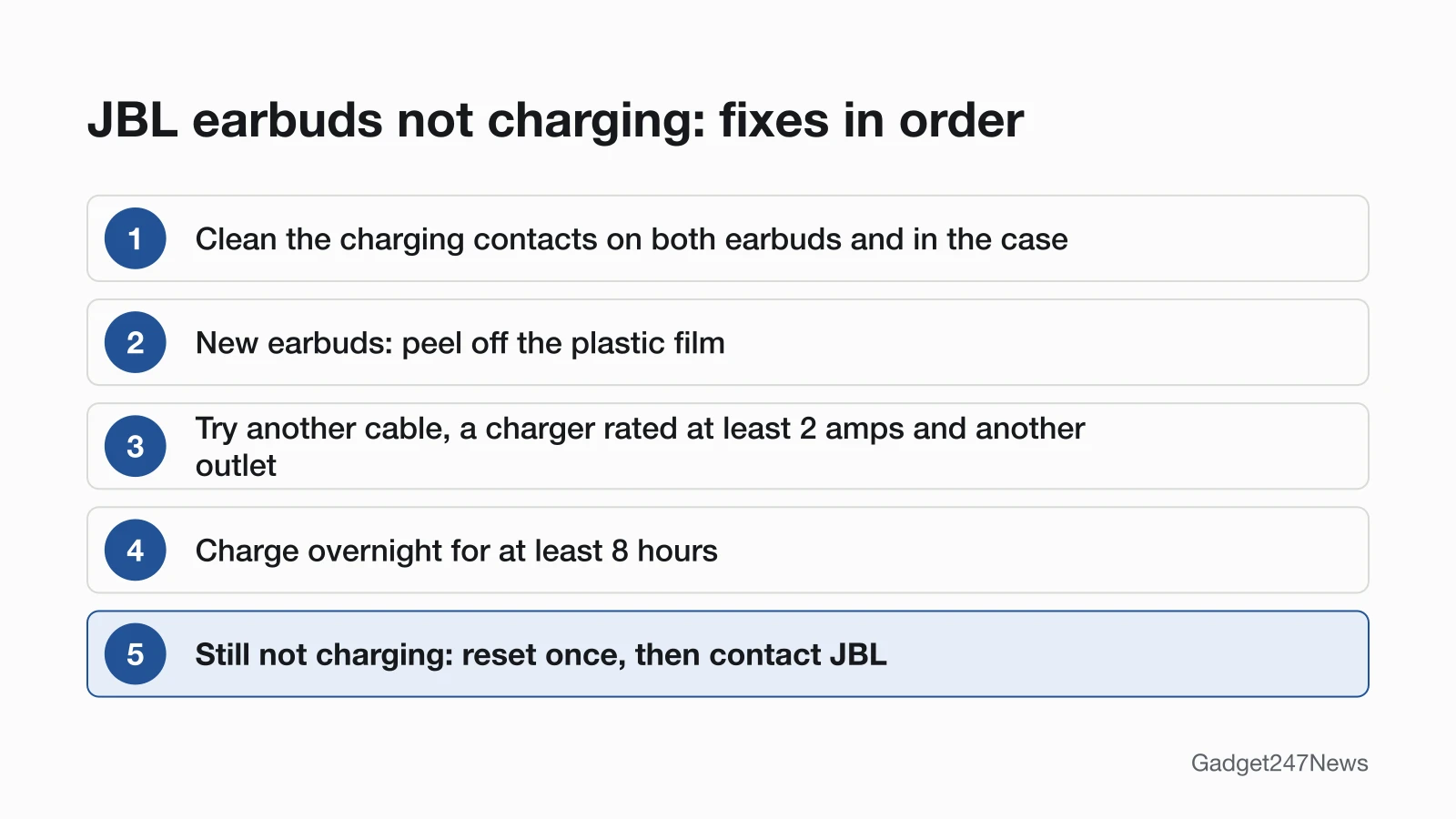
Clean every contact before anything else: JBL says "the first step is to always clean all contact points, on each earbud and on the charging case." You need cotton swabs, a cotton cloth and rubbing alcohol, plus a pencil with an eraser.
- Clean each earbud's charging contacts with a cotton swab and some rubbing alcohol. JBL's wording: "Rotate the swab and scrub lightly on each contact surface".
- Wipe off any dust and cotton residue with the cotton cloth.
- Wipe the pins inside the charging case with a clean swab, at most slightly moistened with alcohol. Let the inside dry completely before you close the lid.
- If charging still fails, rub the contacts with the pencil tip, then the eraser. JBL says the graphite and rubber "can help to re-establish charging".
Repeat until the contacts look clean. JBL says the procedure works on "all True Wireless Stereo earphones and cases", and cleaning them now and then keeps charging speed and quality up. For the rest of the earbuds, see how to clean earbuds.
Fix 2: Remove the Film From New Earbuds
On brand-new JBL earbuds that won't power on or charge, check for a plastic film and peel it off. JBL's answer for new earbuds is to "remove the plastic film to allow the pins in the charging case to make contact with the contact plates on the earbuds."
Fix 3: Try Another Cable, Charger and Outlet
Swap one part at a time, in the order JBL's battery page lists them:
- Another USB cable with the same type of connector as the one that came with your earbuds.
- Another USB charger "rated at least 2.0a (2 amps) output".
- Another electrical outlet, to rule out "a local wiring issue".
Fix 4: Charge Overnight
Give the JBL earbuds one long, uninterrupted charge:
- Put both earbuds in the case and connect the case to a charger that works.
- Leave them overnight. JBL's instruction is "Charge the product overnight for at least 8 hours."
For scale, the Tune Beam 2 guide gives a charging time of "2 hrs from empty". If a set still won't charge after 8 hours, JBL's battery page says the battery may have died or be "losing its capacity", or the charging connector may be damaged.
Fix 5: Read the Charging Lights
The charging lights show whether charging has started at all. The Tune Beam 2 and Tune Buds guides each chart three battery states in their LED behaviors: low battery, charging and fully charged, next to three Bluetooth states. The guides draw these as pictures and give no colours in text, so match the light to your own model's Quick Start Guide. On a unit that charges only sometimes, JBL says "the red charging LED or other indicator might not come on".
Fix 6 (Last): Reset Your JBL Earbuds
Reset only after the five fixes above. JBL says a factory reset "will erase all settings and Bluetooth data from the device", so you pair the earbuds again afterwards; each series' steps are in How to Reset JBL Earbuds. If charging still fails after one reset, contact JBL, as its battery page asks.
One Earbud, the Case or JBL Headphones Not Charging
When only part of the set charges, work on the part that doesn't. For a case that won't charge, the contact cleaning in Fix 1 and the cable, charger and outlet checks in Fix 3 apply.
Left or Right JBL Earbud Not Charging
Clean that earbud's contacts and the matching pins in the case, using the Fix 1 steps. JBL links dirty contacts to charging that stops or never starts, and to an earbud that "suddenly switches on and begins the pairing process". If the earbud charges but stays silent, see one JBL earbud not working.
JBL Headphones Not Charging
JBL's battery page covers headphones too. Try another cable with the same connector, a USB charger rated at least 2 amps and another outlet, then charge them overnight for at least 8 hours. A connector that wiggles may mean the charging port "has been damaged or come loose". Don't open them: JBL says the batteries are "not user-serviceable", and opening the product or replacing the battery "will void your warranty".

Still not working?
If your JBL earbuds still won't charge after these fixes, work through these:
- Try the next fix: How to turn JBL earbuds on and off (if they charge but won't power on).
- Reset your JBL earbuds: How to reset JBL earbuds (you'll need to pair them again afterwards).
- Contact JBL Support: JBL Customer Experience Center (external; phone (800) 336-4525).
- Check repair or warranty options: JBL returns and warranty (external).
Started after an update? Check the Update Tracker for known issues.
Related Battery Problems
- Charges but runs down fast: JBL's battery page counts running "out of power after only a short time" as a battery issue too, and the same cable, charger and overnight checks apply. For other makers, the cross-brand charging guide linked at the top of this page applies.
- Charges but won't turn on: see the JBL power page in the list above.
JBL Earbuds Charging: Quick Answers
Why are my JBL earbuds not charging?
Dirt on the metal charging contacts, in almost every case, JBL says. Clean the contacts on both earbuds and the pins inside the case with a little rubbing alcohol, let them dry, and charge again. On brand-new earbuds, remove the plastic film first.
Why won't my JBL headphones charge?
JBL's battery page gives four checks for headphones that won't charge: another cable, a charger rated at least 2.0a, another outlet, and an overnight charge of at least 8 hours. A connector that wiggles can point to a damaged charging port, which needs JBL's help.
How do I know my JBL earbuds are charging?
Watch the charging light: the Tune Beam 2 and Tune Buds guides chart a charging state separate from low battery and fully charged. Once the earbuds are connected, the JBL Headphones app's battery indicator "Displays the headphone battery level", according to its App Store listing.
Sources
We checked this page against the pages below, most recently on . How we verify fixes
- Cleaning Instructions for Re-establishing Charging (JBL) (JBL, support.jbl.com)Official
- Battery and Charging Issues (JBL) (JBL, support.jbl.com)Official
- My new TWS earbud won't power on or charge? (JBL) (JBL, support.jbl.com)Official
- JBL Tune Beam 2 Quick Start Guide (JBL, support.jbl.com)Official
- JBL Tune Buds Quick Start Guide (JBL, jbl.com)Official
- Factory Reset Procedure: Tune Series (JBL) (JBL, support.jbl.com)Official
- JBL Headphones (App Store) (Apple, apps.apple.com)Official