How to Reset JBL Earbuds

By Suraj Giri, Founder & Publisher. Reviewed by Suraj Giri on .
Published · 4 min read
How this page was made
- Sources. Checked against 13 official pages from JBL, Apple and Google, most recently on . See the sources.
- No device testing. We don't test fixes on physical devices, so nothing on this page is a hands-on result. A fact counts as verified only when it matches an official source page.
- AI use. As with every page on Gadget247News, AI tools helped research, outline, draft and edit this page, and re-read the official pages to flag facts that didn't match. The illustration at the top was generated with Runway and is labelled under the image.
- Human sign-off. Suraj Giri, Founder & Publisher, read this page and signed it off on . The site won't publish a page without that sign-off.
- Changes. The published and updated dates move only when the content changes, and every change gets a dated note. Spot an error or a fix that didn't work? Email info@gadget247news.com.
Read our AI use policy, editorial policy and corrections policy.
To factory reset most JBL true wireless earbuds, triple-tap either earbud and hold on the third tap for more than 5 seconds. To reset JBL Tune and Live headphones, hold Vol + and Vol - for more than 5 seconds. JBL calls a reset "a drastic step" for a unit that isn't working correctly, so try reconnecting first. The models match our JBL Earbuds Problems and Fixes hub; for other makers, see earbud reset steps by brand.
Restart vs Factory Reset: What's the Difference?
A restart turns JBL earbuds off and on again; a factory reset wipes them:
| Action | What it does | When to use it |
|---|---|---|
| Restart (case in and out) | Reconnects earbuds that powered off in standby | Earbuds switched off or won't reconnect |
| Factory reset | Erases "all settings and Bluetooth data"; you pair again | Last, when the unit is "not operating correctly" |
How to Restart (Soft Reset) JBL Earbuds
To restart JBL true wireless earbuds, use the charging case:
- Put both earbuds back in the charging case.
- Take them out again.
JBL gives this step for earbuds that switched off after 30 minutes in standby. Its hardware reset page adds that holding a case's reset button for more than 5 seconds "resets the earbuds without restoring the settings to the factory defaults", without naming models. For each model's power controls, see how to turn JBL earbuds on and off.
How to Factory Reset JBL True Wireless Earbuds
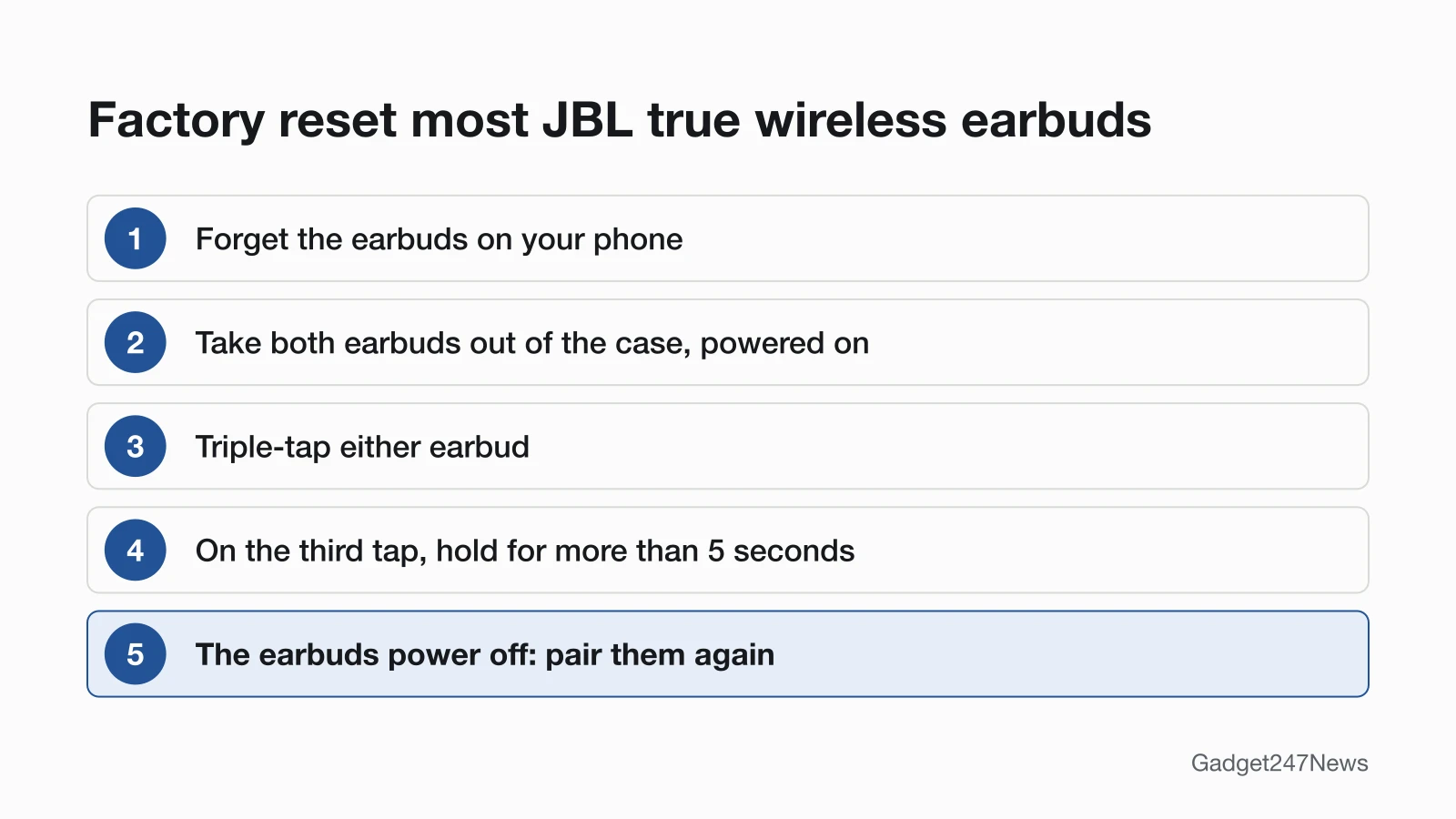
To factory reset JBL true wireless earbuds, forget them on your phone, then use the triple-tap-and-hold gesture:
- Forget the earbuds on your phone.
- Take both earbuds out of the case and keep them on.
- Triple-tap either earbud. On the third tap, press and hold it for more than 5 seconds.
- The earbuds power off and are factory reset. Pair them again.
Tour Pro 3: triple-tap both earbuds, not one.
JBL's series pages list the triple-tap reset for these models:
| Series | Models with the triple-tap reset |
|---|---|
| Tune | Tune Beam, Beam 2, Buds, Buds 2, Flex, Flex 2, 130NC TWS, 230NC TWS, 235NC TWS, 245NC, ANC TWS |
| Live | Live 300, Beam 3, Beam 4, Buds 3, Buds 4, Flex, Flex 3, Flex 4, Free 2, Free NC+, Pro+, Pro 2 |
| Tour | Tour Pro+, Pro 2, Pro 3 |
| Endurance | Peak 3, Peak 4, Race TWS, Race 2 |
| Reflect | Aero TWS, Mini NC |
| Wave and Vibe | 100, 200 and 300 TWS; Beam, Buds, Flex and their "2" models |
How to Factory Reset JBL Headphones
To factory reset JBL Tune or Live headphones, disconnect them from your phone, then hold both volume buttons:
- Disconnect the headphones from your phone or other Bluetooth device.
- Press and hold Vol + and Vol - for more than 5 seconds. Tour One, One M2 and One M3: hold for more than 8 seconds.
- The headphones power off and are factory reset. Pair them again.
By our count, JBL lists 32 Tune models here, including the Tune 520BT, 720BT and 770NC, and 15 Live models, such as the Live 460NC and 660NC.
Other JBL Models: Reset Button or Gesture
These JBL models use their own control or hold time:
| Model | Control | Hold time |
|---|---|---|
| Tune 115, 120, 125, 215, 220, 225 TWS | Earbuds in the case, tap and hold the right earbud | More than 5 seconds |
| Live and Tour models with a Smart Case | Earbuds in the case, reset button next to the case's charging port | 10 seconds |
| Endurance Peak | Earbuds in the case, right earbud touch button | More than 10 seconds |
| Endurance Peak 2 | Earbuds in the case, tap and hold the right earbud | More than 2 seconds |
| Endurance Run BT, Run 2, Run 3; Reflect Contour, Contour 2, Fit, Mini 2 | Vol + and Vol - (Reflect: earbuds on) | More than 5 seconds |
| Reflect Flow Pro | Both earbuds in the case, reset button on the back of the case | 5 seconds |
JBL's Live and Tour pages call the Smart Case button a "hardware reset".
Reset From the JBL Headphones App
Models that work with the JBL Headphones app can also reset from your phone:
- Open the JBL Headphones app.
- Tap Support.
- Tap Reset to Factory Setting.
- Tap Reset.
JBL lists it on its Tune, Live, Tour and Wave/Vibe pages.
How to Check the Reset Worked
A JBL factory reset has worked when the unit powers off and then pairs again:
- Watch for the power-off: JBL says the unit "will power off and be factory reset" (Endurance Peak 2: the LED flashes, then turns off).
- Turn them on and pair them again: see How to Connect and Pair JBL Earbuds With Any Device.
- If only one earbud plays, pair the two earbuds to each other: JBL says a reset "does not automatically pair the two ear pieces together". See one JBL earbud not working.
If Resetting JBL Earbuds Doesn't Work
If a reset doesn't bring the connection back, go through the fixes for JBL earbuds not connecting to your phone.
They Still Won't Pair or Power On
Charge them first. JBL suggests another cable, a USB charger "rated at least 2.0a (2 amps) output", another outlet, and charging "overnight for at least 8 hours". Then repeat the reset once. If nothing changes, call JBL Support at (800) 336-4525 and mention the steps you tried.
Resetting JBL Earbuds: Quick Answers
Where is the reset button on JBL earbuds?
Most JBL true wireless models reset with a gesture, not a button: triple-tap either earbud and hold the third tap. Live and Tour Smart Case models have a reset button next to the case's charging port.
Does a factory reset delete my JBL pairings?
Yes. JBL's pairing page says resetting "erases all pairings to all phones". Forget the earbuds on each phone or computer, then pair them again.
How do I factory reset JBL headphones?
Disconnect them from your phone and hold Vol + and Vol - for more than 5 seconds until they power off (Tune and Live); Tour One models need more than 8. Pair them again afterwards.
Sources
We checked this page against the pages below, most recently on . How we verify fixes
- Factory Reset Procedure: Tune Series (JBL, support.jbl.com)Official
- Factory Reset Procedure: Live Series (JBL, support.jbl.com)Official
- Factory Reset Procedure: Tour Series (JBL, support.jbl.com)Official
- Factory Reset Procedure: Endurance Series (JBL, support.jbl.com)Official
- Factory Reset Procedure: Reflect Series (JBL, support.jbl.com)Official
- Factory Reset Procedure: Wave/Vibe Series (JBL, support.jbl.com)Official
- How to Perform a Hardware Reset (JBL) (JBL, support.jbl.com)Official
- Standby Mode Information (JBL) (JBL, support.jbl.com)Official
- TWS Left & Right Not Pairing Together (JBL) (JBL, support.jbl.com)Official
- Bluetooth Pairing & Connecting (JBL) (JBL, support.jbl.com)Official
- Battery and Charging Issues (JBL) (JBL, support.jbl.com)Official
- Connect a third-party Bluetooth accessory to your iPhone or iPad (Apple, support.apple.com)Official
- Find & set up Bluetooth devices near your Android device (Google, support.google.com)Official