Which AirPods Do I Have? Model Numbers Explained

By Suraj Giri, Founder & Publisher. Reviewed by Suraj Giri on .
Published · 6 min read
How this page was made
- Sources. Checked against 7 official pages from Apple, most recently on . See the sources.
- No device testing. We don't test fixes on physical devices, so nothing on this page is a hands-on result. A fact counts as verified only when it matches an official source page.
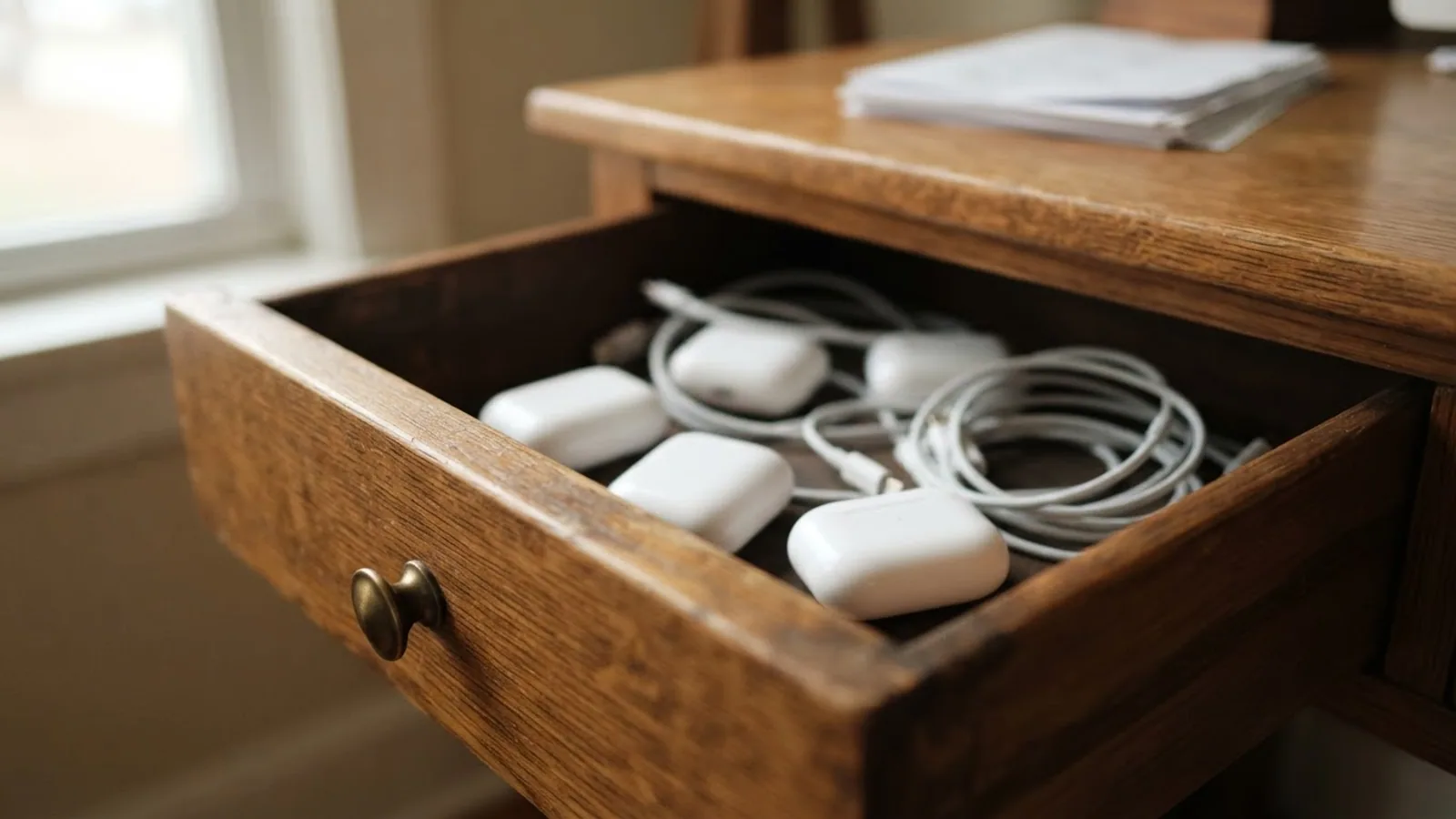
- AI use. As with every page on Gadget247News, AI tools helped research, outline, draft and edit this page, and re-read the official pages to flag facts that didn't match. The illustration at the top was generated with Runway and is labelled under the image.
- Human sign-off. Suraj Giri, Founder & Publisher, read this page and signed it off on . The site won't publish a page without that sign-off.
- Changes. The published and updated dates move only when the content changes, and every change gets a dated note. Spot an error or a fix that didn't work? Email info@gadget247news.com.
Read our AI use policy, editorial policy and corrections policy.
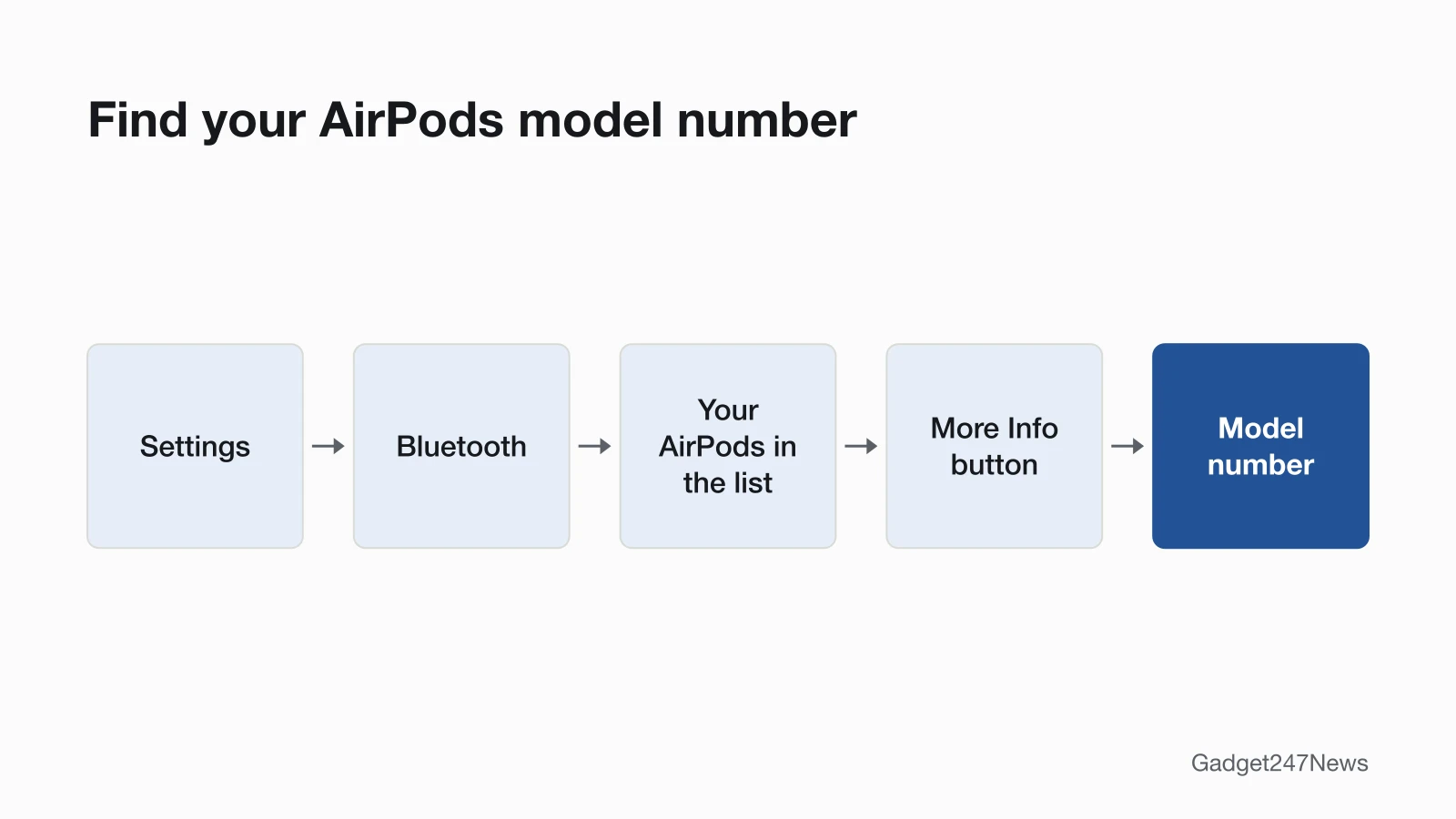
On your iPhone, go to Settings › Bluetooth and tap the More Info button next to your AirPods to see the model number. Then match it to Apple's list below. On AirPods and AirPods Pro, it's also printed on the underside of each AirPod. Once you know the model, you can go straight to its AirPods connection and charging fixes.
Your model number is the code that tells you which generation of AirPods you have. In Apple's list, every model number is the letter A followed by four digits, such as A3064 for AirPods Pro 3, and the table below maps each one to its name and year. The model also decides which Find My features you can use to track lost AirPods, so check it before anything goes missing.
How to Find Your AirPods Model Number in Settings
To find your AirPods model number, open Settings on the iPhone or iPad they're paired with:
- Open Settings and tap Bluetooth, or tap your AirPods' name in Settings.
- Look for your AirPods in the list, and pair them first if they're missing.
- Tap the More Info button (ⓘ) beside them and read the model number.
In iOS 13 or iPadOS 13 or earlier, connect the AirPods, then go to Settings, tap General, then About. Scroll down to the name of your AirPods and tap it.
Where the Model Number Is Printed
The model number is also printed on the AirPods, for when Settings isn't an option:
- AirPods and AirPods Pro: on the underside of each AirPod, starting with the letter A.
- AirPods Max: behind the cushion on the left ear cup.
AirPods Model Numbers: Which Model Is Yours?
Find your number in the middle column; the left column is the name Apple gives that model. The rows follow Apple's own order, which isn't strictly by year.
| Model | Model numbers | Year introduced |
|---|---|---|
| AirPods 5 | A3531, A3532, A3533 | 2026 |
| AirPods 5 with Wireless Charging Case | A3439, A3440, A3441 | 2026 |
| AirPods 4 (ANC) | A3056, A3055, A3057 | 2024 |
| AirPods 4 | A3053, A3050, A3054 | 2024 |
| AirPods Pro 3 | A3063, A3064, A3065 | 2025 |
| AirPods Pro 2 with MagSafe Charging Case (USB-C) | A3047, A3048, A3049 | 2023 |
| AirPods Pro 2 with MagSafe Charging Case (Lightning) | A2931, A2699, A2698 | 2022 |
| AirPods 3 | A2565, A2564 | 2021 |
| AirPods Max 2 | A3454 | 2026 |
| AirPods Max 1 (USB-C) | A3184 | 2024 |
| AirPods Max 1 (Lightning) | A2096 | 2020 |
| AirPods Pro 1 | A2084, A2083 | 2019 |
| AirPods 2 | A2032, A2031 | 2019 |
| AirPods 1 | A1523, A1722 | 2016 |
Source: Apple, Identify your AirPods (article dated September 25, 2026); checked September 26, 2026.
Two generations come in two versions each: AirPods Pro 2 (Lightning or USB-C case) and AirPods Max 1 (Lightning or USB-C). The charging case table below helps you tell the AirPods Pro 2 versions apart.
Which Charging Case Do I Have?
Charging cases have their own model numbers, and Apple tells cases apart by the port, the speaker, the status light and the earbuds each one works with. The status light is on the front of every case except the original Lightning Charging Case, where it's inside. Apple's page doesn't say where the case model number is printed, so use these details to find your row.
| Case | Model number | Year | Port | Notes |
|---|---|---|---|---|
| Charging Case for AirPods 5 | A3530 | 2026 | USB-C | AirPods 5 earbuds only; no wireless charging listed |
| Wireless Charging Case for AirPods 5 | A3529 | 2026 | USB-C | Speaker; Apple Watch and Qi-certified chargers; AirPods 5 with Wireless Charging Case earbuds only |
| Wireless Charging Case for AirPods 4 (ANC) | A3059 | 2024 | USB-C | Speaker; Apple Watch and Qi-certified chargers; AirPods 4 (ANC) earbuds only |
| Charging Case for AirPods 4 | A3058 | 2024 | USB-C | AirPods 4 earbuds only; no wireless charging listed |
| MagSafe Charging Case for AirPods Pro 3 | A3122 | 2025 | USB-C | Speaker and lanyard loop; Qi-certified and MagSafe chargers |
| MagSafe Charging Case (USB-C) for AirPods Pro 2 | A2968 | 2023 | USB-C | Speaker and lanyard loop; Qi-certified and MagSafe chargers |
| MagSafe Charging Case (Lightning) for AirPods Pro 2 | A2700 | 2022 | Lightning | Speaker and lanyard loop; Qi-certified and MagSafe chargers |
| Lightning Charging Case for AirPods 3 | A2897 | 2022 | Lightning | No wireless charging listed |
| MagSafe Charging Case for AirPods 3 | A2566 | 2021 | Lightning | Qi-certified and MagSafe chargers |
| MagSafe Charging Case for AirPods Pro 1 | A2190 | 2021 | Lightning | Qi-certified and MagSafe chargers; serial ends in 1059 or 1NRC |
| AirPods Pro 1 Charging Case | A2190 | 2019 | Lightning | Qi-certified chargers; serial ends in 0C6L or LKKT |
| Wireless Charging Case | A1938 | 2019 | Lightning | Qi-compatible; works with AirPods 2 and AirPods 1 |
| Lightning Charging Case | A1602 | 2016 | Lightning | Status light inside the case; works with AirPods 2 and AirPods 1 |
Source: Apple, Identify your AirPods (article dated September 25, 2026); checked September 26, 2026.
Two AirPods Pro 1 cases share model number A2190, so Apple separates them by the last four digits of the serial number printed under the lid.
How to Check You Matched the Right Model
Check that the name you matched fits what you can see on the case. An AirPods Pro 2 case with a USB-C port should go with A3047, A3048 or A3049, and one with a Lightning port with A2931, A2699 or A2698. Apple gives Settings as the first way to read the model number and the printed number as the fallback, so go by Settings if the two ever seem to disagree.
Why Your AirPods Model Matters for Fixes
The model decides which reset steps, firmware version and Find My features apply to your AirPods. AirPods 4 models, AirPods 5 models and AirPods Pro 3 reset with three double-taps on the front of the case, while AirPods 1, 2 and 3 and AirPods Pro 1 and 2 use the setup button. Apple also lists a separate latest firmware version for each model (on September 26, 2026, 9A350 for AirPods 5 and 6F21 for AirPods 3), so compare yours with the AirPods firmware release notes. Only AirPods 4 (ANC), AirPods 5 with Wireless Charging Case and AirPods Pro 2 and later let you mark each AirPod and the case as lost separately in Find My. Our AirPods Problems and Fixes hub routes each symptom to its fix.
Where to Find the Serial Number
The serial number sits on the same More Info screen in Settings as the model number. AirPods and AirPods Pro share one serial number with their charging case, printed on the underside of the lid, and Apple asks for that primary serial number if you send the AirPods or case in for service. If you're checking a second-hand pair, the guide to spotting fake AirPods compares these numbers step by step.
Which Apple Watch Do I Have?
Apple Watch works the same way: the model number is in the Apple Watch app on your iPhone, under My Watch, then General, then About. Which Apple Watch Do I Have has the steps and Apple's full model list.
Are my AirPods Pro 2 Lightning or USB-C?
Check the port on the bottom of the case, or the model number. A2931, A2699 and A2698 are the Lightning version, introduced in 2022, and A3047, A3048 and A3049 are the USB-C version from 2023. The cases have their own numbers too: A2700 for the Lightning case and A2968 for the USB-C case.
Which AirPods cases charge on a wireless charger?
Apple lists wireless charging for the MagSafe cases and the Wireless Charging Cases: the MagSafe cases for AirPods Pro 1, 2 and 3 and AirPods 3, the Wireless Charging Cases for AirPods 5 and AirPods 4 (ANC), the AirPods Pro 1 Charging Case and the original Wireless Charging Case. It lists no wireless charging for the Charging Case for AirPods 4 or AirPods 5, or for the Lightning Charging Cases.
Still Not Sure?
Contact Apple Support with the serial number from the lid or from Settings, and ask Apple to identify the model. If your AirPods don't show up in Settings at all, make AirPods discoverable and check again. Once you know the model, you can switch AirPods listening modes or see the fix for when AirPods Pro noise cancellation stopped working.
Sources
We checked this page against the pages below, most recently on . How we verify fixes
- Identify your AirPods (Apple, support.apple.com)Official
- Find the serial number of your AirPods (Apple, support.apple.com)Official
- Find your lost AirPods with Find My (Apple, support.apple.com)Official
- How to reset your AirPods and AirPods Pro (Apple, support.apple.com)Official
- About firmware updates for AirPods (Apple, support.apple.com)Official
- Identify your Apple Watch (Apple, support.apple.com)Official
- AirPods Support (Apple, support.apple.com)Official