How to Tell If AirPods Are Fake

By Suraj Giri, Founder & Publisher. Reviewed by Suraj Giri on .
Published · 4 min read
How this page was made
- Sources. Checked against 6 official pages from Apple, most recently on . See the sources.
- No device testing. We don't test fixes on physical devices, so nothing on this page is a hands-on result. A fact counts as verified only when it matches an official source page.
- AI use. As with every page on Gadget247News, AI tools helped research, outline, draft and edit this page, and re-read the official pages to flag facts that didn't match. The illustration at the top was generated with Runway and is labelled under the image.
- Human sign-off. Suraj Giri, Founder & Publisher, read this page and signed it off on . The site won't publish a page without that sign-off.
- Changes. The published and updated dates move only when the content changes, and every change gets a dated note. Spot an error or a fix that didn't work? Email info@gadget247news.com.
Read our AI use policy, editorial policy and corrections policy.
Pair them with your iPhone, then check the model number and serial number in Settings against Apple's model list and the numbers printed on the earbuds and case lid. If anything doesn't match, ask the seller or Apple Support.
Fake AirPods are counterfeit earbuds made to look like Apple's. The reliable checks use Apple's own identifiers, the model number and the serial number, and your AirPods only appear in the Settings list once they're paired, so follow How to Connect AirPods to iPhone first.
Each check compares what you see with a record Apple publishes. If you're trying to track down a pair you lost rather than check one you bought, use our guide to find lost AirPods.
How to Check If AirPods Are Real
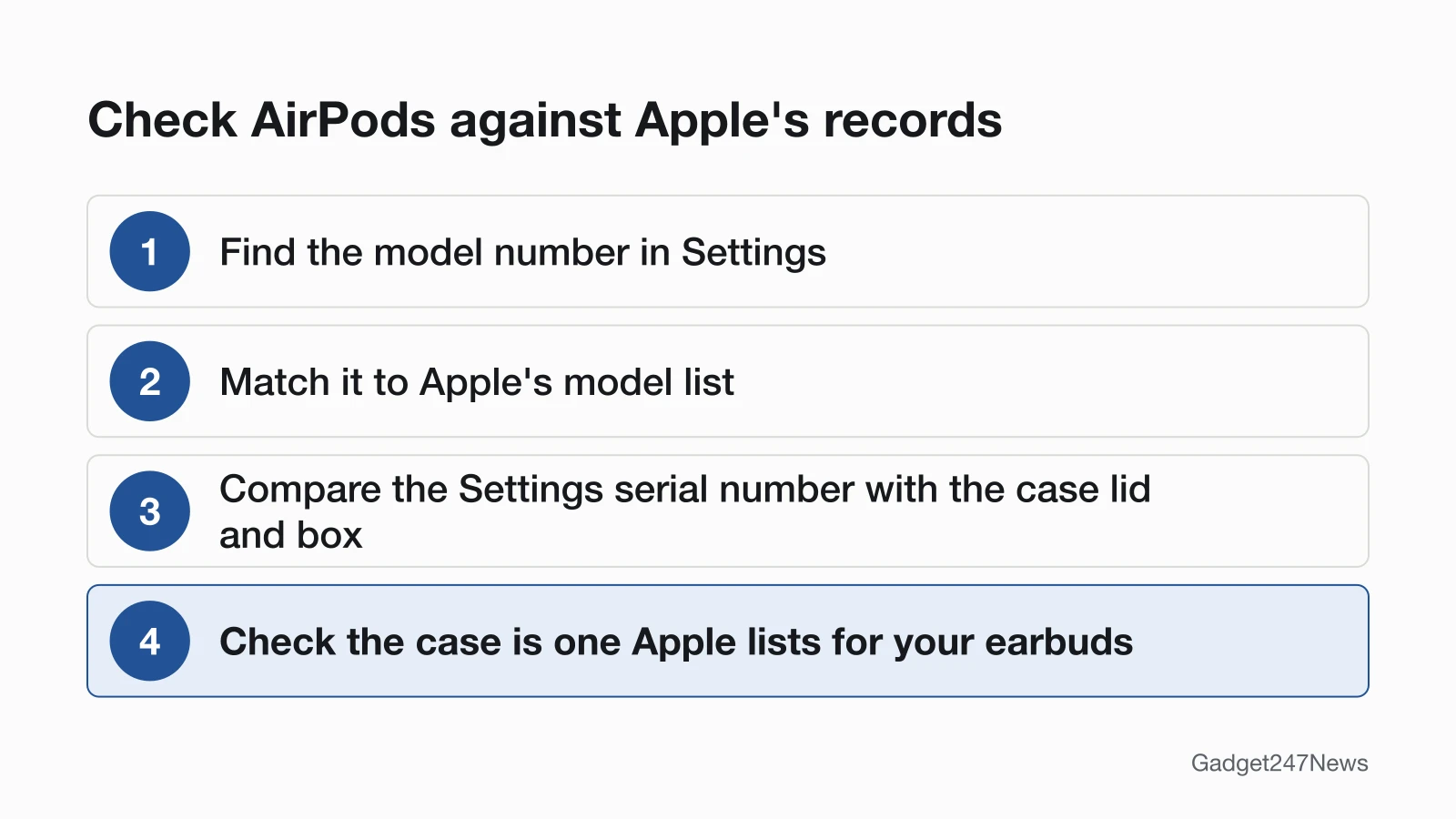
To check if AirPods are real, compare four things with Apple's own records, in this order:
- Find the model number in Settings on your iPhone.
- Match the model number to Apple's list for the model you were sold.
- Compare the serial number in Settings with the one under the case lid and on the box.
- Check that the charging case is one Apple lists for your earbuds.
Passing all four means the AirPods are consistent with Apple's records. That isn't proof on its own, and the serial number section below explains why.
Find the Model Number and Match It to Apple's List
Your AirPods model number shows in Settings on the iPhone they're paired with:
- Go to Settings, then tap Bluetooth. You can also go to Settings and tap the name of your AirPods.
- Find your AirPods in the list. If they aren't there, pair them first.
- Tap the More Info button (ⓘ) next to your AirPods to see the model number.
If you can't use Settings, read the number on the AirPods. On AirPods and AirPods Pro it's printed on the underside of each AirPod and starts with the letter A. On AirPods Max it sits behind the cushion on the left ear cup.
The number should appear in Apple's list under the exact model you were sold. Our table on Which AirPods Do I Have copies that list, with every model number and the year Apple introduced each model.
Compare the Serial Numbers
The serial number in Settings should match the one under the case lid, because Apple says AirPods and AirPods Pro share a serial number with their charging case. It's on the same More Info screen as the model number (on a Mac: System Settings, then Bluetooth, then the name of your AirPods, then the More Info button). Compare it with the underside of the lid and with the original box, where Apple prints it next to the barcode.
AirPods 2 and later, and AirPods Pro 1 and 2, also have their own serial number printed on each AirPod. Apple calls the lid number the primary serial number and asks for it when you send AirPods in for service, so compare the lid, not the earbuds, with Settings. On AirPods Max, detach the left magnetic ear cushion to see it.
Check the Case Matches the Earbuds
The case should be one Apple lists for your earbuds, because Apple lists some cases as working with one model only. Apple says the Charging Case for AirPods 4 is compatible with two AirPods 4 earbuds and not with AirPods 4 (ANC) earbuds. The Wireless Charging Case for AirPods 4 (ANC) works only with AirPods 4 (ANC) earbuds, and the Charging Case for AirPods 5 doesn't work with AirPods 5 with Wireless Charging Case earbuds. A mismatched set is a warning sign on a second-hand pair, not proof of a fake.
Does a Serial Number Check Prove They're Genuine?
Not on its own. Apple's Check Coverage page takes a serial number and shows your warranty status and your "eligibility for support and extended coverage." Apple doesn't describe it as an authenticity test, so treat a result as one more consistent sign next to the four checks above.
If Something Doesn't Match
A mismatch can be a typo, a replaced part or a counterfeit, so read the numbers again before you act on them. For faults on a pair you know is genuine, start with AirPods pairing and sound fixes. If this pair replaces a device you lost, our find guides can still help with the original, from AirPods to how to ping an Apple Watch.
What to Do Next
If the numbers still don't match Apple's records, work through these in order:
- Contact the seller or the store you bought the AirPods from, and share the numbers you found.
- Contact Apple Support with the serial number ready and ask Apple to confirm it.
- Report suspected counterfeit Apple products through Apple's Counterfeit or Knockoff Products form at apple.com/legal/contact/counterfeit-prevention.html. It asks where you saw the product and which Apple product it's most similar to.
Genuine but Won't Connect?
Pairing trouble on its own says nothing about whether AirPods are genuine. If the numbers match and the AirPods still won't connect, go back to the steps in How to Connect AirPods to iPhone, then the AirPods fixes linked above.
Fake AirPods Questions
These two questions come up most often once the four checks are done.
Can fake AirPods have a real serial number?
Yes, it's possible. A serial number is printed text, so a counterfeit can carry a number copied from a genuine pair, and a matching number doesn't prove anything by itself. Use all four checks together, plus a Check Coverage result. If you're still unsure, ask Apple Support to confirm.
Where's the safest place to buy AirPods?
Buy from Apple or an Apple Authorized Reseller. Apple's Find Locations page lists "Apple Stores and Apple Authorized Resellers" under Sales, so you can check a shop before you pay. Keep the receipt: Apple lists the original product receipt or invoice as another place to find the serial number.
Sources
We checked this page against the pages below, most recently on . How we verify fixes
- Identify your AirPods (Apple, support.apple.com)Official
- Find the serial number of your AirPods (Apple, support.apple.com)Official
- Counterfeit or Knockoff Products (Apple Legal) (Apple, apple.com)Official
- View Coverage: AppleCare and Warranty (Apple, checkcoverage.apple.com)Official
- AirPods Support (Apple, support.apple.com)Official
- Find Locations (Apple) (Apple, locate.apple.com)Official