How to Find a Lost Apple Watch

By Suraj Giri, Founder & Publisher. Reviewed by Suraj Giri on .
Published · 4 min read
How this page was made
- Sources. Checked against 4 official pages from Apple, most recently on . See the sources.
- No device testing. We don't test fixes on physical devices, so nothing on this page is a hands-on result. A fact counts as verified only when it matches an official source page.
- AI use. As with every page on Gadget247News, AI tools helped research, outline, draft and edit this page, and re-read the official pages to flag facts that didn't match. The illustration at the top was generated with Runway and is labelled under the image.
- Human sign-off. Suraj Giri, Founder & Publisher, read this page and signed it off on . The site won't publish a page without that sign-off.
- Changes. The published and updated dates move only when the content changes, and every change gets a dated note. Spot an error or a fix that didn't work? Email info@gadget247news.com.
Read our AI use policy, editorial policy and corrections policy.
Open Find My on your iPhone, tap Devices, then select your Apple Watch to see it on the map. If it's nearby, tap Play Sound; it rings until you tap Dismiss.
If Find My was on, you can see the watch, ring it and lock it. If you lost your AirPods too, the same app finds them: see How to Find Lost AirPods.

How to Find Your Apple Watch With Your iPhone
To find your Apple Watch with your iPhone, use the Find My app:
- Open Find My on your iPhone.
- Tap Devices.
- Select your Apple Watch to find it on the map.
If the watch doesn't appear on the map, the second half of this page explains why and what to do.
How to Ping Your Apple Watch
To ping your Apple Watch when it's nearby, select it in Find My and tap Play Sound; the watch rings until you tap Dismiss. An iPhone with iOS 17 or later can also ping a nearby watch from Control Center: add the Ping My Watch control from the Watch controls, then tap it. With more than one watch, the sound plays on the one selected in All Watches in the Apple Watch app.
How to Find Your Apple Watch Without Your iPhone
Without your iPhone, use any web browser:
- Sign in to iCloud.com/find with your Apple Account.
- In the Devices menu, select your Apple Watch.
How to Put a Lost Apple Watch in Lost Mode
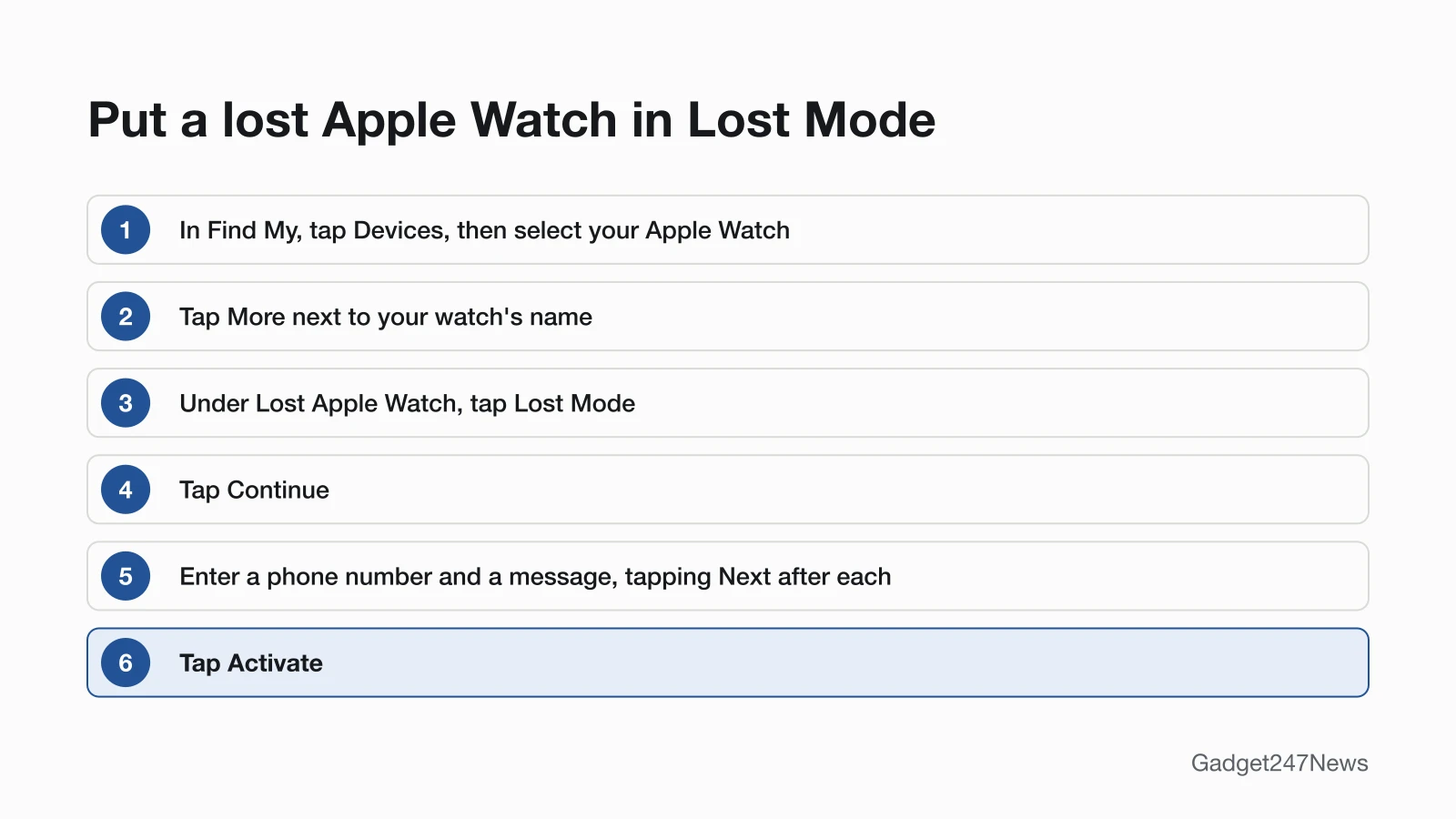
Lost Mode locks your Apple Watch with a passcode and shows your phone number and a message on its screen. Turn it on from your iPhone:
- Open Find My, tap Devices, then select your Apple Watch.
- Tap the More button next to your watch's name.
- Under Lost Apple Watch, tap Lost Mode.
- Tap Continue.
- Enter a phone number where you can be reached, then tap Next.
- Enter a message to show on the watch screen, then tap Next.
- Tap Activate.
Apple's Watch User Guide adds that Lost Mode suspends paying with Apple Pay using the credit or debit cards in Wallet. Find My emails you to confirm the watch is in Lost Mode, and if the watch is offline, your contact details appear when it's back online. On the web, sign in to iCloud.com/find, select the watch in the Devices menu, then select Lost Watch and Next. Enter a phone number and select Next, then enter a message and select Activate.
How to Turn Off Lost Mode When You Find It
Enter your passcode on the watch and Lost Mode turns off automatically, so you can use it again as normal. You can also turn it off from your iPhone:
- Open Find My, tap Devices, then select your Apple Watch.
- Tap the More button next to your watch's name.
- Tap Lost Mode.
- Tap Turn Off Lost Mode, then tap Turn Off to confirm.
Apple's Watch User Guide shows other labels for the same step: tap Activated, then Turn Off Mark As Lost, if that's what your iPhone shows. On iCloud.com/find, select your watch in the Devices menu, then select Lost, Stop Lost Mode and Continue.
If Find My Can't Locate Your Watch
A watch that never appears on the map needs a different plan: know why, protect your account and report the loss. If you do have the watch and it won't charge or turn on, see Apple Watch charging and power fixes. Missing Galaxy Buds rather than a watch? Here's how to find Samsung earbuds.
Why Isn't My Apple Watch Showing in Find My?
If your Apple Watch isn't on the map, it might not be connected to Wi-Fi, cellular or your paired iPhone. Apple also says Find My is the only way to track or locate a lost or missing device. If Find My wasn't on before the watch went missing, there is no other Apple service that can find, track or flag it for you.
What to Do If It's Gone for Good
Apple lists three steps, in this order, to protect your information:
- Put your Apple Watch in Lost Mode, if you haven't already.
- Review your Apple Account information; if you find changes you don't recognize or didn't make, update them and change your Apple Account password.
- Report the lost or stolen watch to local law enforcement. They may ask for its serial number.
Apple's Watch User Guide also covers erasing a lost watch in Find My (tap your watch, then Erase), but after you erase it, you can't locate it or play a sound on it. Apple's unpairing steps, which restore a watch to factory settings and remove Activation Lock, start with keeping the watch and iPhone close together; they're in How to Unpair an Apple Watch From Your iPhone.
Other Lost-Device Guides
Lost AirPods too and buying a second-hand pair? Check them first with How to Tell If AirPods Are Fake.
Can someone else use my lost Apple Watch?
Not without your Apple Account and password: Activation Lock requires them before anyone can erase your Apple Watch and use it with their iPhone. Lost Mode also locks the watch with a passcode. Erasing the watch from its own Settings app doesn't remove Activation Lock either, Apple says.
Sources
We checked this page against the pages below, most recently on . How we verify fixes
- If your Apple Watch is lost or stolen (Apple, support.apple.com)Official
- Protect a lost Apple Watch (Apple Watch User Guide) (Apple, support.apple.com)Official
- Ping your Apple Watch with iPhone (Apple Watch User Guide) (Apple, support.apple.com)Official
- Unpair and erase your Apple Watch (Apple, support.apple.com)Official