Why Smartwatch Heart Rate Jumps

By Suraj Giri, Founder & Publisher. Reviewed by Suraj Giri on .
Published · 4 min read
How this page was made
- Sources. Checked against 7 official pages from Google, Samsung, Apple and Garmin, most recently on . See the sources.
- No device testing. We don't test fixes on physical devices, so nothing on this page is a hands-on result. A fact counts as verified only when it matches an official source page.
- AI use. As with every page on Gadget247News, AI tools helped research, outline, draft and edit this page, and re-read the official pages to flag facts that didn't match. The illustration at the top was generated with Runway and is labelled under the image.
- Human sign-off. Suraj Giri, Founder & Publisher, read this page and signed it off on . The site won't publish a page without that sign-off.
- Changes. The published and updated dates move only when the content changes, and every change gets a dated note. Spot an error or a fix that didn't work? Email info@gadget247news.com.
Read our AI use policy, editorial policy and corrections policy.
This guide is for a heart-rate number that jumps, spikes or drops out on an Apple Watch, Pixel Watch, Fitbit, Galaxy Watch or Garmin. This covers device settings only and isn't medical advice. For missing sleep data, see Apple Watch not recording sleep.
All four makers track heart rate with light-based sensors, so the fit and cleaning fixes keep the sensor on your skin and its light path clear. Apple notes that "some anomalies may appear in the displayed data." If the watch won't charge or pair, start with how to fix a smartwatch.
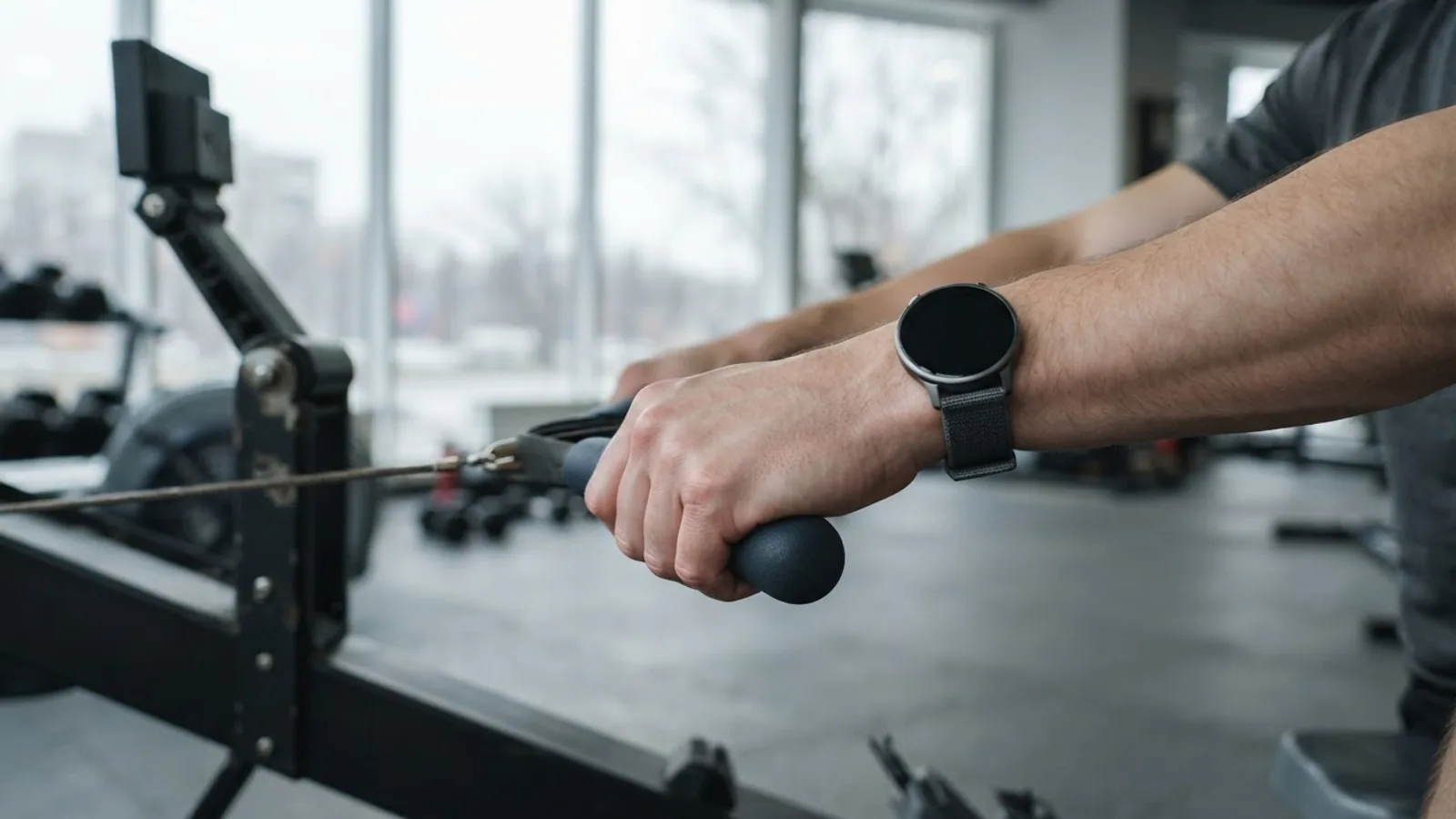
Why Your Smartwatch Heart Rate Jumps
The makers point to six causes:
- A loose or low watch. Garmin says a loose watch that shifts as your arms swing can lock onto your cadence instead of your heart rate.
- Wrist movement. Apple names irregular movements like tennis or boxing; Google names bike riding and weightlifting, which bend the wrist.
- Cold, which Apple, Google and Garmin say affects blood flow to the skin.
- A dirty or blocked sensor: body hair and dirt under the band (Samsung), sunscreen and lotion buildup (Garmin).
- Some tattoos, whose ink can block the sensor's light (Apple, Garmin).
- A setting: tracking turned off (Google) or set to manual measurement only (Samsung).
How to Fix Smartwatch Heart Rate That Jumps
Try these in order; restart comes last, as in Google's Fitbit steps.
Fix 1: Wear It the Way Your Watch Maker Recommends
Use your maker's fit rule:
- Apple Watch: snug on top of your wrist, with the heart rate sensor close to your skin. Apple suggests tightening the band for workouts and loosening it after.
- Pixel Watch and Fitbit: on top of your wrist with the back touching your skin, a finger's width above your wrist bone when you're not exercising. For exercise, Google says "a bit tighter and higher," snug but not constricting.
- Galaxy Watch: "snugly above the wrist," Samsung says, without fastening the band too tightly.
Fix 2: Wipe the Sensor
Samsung says to wipe the sensor with a soft, clean, dry cloth, then adjust the watch to sit above your wrist. Clean a Garmin sensor with fresh water and a soft cloth, and dry the watch before wearing it.
Fix 3: Check Heart-Rate Tracking Is On
Turn tracking back on if it's off or set to manual:
- Pixel Watch and Fitbit: tracking is on by default. If you turned it off, open the Settings app on the watch and tap Heart Rate.
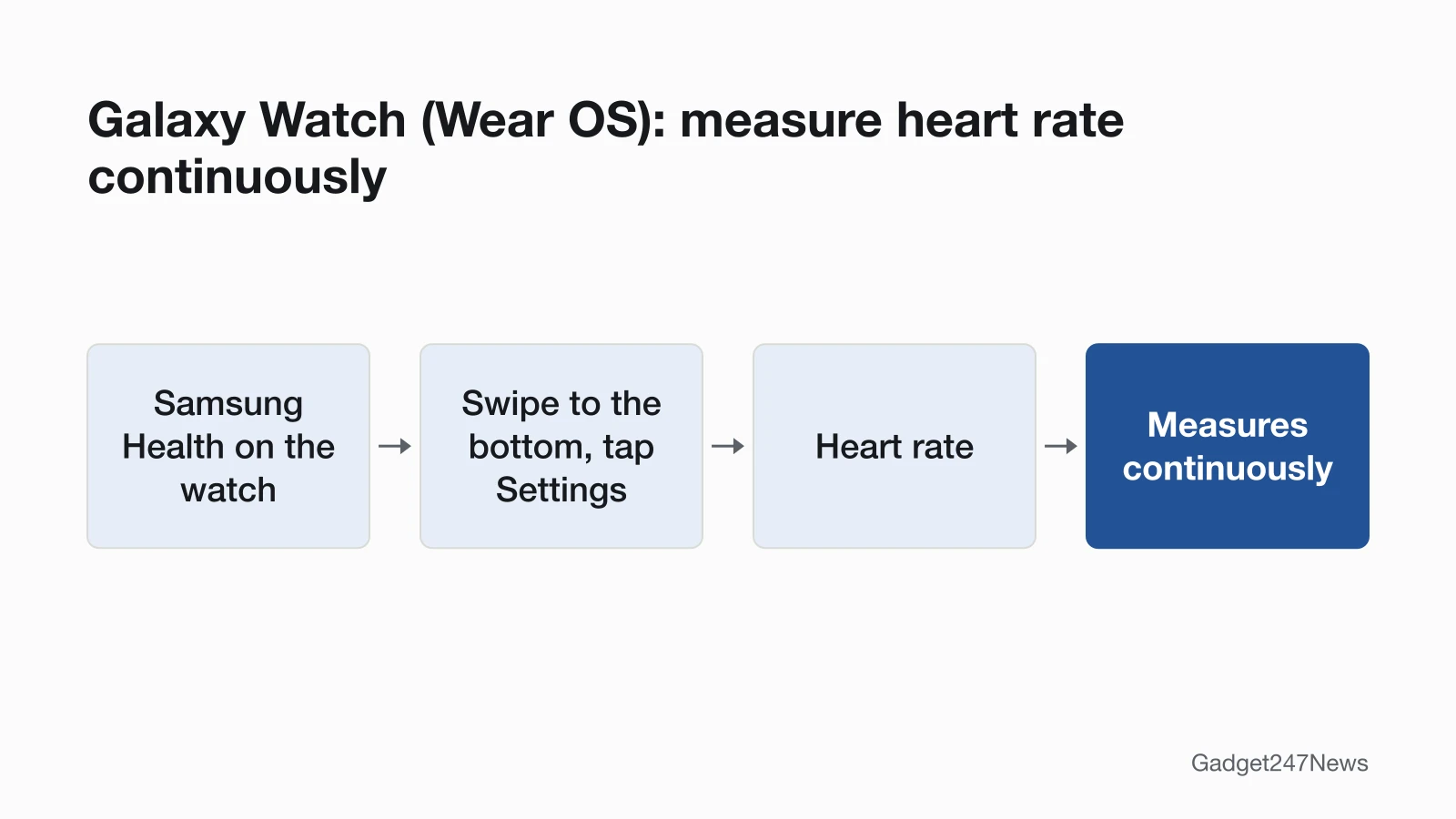
- Galaxy Watch (Wear OS): open Samsung Health on the watch, swipe to the very bottom, tap Settings, then Heart rate, and choose Measures continuously.
- Apple Watch: in the Watch app on your iPhone, tap Privacy to check Heart Rate; on the My Watch tab, tap Passcode to check Wrist Detection. With it off, Apple says background heart rate measurements aren't taken.
Fix 4: Hold Still for Spot Checks, and Warm Up
For a spot check, Samsung says not to talk, yawn or breathe deeply while measuring. If a Fitbit goes blank or freezes during vigorous exercise, Google says to relax your wrist and stay still for up to 10 seconds; the number may spike or dip as it finds your heart rate. On cold mornings, Garmin suggests warming up for 10 to 15 minutes on the activity profile screen before you start the timer.
Fix 5: Sync the Watch
Recorded heart rate shows in your watch's phone app:
- Open Health on iPhone, the Google Health app (formerly the Fitbit app) for Pixel Watch and Fitbit, or Samsung Health for Galaxy Watch.
- If the watch shows your heart rate but the app doesn't, Google says the watch could be disconnected from the app. Fix that with Smartwatch Not Syncing? Apple Watch, Garmin, Fitbit Fixes.
Fix 6 (Last): Restart the Watch
Restart the watch, then check again; Google puts it after the other steps. On a Garmin, search "Restart" in your owner's manual and update the software. Other brands' steps are on How to Reset Any Smartwatch.
By Watch Brand
Each maker adds details of its own.
Apple Watch
Apple Watch Series 12 and Apple Watch Ultra 4 use green LEDs continuously during the day, measuring as often as every five seconds, even in motion. For the Heart Rate app itself, see How to Check Heart Rate on Apple Watch.
- Related Apple Watch tracking: How to Track Steps on Apple Watch.
Google Pixel Watch and Fitbit
For Fitbit, Google says tracking may not work with some accessory bands, especially loose ones, and recommends the band that came with the device. Fitbit Sense, Sense 2, Versa 3 and Versa 4 don't let you turn tracking off.
Samsung Galaxy Watch
Samsung says to remove the protective plastic from the heart rate sensor before measuring, to avoid third-party bands, and to take a brief break before a mid-workout measurement.
Garmin
Garmin wants the watch above the wrist bone, "snug but comfortable," so it doesn't shift. For wrist-flexing activities such as rowing, move it slightly farther up or wear a Garmin heart rate monitor strap.
Still not working?
Next steps, in order:
- Try the next fix: Smartwatch Not Syncing? Apple Watch, Garmin, Fitbit Fixes
- Restart or reset your watch: see How to Reset Any Smartwatch (you'll need to pair it again after a reset).
- Contact your watch maker: Apple Support, Google Health Help, Samsung Support or Garmin Support (external).
- Read the maker's heart-rate documentation: Apple · Google Health · Samsung · Garmin (external).
This covers device settings only and isn't medical advice.
Heart Rate Tracking: Quick Answers
How do I check my heart rate on a smartwatch?
On Apple Watch, open the Heart Rate app and wait while it measures. On a Galaxy Watch, open Samsung Health, tap Heart rate, then Measure. On a Pixel Watch, swipe left from the clock face to the Heart rate tile.
Why does my heart rate jump during workouts on my watch?
Workout movement can shift the watch or bend your wrist, and either can interfere with the signal. Google says to wear it a bit tighter and higher for exercise. Apple adds that rhythmic movements such as running or cycling "give better results" than tennis or boxing.
Can a tattoo affect smartwatch heart rate tracking?
Yes. Apple says "the ink, pattern, and saturation of some tattoos can block light from the sensor," and Garmin recommends wearing the watch on skin free of tattoos. If the watch still can't track steadily, Apple suggests a Bluetooth chest strap.
Sources
We checked this page against the pages below, most recently on . How we verify fixes
- Apple's Apple Watch measurement guidance (Apple, support.apple.com)Official
- Monitor your heart rate with Apple Watch (Apple, support.apple.com)Official
- Track your heart rate with your Pixel Watch or Fitbit device (Google, support.google.com)Official
- Google's Fitbit heart-rate troubleshooting FAQ (Google, support.google.com)Official
- What is new with the redesigned Google Health app (Google, support.google.com)Official
- Monitor your heart rate on your Samsung smart watch (Samsung, samsung.com)Official
- Garmin's optical heart rate tips (Garmin, support.garmin.com)Official