Galaxy Buds Not Charging? Causes and Fixes

By Suraj Giri, Founder & Publisher. Reviewed by Suraj Giri on .
Published · 6 min read
How this page was made
- Sources. Checked against 5 official pages from Samsung, most recently on . See the sources.
- No device testing. We don't test fixes on physical devices, so nothing on this page is a hands-on result. A fact counts as verified only when it matches an official source page.
- AI use. As with every page on Gadget247News, AI tools helped research, outline, draft and edit this page, and re-read the official pages to flag facts that didn't match. The illustration at the top was generated with Runway and is labelled under the image.
- Human sign-off. Suraj Giri, Founder & Publisher, read this page and signed it off on . The site won't publish a page without that sign-off.
- Changes. The published and updated dates move only when the content changes, and every change gets a dated note. Spot an error or a fix that didn't work? Email info@gadget247news.com.
Read our AI use policy, editorial policy and corrections policy.
Use these steps when your Samsung Galaxy Buds or their charging case won't charge: both buds stay flat, one bud won't charge, or the case shows no light at all. Buds that charge but run down quickly have a separate guide, linked near the end. Every other fault starts at Galaxy Buds pairing, battery and sound fixes.
Other brands use different chargers and lights, so the cross-brand guide to get your earbuds charging again covers them. The fixes below follow Samsung's charging troubleshooter, checked on September 27, 2026.
Why Won't My Galaxy Buds Charge?
Samsung's charging troubleshooter and its Galaxy Buds3 guide point to six causes. Check them in this order:
- Dirty contacts: dust, wax or other debris on the charging contacts, which Samsung says can "build up on the charging contacts and prevent charging".
- A bud not seated: if a bud isn't fully in its slot, "the charging contacts won't connect", and badly fitted ear tips or wingtips can lift it.
- The wrong charger: a charger that isn't Samsung-approved "may cause charging malfunctions", and charging from a computer can make them charge slower.
- A flat case or no power: when external power is cut off, the red light on the outside of the case flashes.
- Temperature: on Galaxy Buds3 and Buds3 Pro, a flashing red light means "Charging is blocked due to abnormal temperatures".
- Damage: Samsung says damaged earbuds will not charge, although if one bud is damaged, the other keeps charging.
A factory reset isn't on this list. Samsung's charging page lists a restart and a service call but no factory reset, so any reset comes last.
How to Fix Galaxy Buds That Won't Charge
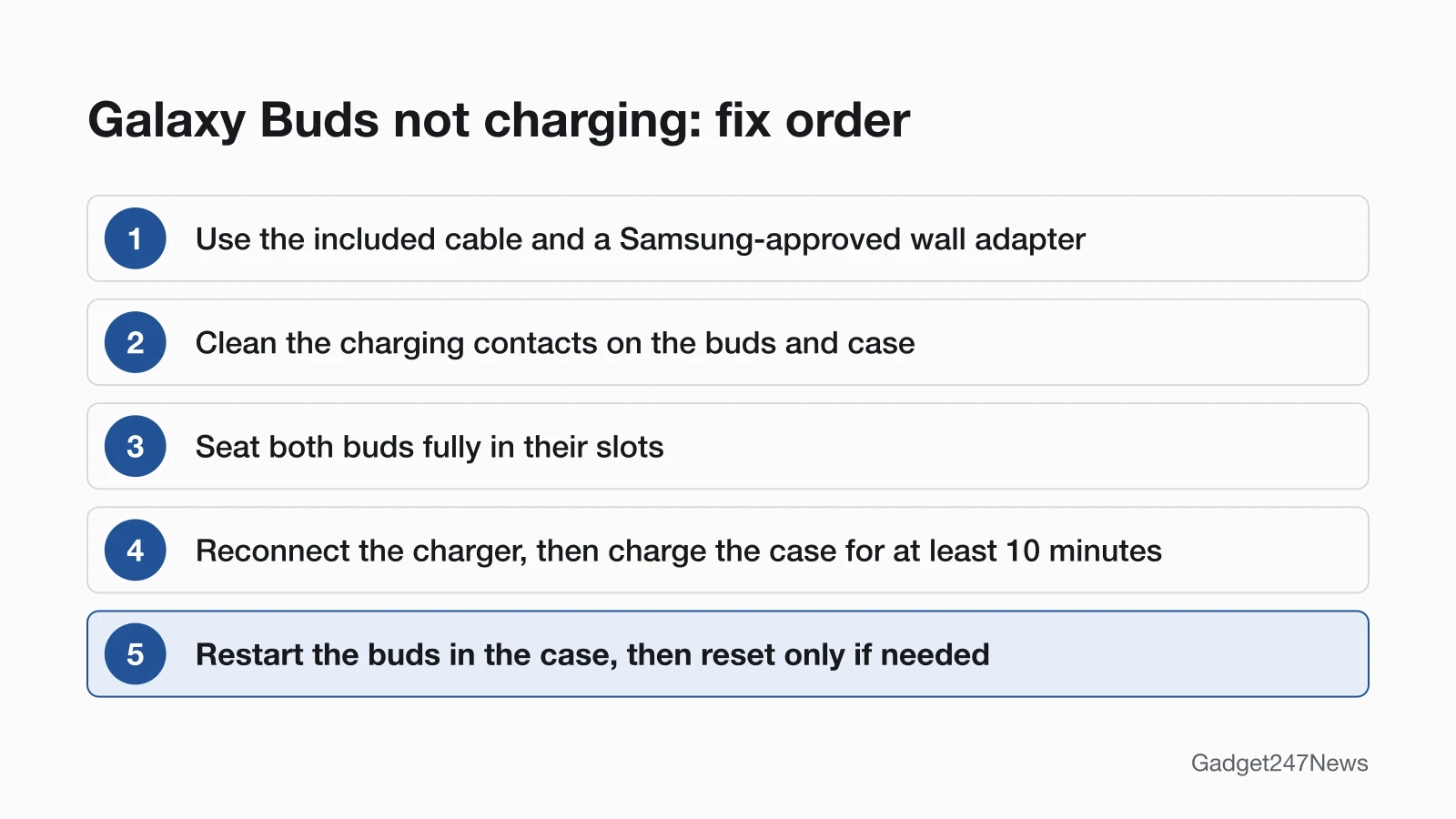
These follow Samsung's charging troubleshooter; reset comes last.
Fix 1: Use the Included Cable and a Samsung-Approved Adapter
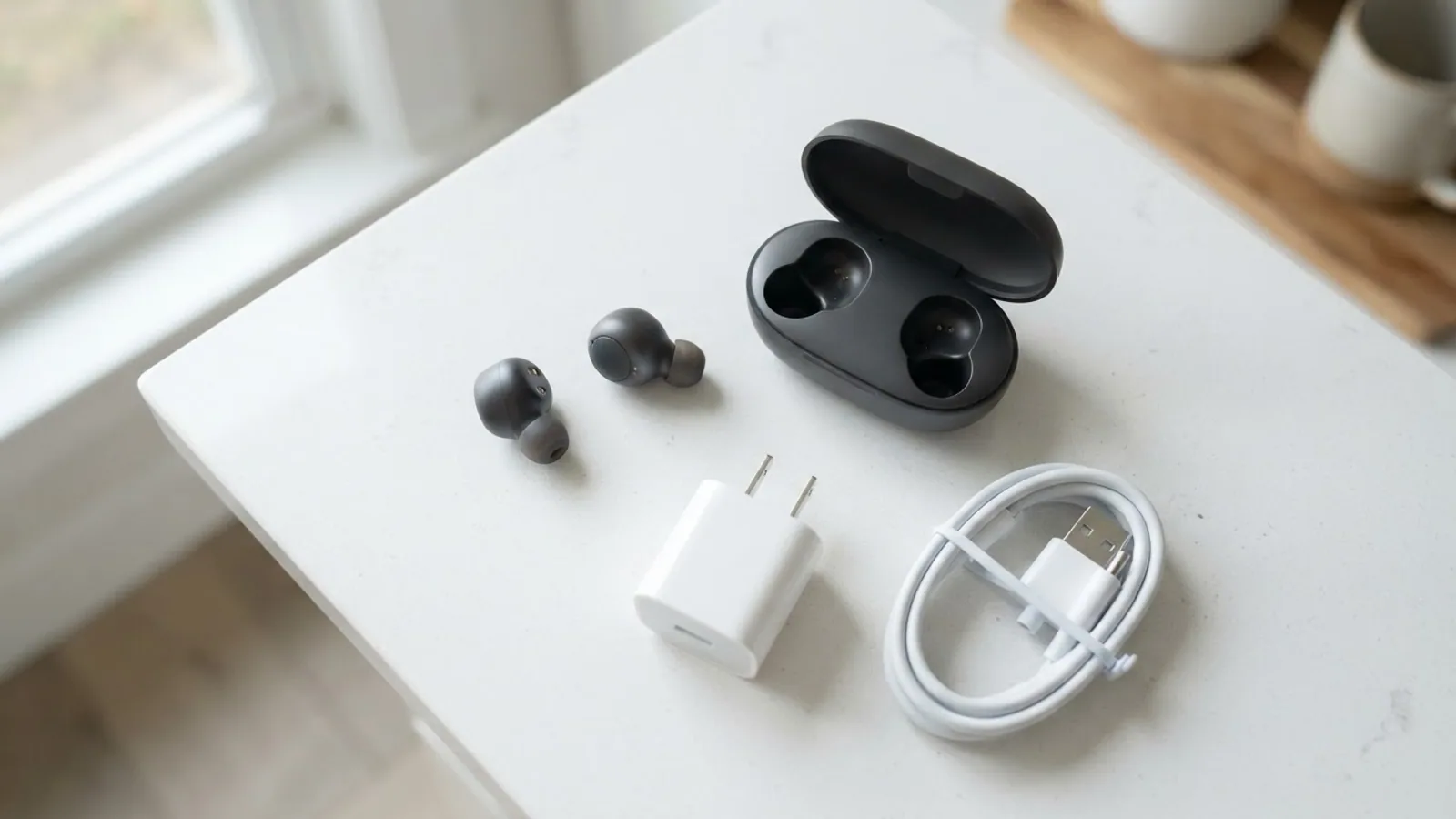
Charge from a wall outlet with Samsung's own cable:
- Put the buds in the charging case and close the lid.
- Connect the included USB cable to the charging port on the back of the case.
- Plug the other end into a Samsung-approved wall adapter, directly in a power outlet. The charging indicator lights up when the case gets power.
- Leave them charging for at least 30 minutes, the figure from Samsung's connection troubleshooter.
Skip laptop USB ports: Samsung warns that charging from "a power source like a computer" can make the buds charge slower. Buds you haven't used for a long time need a full charge, or at least 10 minutes on the charger before use.
Fix 2: Clean the Charging Contacts
Samsung's troubleshooter checks the contacts inside the case and on the buds themselves:
- Look at the charging contacts on each bud and inside the case for dust, wax or other debris.
- If there's sweat or liquid on the contacts or the buds, wipe them with "a soft, lint-free, dry cloth" before putting the buds back in the case. Samsung's Galaxy Buds3 guide warns that sweat or liquid on the contacts can cause corrosion.
- Dry the charging cable fully before you plug it in.
For ear tips, mesh and the rest of the case, see how to clean your earbuds and case.
Fix 3: Seat Both Buds Properly
A bud that isn't fully in its slot won't charge, because its charging contacts don't connect:
- Put each bud fully into its own slot in the case.
- Check that the ear tips, and the wingtips on models that have them, are fitted correctly, so they don't lift the bud out of place.
Then close the lid and look at the light inside the case, which Samsung says signals the status of the earbuds.
Fix 4: Read the Charging Case Light
On Galaxy Buds3 and Buds3 Pro, the case light shows whether charging is working. These meanings come from Samsung's Buds3 guide and apply only to those two models:
| Light | What it means |
|---|---|
| Continuously red | The case, and the buds if inserted, are charging |
| Continuously green | The case, and the buds if inserted, are fully charged |
| Flashing red | Charging is blocked due to abnormal temperatures |
| Flashing red after you close the case | The case battery is below 10% |
| Red for 5 seconds after you close the case | The battery is between 10% and 29% |
| Yellow for 5 seconds after you close the case | The battery is between 30% and 59% |
| Green for 5 seconds after you close the case | The battery is 60% or higher |
Samsung's general charging page says the light on the outside of the case shows the case's status and the light inside shows the buds'; if either flashes red, "there may be an issue." A Galaxy Buds4 case that flashes blue, red and green is in Bluetooth pairing mode, which isn't a charging signal.
Fix 5: The Case Shows No Light
When the case light stays dark, reconnect the charger:
- Disconnect the charger from the case, then reconnect it.
- Once it's reconnected, charge the case for at least 10 minutes.
If it still shows nothing, check the cable and adapter: Samsung's guidance is to replace a damaged USB cable or wall adapter and never use a damaged cable.
Fix 6: Wireless Charging
Samsung's wireless steps cover the pad, the position and the case cover:
- Use a select Samsung Qi-compatible wireless charging pad, or a phone using PowerShare.
- Place the case directly on the center of the charging pad.
- Take off any cover on the case, or charge with the USB cable instead.
Samsung's charging page doesn't say which Galaxy Buds cases support wireless charging, so check your model's specifications before relying on a pad.
Fix 7 (Last): Restart, Then Reset Your Galaxy Buds
Restart the buds after the charging fixes: put them in the case, close the lid, wait at least seven seconds, then take them out. If the battery light for the buds or the case doesn't flash during the restart, Samsung says to charge both buds. Its charging page lists no factory reset, so factory reset Galaxy Buds only if they charge but still misbehave: a reset returns them "to their default settings", and you pair them again afterwards.
One Bud or the Case Not Charging
When only one part fails, check that part on its own before anything else.
Left or Right Galaxy Bud Not Charging
For a single Galaxy Bud that won't charge, left or right, check the contacts and seating on that side first:
- Clean the contacts on that bud and the matching contacts in its slot.
- Reseat the bud and check that its ear tip is fitted, so the bud sits fully down.
- Close the lid and watch the case light: on Galaxy Buds3 and Buds3 Pro, continuously red means charging.
Samsung notes that a damaged earbud won't charge while the other one keeps charging; if a bud still won't charge after troubleshooting and nothing is damaged, Samsung says service is required. If it charges but plays no sound, see One Galaxy Bud not working.
Still not working?
Still not working?
- Try the next fix: Galaxy Buds battery draining fast (if they charge but run down quickly).
- Reset your Samsung Galaxy Buds: factory reset Galaxy Buds (you'll need to pair them again afterwards).
- Contact Samsung Support: Samsung Support (external).
- Check repair or warranty options: Samsung repair service (external).
Started after an update? Check the Update Tracker for known issues.
Before you call 1-800-SAMSUNG, inspect the case and buds for cracks, chips or loose parts: Samsung says "Damaged products are not covered under warranty."
Related Battery Problems
- Charging but draining fast: use the battery-drain guide in the list above.
- No power button: Galaxy Buds "cannot be powered off", Samsung says, and Galaxy Buds power controls covers what to do instead.
Galaxy Buds Charging: Quick Answers
Why is only one Galaxy Bud charging?
One Galaxy Bud stops charging when its contacts are dirty or it isn't fully seated in its slot. Wipe both sets of contacts with a soft, lint-free, dry cloth, reseat the bud and check its ear tip. Samsung adds that a damaged bud won't charge while the other keeps charging.
Why is my Galaxy Buds case not charging with no light?
A Galaxy Buds case with no light needs its charger reconnected: disconnect the charger from the case, reconnect it, then charge the case for at least 10 minutes with a Samsung-approved wall adapter. On Galaxy Buds3 and Buds3 Pro, a red light that flashes after you close the lid means the case is below 10%.
Can Galaxy Buds charge wirelessly?
Samsung says its earbuds work with select Samsung Qi-compatible wireless charging pads and phones using PowerShare, with the case centered on the pad and any cover removed. Its charging page doesn't list which Galaxy Buds models support wireless charging.
Sources
We checked this page against the pages below, most recently on . How we verify fixes
- Samsung earbuds do not turn on or charge (Samsung, samsung.com)Official
- Samsung earbuds don't connect or won't stay connected (Samsung, samsung.com)Official
- Getting started with your Galaxy Buds3 and Galaxy Buds3 Pro (Samsung, samsung.com)Official
- How to restart or reset your Samsung earbuds (Samsung, samsung.com)Official
- How to connect Samsung Galaxy Buds series to a laptop to listen to music (Samsung, samsung.com)Official