How to Silence an Apple Watch

By Suraj Giri, Founder & Publisher. Reviewed by Suraj Giri on .
Published · 4 min read
How this page was made
- Sources. Checked against 6 official pages from Apple, most recently on . See the sources.
- No device testing. We don't test fixes on physical devices, so nothing on this page is a hands-on result. A fact counts as verified only when it matches an official source page.
- AI use. As with every page on Gadget247News, AI tools helped research, outline, draft and edit this page, and re-read the official pages to flag facts that didn't match. The illustration at the top was generated with Runway and is labelled under the image.
- Human sign-off. Suraj Giri, Founder & Publisher, read this page and signed it off on . The site won't publish a page without that sign-off.
- Changes. The published and updated dates move only when the content changes, and every change gets a dated note. Spot an error or a fix that didn't work? Email info@gadget247news.com.
Read our AI use policy, editorial policy and corrections policy.
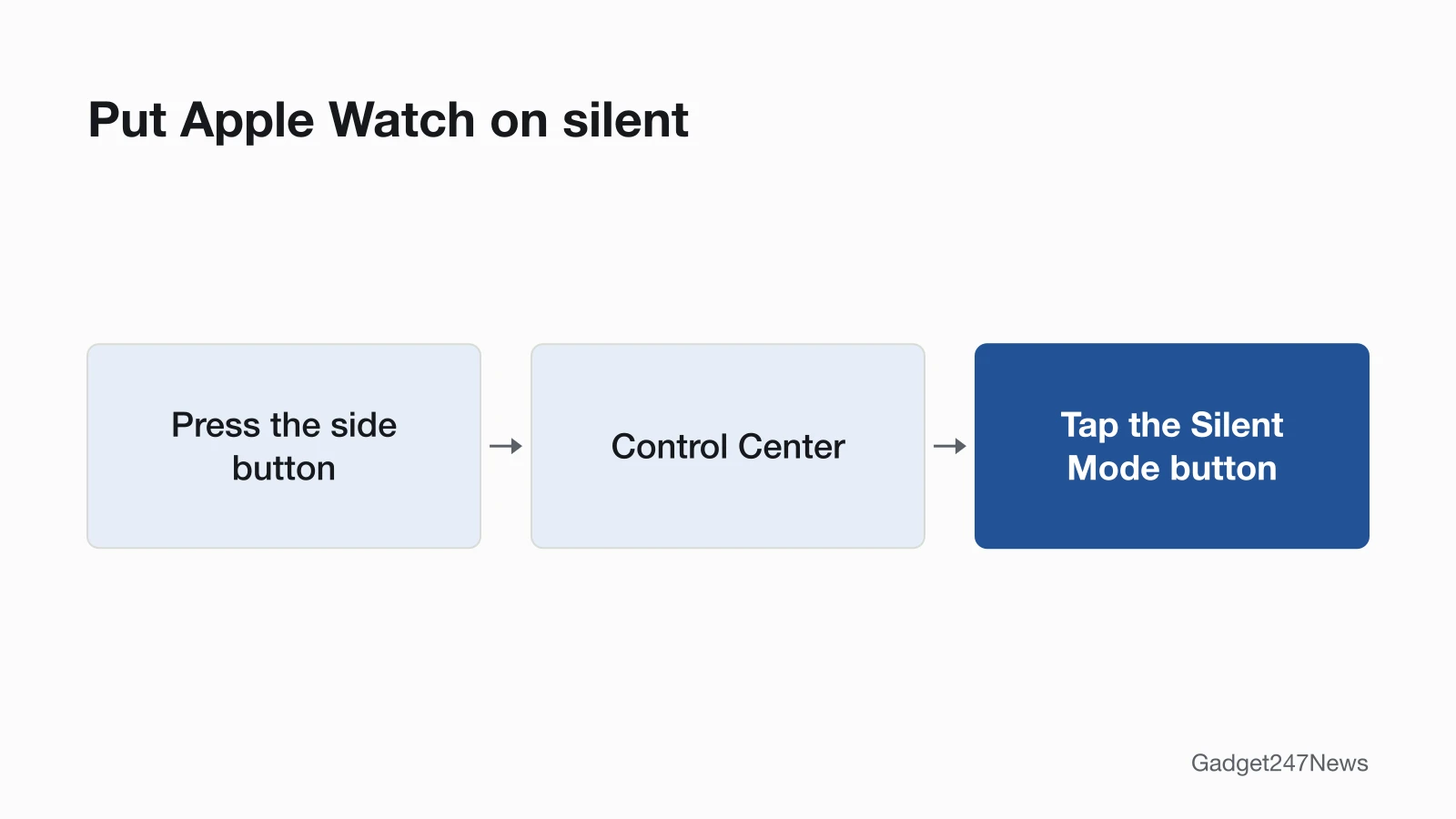
Press the side button to open Control Center, then tap the Silent Mode button. That puts your Apple Watch on silent: Silent Mode mutes all alerts, notifications and sound effects, but haptic notifications still come through. It's part of our Apple Watch setup guides, next to how to change the Apple Watch face.
Silencing the watch on purpose is different from alerts that stopped arriving by themselves. If notifications vanished without you turning anything on, go to Apple Watch not getting notifications instead.
How to Put Apple Watch on Silent
To put Apple Watch on silent, use the Silent Mode button in Control Center:
- Press the side button to open Control Center.
- Tap the Silent Mode button.
Control Center buttons like this one toggle a setting, so tap the Silent Mode button again when you want sound back.
Turn On Silent Mode From Your iPhone
Open the Apple Watch app on your iPhone, tap My Watch, tap Sounds & Haptics, then turn on Silent Mode. On the watch, the same switch sits in the Settings app under Sounds & Haptics.
Silent Mode, Theater Mode, Do Not Disturb or a Focus?
Silent Mode is one of four ways Apple offers to quiet the watch for longer. Here is Apple's comparison, without its visual notifications and options rows:
| Mode | Sounds | Haptics | Display | Good for |
|---|---|---|---|---|
| Silent Mode | Off | On (if you allow) | On | Quiet environments where you want to see and feel notifications |
| Theater Mode | Off | On (if you allow) | Off | Dark venues like theaters and movies |
| Do Not Disturb | Off | Off | On | Meetings, appointments, and instances when you want to prevent all notifications |
| Focus | Off (with exceptions you set) | Off (with exceptions you set) | On (except for customizable modes like Sleep) | Sleep, work, and other activities with specific notification needs |
To turn on the other three:
- Theater Mode: open Control Center and tap the Theater Mode button. The display stays dark when you raise your wrist, and Silent Mode turns on too. To wake the watch, tap the display, press the side button, or turn or press the Digital Crown.
- Do Not Disturb: open Control Center, tap the Do Not Disturb button, choose Do Not Disturb, then tap On or an ending point such as On for 1 hour or On until I leave.
- A Focus: tap the same Do Not Disturb button and choose a Focus instead. A Focus can run on a schedule and allow the notifications you pick.
Silence One Alert Right Now
To silence one call or timer right now without changing modes, use a gesture:
- Cover to Mute: rest the palm of your hand on the display for at least 3 seconds. A haptic tap confirms the notification is muted, and you can still answer the call or reset the timer.
- Wrist Flick: turn your wrist over and back to mute an incoming call or dismiss a notification and return to the watch face.
Both gestures are on by default. To turn either off, open the Settings app on your Apple Watch, then tap Gestures.
Turn the Sound Off or Change the Volume
To turn the sound off or turn the volume up on Apple Watch, work in Sounds & Haptics:
- Open the Settings app on your Apple Watch.
- Tap Sounds & Haptics. The Silent mode switch here silences all alerts.
- To set the volume by hand, turn off Automatically Adjust Volume, then drag the volume slider (up to a maximum of 100%).
Automatic volume is available on Apple Watch SE 3, Series 9, Ultra 2 and later. It changes the volume for ringtones, notifications, alarms and timers based on the noise around you, and with it on, the volume doesn't exceed a certain level.
- Media volume: turn the Digital Crown while music or a podcast plays, or open Control Center, tap the Volume button, then drag the slider.
- Haptics: in Sounds & Haptics, set the strength of wrist taps to Default, Prominent or Off.
How to Check It Worked
Silent Mode is on when its button shows as selected in Control Center. With Theater Mode on, the Theater Mode status icon appears at the top of the screen.
If Your Apple Watch Still Makes Sound
Apple's guide names two cases where an Apple Watch in Silent Mode still makes sound, and a third check rules out a mix-up:
- It's charging. While Apple Watch is charging, alarms and timers still sound, even in Silent Mode.
- The alarm breaks through. An alarm with Break Through Silent Mode turned on always plays sound while you wear the watch. In the Alarms app, tap the alarm time to find the option; how to set an alarm on Apple Watch covers the rest of the alarm settings.
- Another device is ringing. Check your iPhone and any second watch nearby before changing more settings.
Related Setup Tasks
Two more guides in the Apple Watch setup series:
- How to use Walkie-Talkie on Apple Watch. Apple discontinued Walkie-Talkie in watchOS 27, and that guide explains who can still use it.
- Changing the watch face, in the face guide linked in the first paragraph.
Silent Mode Questions
These answers cover alarms, haptics and a vibrate-only watch.
Does Silent Mode silence alarms on Apple Watch?
Not while the watch is charging: alarms and timers still sound then, even in Silent Mode. An alarm with Break Through Silent Mode turned on also plays sound whenever you're wearing the watch.
Will I still feel notifications on silent?
Yes. Silent Mode and Theater Mode both keep haptics on if you allow them. Do Not Disturb is different: it turns haptics off along with sounds.
How do I make my Apple Watch vibrate only?
Turn on Silent Mode. Apple gives the same tip for an alarm that taps your wrist but doesn't make a sound. For stronger taps, open Settings, tap Sounds & Haptics, then set Haptics to Prominent.
Sources
We checked this page against the pages below, most recently on . How we verify fixes
- Silence notifications for extended periods on Apple Watch (Apple Watch User Guide) (Apple, support.apple.com)Official
- Use gestures for notifications and alerts on Apple Watch (Apple Watch User Guide) (Apple, support.apple.com)Official
- Adjust volume and haptics on Apple Watch (Apple Watch User Guide) (Apple, support.apple.com)Official
- Use Control Center on Apple Watch (Apple Watch User Guide) (Apple, support.apple.com)Official
- Add an alarm on Apple Watch (Apple Watch User Guide) (Apple, support.apple.com)Official
- Use Walkie-Talkie on your Apple Watch (Apple, support.apple.com)Official