How to Add and Remove Apps on Apple Watch

By Suraj Giri, Founder & Publisher. Reviewed by Suraj Giri on .
Published · 4 min read
How this page was made
- Sources. Checked against 7 official pages from Apple, most recently on . See the sources.
- No device testing. We don't test fixes on physical devices, so nothing on this page is a hands-on result. A fact counts as verified only when it matches an official source page.
- AI use. As with every page on Gadget247News, AI tools helped research, outline, draft and edit this page, and re-read the official pages to flag facts that didn't match. The illustration at the top was generated with Runway and is labelled under the image.
- Human sign-off. Suraj Giri, Founder & Publisher, read this page and signed it off on . The site won't publish a page without that sign-off.
- Changes. The published and updated dates move only when the content changes, and every change gets a dated note. Spot an error or a fix that didn't work? Email info@gadget247news.com.
Read our AI use policy, editorial policy and corrections policy.
Open the App Store on your Apple Watch, tap Get or the price, then double-click the side button to install the app. You can also download apps to the watch from the Apple Watch app on your iPhone. If the watch isn't paired yet, follow how to set up an Apple Watch step by step first.
Apple Watch installs the watch versions of your iPhone apps by default, where a watch version exists, so some apps may already be there. This guide sits with how to change the Apple Watch face and the other watch customizing guides.
How to Install Apps on Apple Watch
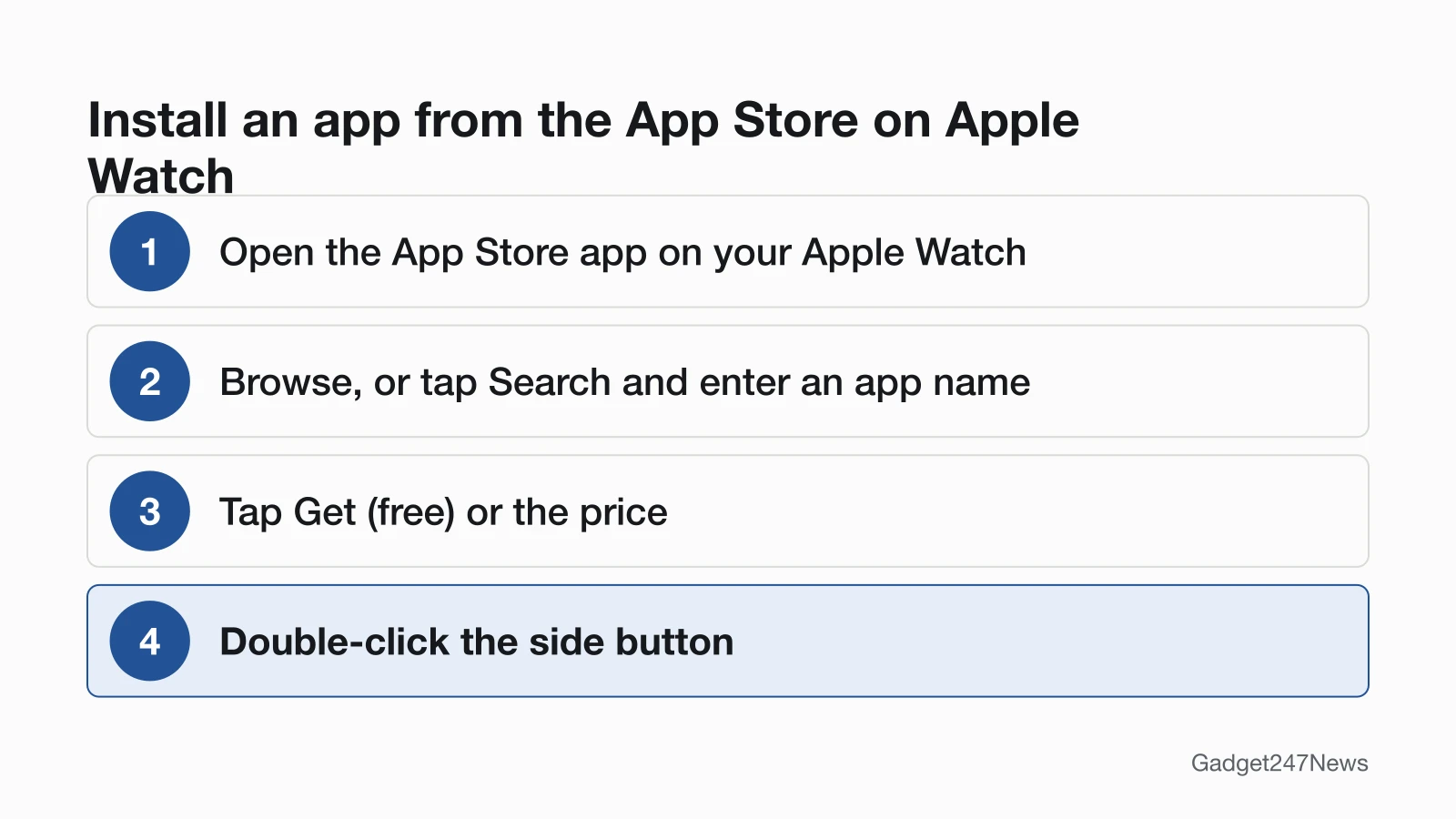
To install apps on Apple Watch, use the App Store app on the watch itself:
- Open the App Store app on your Apple Watch.
- Scroll down or turn the Digital Crown to browse apps and collections. To search, tap the Search button, enter an app name, category or developer, then tap Search.
- Tap an app, then tap Get (if the app is free) or the price.
- Double-click the side button to complete your purchase.
If you see a Download button, you've already purchased the app and can download it again without a charge. To see what you bought before, scroll to the bottom of the App Store, tap Account, then tap Purchased.
How to Install Apps From Your iPhone
To install apps from your iPhone, pick them from the Available Apps list:
- Open the Apple Watch app on your iPhone.
- Tap My Watch, tap Apps, then scroll down to Available Apps.
- Tap Install next to each app you want on the watch.
Turn On Automatic Downloads and Updates
On the watch, open the Settings app, tap App Store, then turn on Automatic Downloads, Automatic Updates or both. Automatic Downloads installs the watchOS version of free and paid apps purchased on other devices, and Automatic Updates downloads new versions of your apps when they're available. The same switches sit in the Apple Watch app on iPhone: tap My Watch, then go to App Store.
How to Remove (Delete) Apps From Apple Watch
To delete an app from Apple Watch only, work from the full app list:
- Press the Digital Crown, then turn it to see all your apps.
- Touch and hold the app you want to remove.
- Tap the Delete button.
Apple adds three notes on deleting:
- Not all apps can be removed from Apple Watch.
- Removing an app from your iPhone deletes it from the watch as well, but an app deleted on the watch stays on the iPhone until you delete it there too.
- Getting an app back, built-in Apple apps included, means downloading it again from the App Store on your iPhone or Apple Watch.
How to Close (Quit) an App on Apple Watch
To close an app on Apple Watch that isn't responding, quit it and reopen it:
- From the app, press and hold the side button until the sliders appear.
- Press and hold the Digital Crown until the watch face appears.
Apple says there's typically no reason to quit an app, and quitting it doesn't save battery power. To leave an app without quitting it, press the Digital Crown once for the Home Screen, then again for the watch face.
How to Check It Worked
An installed app shows up with your other apps: press the Digital Crown, turn it to see them all, and scroll to the bottom to choose List view if a list is easier to scan. For the space each app takes, open Settings on the watch, tap General, then tap Storage.
If an App Won't Download or Install on Apple Watch
When an app won't download or install on Apple Watch, check these four things, most likely first:
- No version for your watch or region. Apple installs watch versions of iPhone apps only "if available", and some watchOS apps aren't available in every region or language.
- No connection. Apple lists "Get apps in the App Store" among the things a watch on Wi-Fi can do with the iPhone off. If the watch lost its link to your iPhone, see Apple Watch disconnected after an update.
- No working payment method. Purchases use the payment method associated with your Apple Account, so check it before you retry a paid app.
- Storage. Settings, then General, then Storage shows the amount used and remaining. Apple's guide doesn't say a full watch blocks installs, so treat this as a check, not a known cause.
If all four look fine, restart the watch and try again. Apple notes that a watch can't restart while it's charging.
Related Setup Tasks
Two more setup guides for the same watch:
- How to silence an Apple Watch, with Silent Mode and the other quiet modes.
- Changing the watch face, covered in the face guide linked near the top of this page.
Apple Watch App Questions
These short answers cover apps without an iPhone, apps that won't delete, and battery life.
Can I get apps on Apple Watch without my iPhone?
Yes. The App Store app runs on the watch, and Apple says a watch connected to Wi-Fi can still get apps from the App Store even if your iPhone is turned off. An Apple Watch with a cellular plan stays connected away from your iPhone, though cellular data charges may apply.
Why can't I delete some apps from my Apple Watch?
Apple says not all apps can be removed from Apple Watch. You can still move one out of the way: touch and hold it on the app grid, drag it to a new location, then press the Digital Crown when you're done. On iPhone, tap My Watch, then App View, then Arrangement.
Does closing apps save battery on Apple Watch?
No. Apple says quitting an app doesn't save battery power. Quit an app only when it stops responding. For a battery that runs down fast, the Apple Watch battery drain fixes are the better place to start.
Sources
We checked this page against the pages below, most recently on . How we verify fixes
- Get apps in the App Store on Apple Watch (Apple Watch User Guide) (Apple, support.apple.com)Official
- Organize apps on Apple Watch (Apple Watch User Guide) (Apple, support.apple.com)Official
- Use apps on Apple Watch (Apple Watch User Guide) (Apple, support.apple.com)Official
- View app settings and storage on Apple Watch (Apple Watch User Guide) (Apple, support.apple.com)Official
- Use Apple Watch without its paired iPhone (Apple Watch User Guide) (Apple, support.apple.com)Official
- Download apps on your Apple Watch (Apple, support.apple.com)Official
- Restart Apple Watch (Apple Watch User Guide) (Apple, support.apple.com)Official