How to Connect JBL Earbuds to Android

By Suraj Giri, Founder & Publisher. Reviewed by Suraj Giri on .
Published · 4 min read
How this page was made
- Sources. Checked against 9 official pages from Google, JBL and Samsung, most recently on . See the sources.
- No device testing. We don't test fixes on physical devices, so nothing on this page is a hands-on result. A fact counts as verified only when it matches an official source page.
- AI use. As with every page on Gadget247News, AI tools helped research, outline, draft and edit this page, and re-read the official pages to flag facts that didn't match. The illustration at the top was generated with Runway and is labelled under the image.
- Human sign-off. Suraj Giri, Founder & Publisher, read this page and signed it off on . The site won't publish a page without that sign-off.
- Changes. The published and updated dates move only when the content changes, and every change gets a dated note. Spot an error or a fix that didn't work? Email info@gadget247news.com.
Read our AI use policy, editorial policy and corrections policy.
Android pairs JBL earbuds and headphones like any Bluetooth audio device, and on supported JBL models a Google Fast Pair card lets you connect with one tap. For other JBL problems, see JBL earbuds pairing, battery and sound fixes; for other brands, see how to pair Bluetooth earbuds with a new phone.
How to Pair JBL Earbuds With an Android Phone
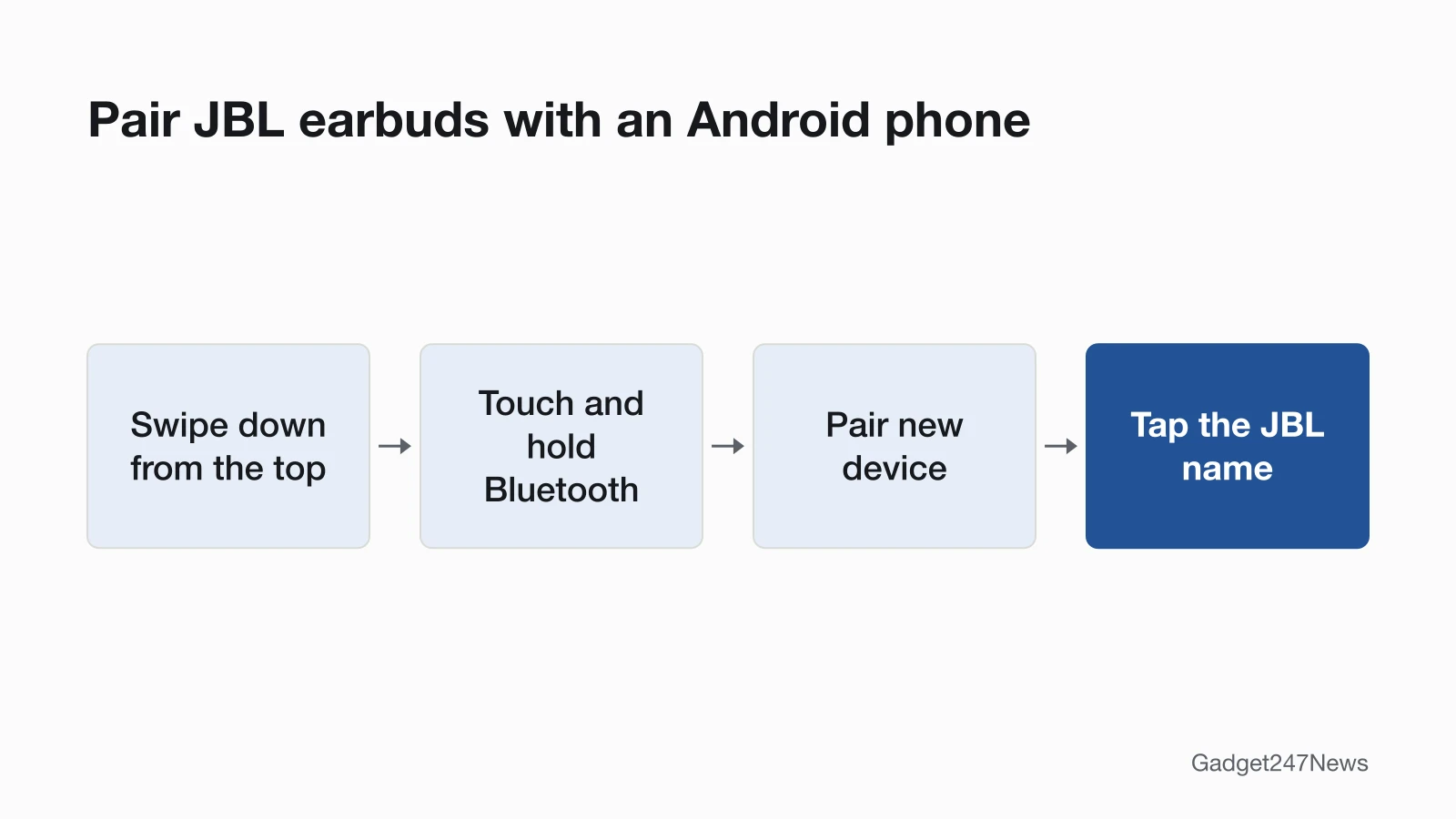
To pair JBL earbuds with an Android phone, put them in pairing mode, then add them from Android's Bluetooth settings:
- Put the JBL earbuds or headphones in pairing mode (see the table below).
- Swipe down from the top of the screen, then touch and hold Bluetooth.
- Tap Pair new device.
- Tap the JBL name, for example "JBL Tune Beam 2", and follow the on-screen instructions.
Menus vary by phone maker. Google's page says some of its steps work only on Android 15 and up, and some "only work on devices with supporting hardware". After the first pairing, Google says your devices "can connect automatically".
Pairing Mode for Each JBL Model
Pairing mode starts on its own the first time you turn JBL earbuds on; after that, each model has its own step. JBL's guides also show which models get the Fast Pair pop-up:
| JBL model | Start pairing mode | Fast Pair pop-up in JBL's guide |
|---|---|---|
| Any JBL model, first use | Turn it on; a flashing LED shows it's searching | Depends on the model |
| Tune Beam 2 | Tap an earbud once, then hold for 5 seconds (adds a second device) | Yes, "Android phones running 6+" |
| Tune Buds | Tap an earbud once, then hold for 5 seconds (adds a second device) | Yes, Android 6.0+ |
| Tune 520BT headphones | Power off, then hold the power button for 5 seconds | Yes, Android 6.0+ |
| JBL LIVE headphones | Press and hold the power button until the blue light flashes | Not on the JBL page we read |
For iPhone, Mac, Windows and console steps, see how to connect and pair JBL earbuds with any device.
The Fast Pair Pop-Up and the JBL Headphones App
When Fast Pair works, a card appears on the phone and you tap Connect. On the Tune Beam 2, the card says the earbuds "will appear on devices linked with" the Google account it shows. Read more about the Google Fast Pair pop-up on Android. The JBL Headphones app is a separate, optional step. JBL's standby page says its Auto-off setting takes times such as 15 minutes or 1 hour, or "Never".
On a Samsung Galaxy Phone
The pairing steps are the same on a Samsung Galaxy phone, but the menu names differ. Samsung's support page gives the path as Settings > Connections > Bluetooth. To remove earbuds there, Samsung says to tap the Settings icon next to them in the device list, then Unpair, where Google's steps say Forget.
How to Check Your JBL Earbuds Are Connected to Android
Your JBL earbuds are connected when Android lists them as "Connected" and sound plays through them:
- Touch and hold Bluetooth and find the JBL name. Google says a connected device then shows as Connected.
- Play music or a video.
- If Android didn't sort the earbuds as headphones, open Settings > Connected devices, select the JBL earbuds' settings under Media devices, and set Audio device type to Headphones. Google says the right type helps features such as spatial audio.
If Your JBL Earbuds Won't Connect to Android
If no Fast Pair card appears, pair from Pair new device instead. If the JBL name isn't listed, JBL's tip is to turn Bluetooth off and back on; if another phone holds the earbuds, disconnect them on that phone. For a pairing that stopped working, tap Settings next to the JBL name, then Forget, and pair again. The full fix order is on JBL earbuds not connecting to your phone. If you also use them with a laptop, see how to connect JBL earbuds to a Windows PC.
What Works Differently on Android
Two things on Android depend on the JBL model and the app:
- The Fast Pair card comes only with supported models. JBL's Tune Beam 2, Tune Buds and Tune 520BT guides show it; on other models, pair from Pair new device.
- Advanced controls live in the JBL Headphones app. The Tune Beam 2 guide says to "Enable advance controls by connecting your JBL TUNE BEAM 2 to JBL Headphones app", and the Tune Buds guide sets up your voice assistant through the app.
JBL Earbuds and Android: Quick Answers
Do JBL earbuds work with Android?
Yes. JBL earbuds pair from Android's Bluetooth settings, and JBL's guides for the Tune Beam 2, Tune Buds and Tune 520BT also show the Fast Pair pop-up on Android 6 or later.
Why is there no pop-up when I open my JBL earbuds?
The Fast Pair pop-up needs a supported JBL model and Android 6 or later, JBL's guides show. Put the earbuds in pairing mode; if no card appears, touch and hold Bluetooth, tap Pair new device and tap the JBL name.
Do I need the JBL Headphones app on Android?
No, not to pair. Android pairs JBL earbuds from its Bluetooth settings. The app adds controls such as ANC, Ambient Aware and TalkThru on the Tune Beam 2, plus the Auto-off time.
Sources
We checked this page against the pages below, most recently on . How we verify fixes
- Find & set up Bluetooth devices near your Android device (Google, support.google.com)Official
- JBL Tune Beam 2 Quick Start Guide (JBL, support.jbl.com)Official
- JBL Tune Buds Quick Start Guide (JBL, jbl.com)Official
- JBL Tune 520BT Quick Start Guide (JBL, jbl.com)Official
- JBL: Multi-Point Connection Support (JBL, support.jbl.com)Official
- JBL: Bluetooth Pairing & Connecting (JBL, support.jbl.com)Official
- How do I connect my JBL LIVE headphones to my device via Bluetooth? (JBL, support.jbl.com)Official
- JBL: Standby Mode Information (JBL, support.jbl.com)Official
- How to connect your Samsung Galaxy earbuds (Samsung US) (Samsung, samsung.com)Official