What Is Bluetooth Multipoint and Which Earbuds Support It

By Suraj Giri, Founder & Publisher. Reviewed by Suraj Giri on .
Published · 5 min read
How this page was made
- Sources. Checked against 11 official pages from Google, Sony, Apple, Samsung, Bose, JBL and Skullcandy, most recently on . See the sources.
- No device testing. We don't test fixes on physical devices, so nothing on this page is a hands-on result. A fact counts as verified only when it matches an official source page.
- AI use. As with every page on Gadget247News, AI tools helped research, outline, draft and edit this page, and re-read the official pages to flag facts that didn't match. The illustration at the top was generated with Runway and is labelled under the image.
- Human sign-off. Suraj Giri, Founder & Publisher, read this page and signed it off on . The site won't publish a page without that sign-off.
- Changes. The published and updated dates move only when the content changes, and every change gets a dated note. Spot an error or a fix that didn't work? Email info@gadget247news.com.
Read our AI use policy, editorial policy and corrections policy.
Bluetooth multipoint lets one pair of earbuds or headphones stay connected to two devices at the same time, such as your phone and your laptop, so you can move between them without pairing again. Google describes it as keeping "connections to 2 devices at the same time". It belongs with other earbud features like noise cancelling, which we cover in how ANC works in headphones.
Multipoint can also look like a connection fault: audio can jump to the other device, and on Sony, Skullcandy and Bose headphones one device drops off when a third one connects. If your earbuds keep cutting out, Why Earbuds Keep Disconnecting has the full set of fixes. Every model named below comes from the maker's own help page or owner's guide, read on September 26, 2026.
How Does Multipoint Work?
Multipoint keeps both devices connected, but the earbuds play sound from only one of them at a time. As Bose's owner's guide puts it, "You can only play audio from one device at a time." Which device wins depends on the brand:
- Sony WH-1000XM6: music plays from the device that played last. Start playback on the second device and you hear the second device. Both phones stay in standby, and a call to either one rings in the headset.
- Google Pixel Buds 2a and Pixel Buds Pro: phone and video calls come first, then Google Assistant, then music. You have to pause music on one device before you can play music from the other.
- Skullcandy Dime 3: pressing play on one device pauses the other automatically, and a call on the other device pauses the music and takes priority.
On these brands, a third device ends one of the two links. Sony keeps the device that played music last and disconnects the other one. Skullcandy drops the device that was paired first, and Bose's newly connected device "replaces the older of the two connections."
Which Earbuds Support Multipoint?
The table lists only the models each maker names on its own multipoint page or owner's guide, with the setting name that maker uses. If your model isn't listed, its help guide is the place to check.
| Brand | Models named on the official page | Setting name | Source |
|---|---|---|---|
| Google Pixel Buds | Pixel Buds 2a, Pixel Buds Pro | Multipoint (off by default) | Google Pixel Buds Help |
| Sony | WH-1000XM6 | Connect to 2 devices simultaneously, in the Sony Sound Connect app | WH-1000XM6 Help Guide |
| Bose | QuietComfort Earbuds | Multi Point, in the Bose QCE app | QuietComfort Earbuds owner's guide |
| JBL | Tune Beam 2 | Multi-point connection (maximum 2 devices) | Tune Beam 2 Quick Start Guide |
| Skullcandy | Dime 3, Rail ANC, Method 360 ANC | Multipoint Pairing | Skullcandy product help pages |
| Samsung Galaxy Buds | Galaxy Buds3, Buds3 Pro, Buds2, Buds2 Pro, Buds Pro, Buds+ | Auto switch (a different feature) | Samsung support |
| AirPods | AirPods 2, 3 and 4; all AirPods Pro; all AirPods Max | Automatic switching (not multipoint) | Apple Support |
Google's Multipoint page names only Pixel Buds 2a and Pixel Buds Pro; Pixel Buds Pro 2 appears on that page under audio switch, not Multipoint. Samsung's Auto switch works between Galaxy devices running One UI 3.1 or later that are signed in to the same Samsung account, and Samsung's page doesn't use the word multipoint.
Multipoint vs Automatic Switching on AirPods
Apple calls its version automatic switching, and it works between Apple devices. Apple says the listed AirPods "can switch automatically between your iPhone, iPad, Mac, Apple Watch, and Apple Vision Pro." Each device needs the latest software and the same Apple Account with two-factor authentication. The setup and the off switch are in AirPods automatic switching. Google's audio switch is a separate Pixel Buds feature that moves you between devices based on your activity, and it can run alongside Multipoint.
How to Turn Multipoint On or Off
Multipoint is usually a switch in the earbuds' companion app, and on Pixel Buds it's off by default. To turn it off on Bose QuietComfort Earbuds, tap Multi Point on the product control screen of the Bose QCE app; this disconnects the second device. On Skullcandy Method 360 ANC you turn off Multipoint Pairing in the Skullcandy app.
Pixel Buds and Sony
Pixel Buds 2a or Pixel Buds Pro on a Pixel phone with Android 10 or later:
- Go to Settings → Connected Devices.
- Tap Settings beside the name of your paired Pixel Buds.
Google's Pixel-phone steps end at that settings screen and don't name the switch. On other Android phones, Google gives the full path:
- Open the Google Pixel Buds app.
- Select More settings → Multipoint → Use Multipoint.
Both devices must already be paired. Wear the earbuds, then connect each device to your Pixel Buds from that device's Bluetooth settings.
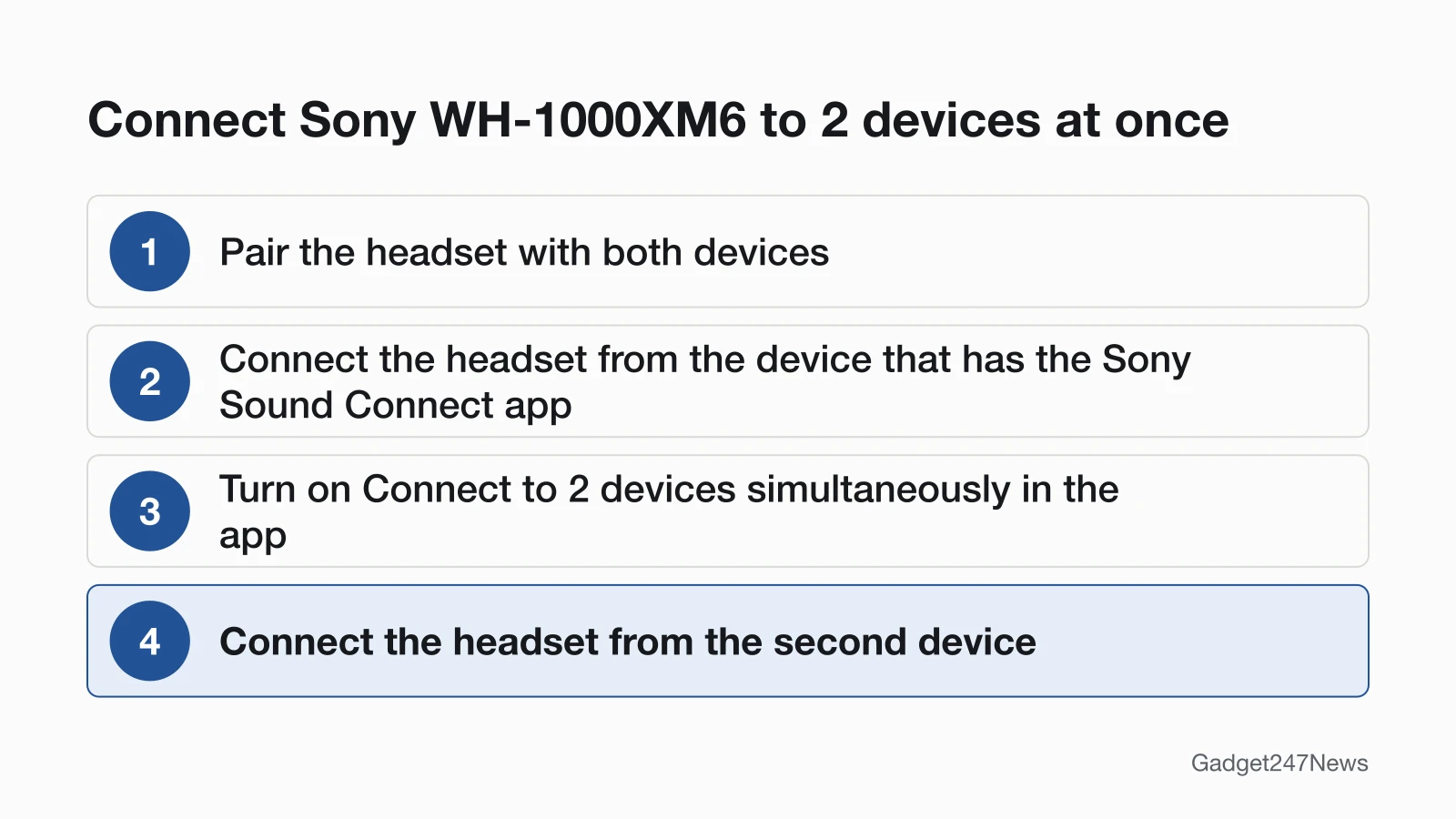
Sony WH-1000XM6, with the Sony | Sound Connect app installed on one of the two devices:
- Pair the headset with both devices.
- Connect the headset from the device that has the app.
- Turn on Connect to 2 devices simultaneously in the app.
- Connect the headset from the second device.
Sony's help guide names the setting but doesn't say which app screen it sits on.
When Multipoint Causes Problems
Multipoint has two side effects to rule out first: audio that moves to the other device, and a codec limit Sony documents for its WH-1000XM4. Other listening settings, like spatial audio on earbuds, have their own guides.
Does Multipoint Make Earbuds Disconnect?
Multipoint can make earbuds look disconnected, because audio moves to the other device or a device drops when a third one connects. Sony says an unwanted switch can sometimes be stopped by turning off notification and operation sounds on your phone or lowering its volume. Turning multipoint off is a test step, not a fix for every dropout. If the drops continue with one device connected, the cause is something else, and the disconnecting guide linked above covers the other causes.
Does Multipoint Affect Sound Quality?
Multipoint can limit the codec on Sony's WH-1000XM4. Its help guide says that with Connect to 2 devices simultaneously turned on, "LDAC cannot be used. The codec is automatically switched to AAC or SBC." Sony's WH-1000XM6 multipoint page, read on September 26, 2026, has no such note, so check your own model's help guide. What each codec does is covered in Bluetooth codecs explained.
Multipoint: Quick Answers
Can you connect two Bluetooth headphones to one phone?
Some Android phones can play to two sets of headphones, but that's audio sharing, not multipoint. Google says you can use "Bluetooth LE Audio headphones and hearing aid devices from the same Android phone with 2 or more people." You need an Android device that supports LE Audio and LE Audio headphones. LE Audio and Auracast on earbuds explains how it works.
Do AirPods support multipoint?
Apple doesn't describe AirPods as multipoint. Its support page documents Automatic Switching for AirPods 2, 3 and 4, all AirPods Pro and all AirPods Max, between Apple devices signed in to the same Apple Account. To move AirPods by hand on an iPhone or iPad, tap the AirPlay button on the Now Playing screen, the Lock Screen or in Control Center, then choose the device.
Sources
We checked this page against the pages below, most recently on . How we verify fixes
- Google: Use Multipoint and audio switch on Google Pixel Buds 2a and Pro (Google, support.google.com)Official
- Sony: WH-1000XM6 Help Guide, Connecting the headset to 2 devices simultaneously (multipoint connection) (Sony, helpguide.sony.net)Official
- Sony: WH-1000XM4 Help Guide, Connecting the headset to 2 devices simultaneously (multipoint connection) (Sony, helpguide.sony.net)Official
- Apple: Switch your AirPods to another device (Apple, support.apple.com)Official
- Samsung: Use Auto switch with your Galaxy buds and paired devices (Samsung, samsung.com)Official
- Bose: QuietComfort Earbuds owner's guide (Bose, assets.bosecreative.com)Official
- JBL: Tune Beam 2 Quick Start Guide (JBL, support.jbl.com)Official
- Skullcandy: Dime 3 product help (Skullcandy, skullcandy.com)Official
- Skullcandy: Rail ANC product help (Skullcandy, skullcandy.com)Official
- Skullcandy: Method 360 ANC product help (Skullcandy, skullcandy.com)Official
- Google: Use multiple Bluetooth audio accessories at once on an Android device (Google, support.google.com)Official