Bose Headphones Battery Draining Fast? Causes and Fixes

By Suraj Giri, Founder & Publisher. Reviewed by Suraj Giri on .
Published · 7 min read
How this page was made
- Sources. Checked against 8 official pages from Bose, most recently on . See the sources.
- No device testing. We don't test fixes on physical devices, so nothing on this page is a hands-on result. A fact counts as verified only when it matches an official source page.
- AI use. As with every page on Gadget247News, AI tools helped research, outline, draft and edit this page, and re-read the official pages to flag facts that didn't match. The illustration at the top was generated with Runway and is labelled under the image.
- Human sign-off. Suraj Giri, Founder & Publisher, read this page and signed it off on . The site won't publish a page without that sign-off.
- Changes. The published and updated dates move only when the content changes, and every change gets a dated note. Spot an error or a fix that didn't work? Email info@gadget247news.com.
Read our AI use policy, editorial policy and corrections policy.
Bose rates the QuietComfort Earbuds (2024) at up to 8.5 hours on a full charge, and the QuietComfort Ultra Earbuds (2nd Gen) at up to 6 hours with Immersive Audio set to Off (up to 4 hours with it on). Bose attaches the same caveat to its test figures: "Battery life varies based on settings and usage." If the drain followed a settings change or an update, work through the fixes below; if play time has shrunk slowly over months, read the battery-age section. Every other Bose problem is covered in our Bose headphones pairing, battery and sound fixes.
For earbuds from another brand whose case won't charge at all, start with the steps for an earbud case not charging.
Why Is My Bose Battery Draining So Fast?
Bose's troubleshooting for short battery life points to a battery-heavy feature left on. Check these six causes in this order:
- Immersive Audio on: QuietComfort Ultra Earbuds (2nd Gen) are rated at up to 6 hours with it off and up to 4 hours with it on.
- Auto Volume on: on Ultra Open Earbuds, either Immersive Audio or Auto Volume set to On drops the rating from 7.5 hours to 4.5 hours.
- Noise cancellation on headphones: QuietComfort Ultra Headphones (2nd Gen) reach 45 hours with noise cancellation and immersive audio off, but 30 hours with noise cancellation on.
- Earbuds outside a closed case, or headphones left on: Bose tells you to close the case "to help preserve the battery life" and to power off QuietComfort Headphones when not in use.
- Old firmware: Bose says firmware updates "can resolve minor bugs", so an out-of-date version is worth ruling out.
- A failing battery: the Bose limited warranty lists battery failure as covered (see the battery-age section below).
How to Fix Bose Headphones That Drain Fast
These follow Bose's own guidance where Bose gives it; reset comes last.
Fix 1: Check Which Battery Is Draining
Find out which part is losing charge before you change a setting:
- Open the Bose app with your Bose connected: the earbud battery level is displayed on the product control screen. QuietComfort Earbuds (2024) use the Bose QCE app instead, where Battery Prediction on the same screen estimates the time left before a charge.
- Place both earbuds in the charging case. The earbuds status light shows the charge, and when one earbud is lower than the other, the light reflects the lower level.
QuietComfort Headphones announce the battery level each time you power them on. QuietComfort Ultra Headphones (2nd Gen) show it through the status light on the left earcup or in the Bose app. If one earbud always runs out first, skip to One Earbud Dies Faster below.
Fix 2: Update the Firmware
A pending update is the next thing to clear:
- Connect your earbuds or headphones to your phone or tablet through the Bose app (QuietComfort Earbuds (2024): the Bose QCE app).
- Install the update the app offers. On QuietComfort Ultra Earbuds (2nd Gen), tap Install Update once the transfer finishes, then Update Now. On QuietComfort Earbuds (2024), tap the update message on the product control screen.
Timings, version checks and the computer route are in how to update Bose headphones firmware.
Fix 3: Turn Off Immersive Audio, Auto Volume and Extra Noise Cancelling
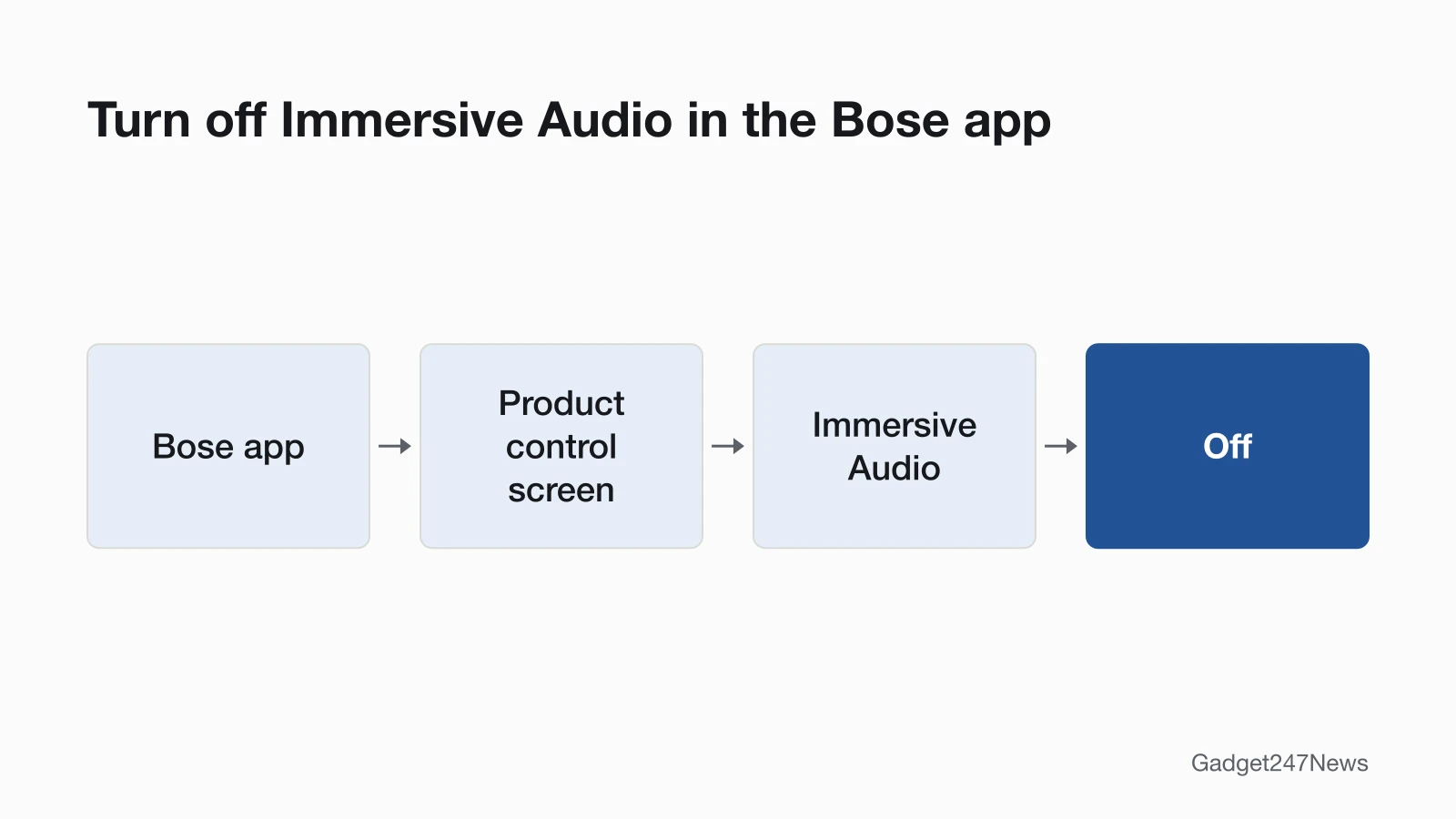
Set Immersive Audio to Off in the Bose app: tap Immersive Audio on the product control screen. Bose describes Off as the setting for when you "want to conserve battery life." Switching modes works too, because a mode changes both settings: Quiet and Aware use Bose-optimized stereo audio, while Immersion sets Immersive Audio to Motion. On Ultra Open Earbuds, Auto Volume is disabled by default; if you turned it on, switch it off in the Bose app's Settings menu. On QuietComfort Ultra Headphones (2nd Gen), build a custom mode with noise cancellation turned down (tap Modes on the main screen). More background: spatial audio on earbuds.
Fix 4: Let Them Turn Off on Their Own
Each model saves power its own way:
- QuietComfort Headphones: turn on auto-off in the Bose app's Settings menu, where you can also customize it.
- QuietComfort Ultra Headphones (2nd Gen): lay the earcups flat or store them in the case. They disconnect after 3 seconds and sleep after 20 minutes disconnected. Left in any other position, they disconnect after 10 minutes and sleep after another 10.
- QuietComfort Earbuds (2024): they power off after 10 minutes disconnected from your device, with noise cancellation off and no controls used.
- QuietComfort Ultra Earbuds (2nd Gen): an earbud you remove from your ear and leave still for 10 minutes switches to Standby, which conserves its battery.
Fix 5: Store and Charge Them the Way Bose Says
Three storage habits from Bose's care pages protect the charge:
- Close the charging case after you take the earbuds out, "to help preserve the battery life and keep the case free of debris."
- Keep the case closed while the earbuds charge. Bose's troubleshooting table says the case "should be closed while the earbuds are charging."
- Power off QuietComfort Headphones when you're not using them, and charge the battery fully before storing them for more than a few months.
Fix 6 (Last): Reset Your Bose
Bose's reset (called a reboot on QuietComfort Earbuds (2024)) restarts the earbuds or headphones without clearing your settings on the models we checked: QuietComfort Ultra Earbuds (2nd Gen), QuietComfort Earbuds (2024) and QuietComfort Headphones. Try it only after the five fixes above. Model-by-model steps are on factory reset Bose headphones.
Bose Battery Life by Model
These are Bose's rated figures; the earbud and QuietComfort Ultra Headphones (2nd Gen) numbers come from testing conducted by Bose, which notes that battery life varies with settings and usage. Among them, QuietComfort Ultra Headphones (2nd Gen) rate longest, at up to 45 hours with noise cancellation and immersive audio off.
| Model | Per charge | With the case | Conditions (Bose) | Quick charge |
|---|---|---|---|---|
| QuietComfort Earbuds (2024) | Up to 8.5 hours | Up to 30 hours (case: up to 2.5 full charges) | Tested in Quiet Mode (full noise cancellation) | 20 min: up to 3 hours |
| QuietComfort Ultra Earbuds (2nd Gen) | Up to 6 hours | Case: up to 3 full charges | Immersive Audio off; up to 4 hours with it on | 20 min, case closed: up to 2 hours |
| Ultra Open Earbuds | Up to 7.5 hours | Up to 27 hours total | Immersive Audio and Auto Volume off; 4.5 hours with either on, 3.5 hours with both | 10 min, case closed: up to 2 hours |
| QuietComfort Ultra Headphones (2nd Gen) | Up to 30 hours | Not applicable | Noise cancellation on, immersive audio off; 23 hours with both on, 45 hours with both off | 15 min: up to 3 hours |
| QuietComfort Headphones | Up to 24 hours | Not applicable | None stated | Not stated in the guide |
We haven't listed QuietComfort Earbuds II, the first QuietComfort Ultra Earbuds, Sport Earbuds or SoundSport Free, because their owner's guides weren't part of this check.
One Earbud Dies Faster
The case light only reports the lower of the two earbuds. If the same earbud keeps running out first, wipe its charging contacts with a dry, soft cotton swab, then seat it in the case until it magnetically snaps into place. If that earbud plays nothing at all, see sound from only one Bose earbud.
Still not working?
If the battery still runs down fast, work through this order:
- Try the next fix: Bose headphones charging fixes (if they won't charge at all).
- Reset your Bose headphones or earbuds: factory reset Bose headphones (after a factory restore, you'll pair them again).
- Contact Bose Support: Bose Support (external).
- Check repair or warranty options: Bose earbuds repair.
Started after an update? Check the Update Tracker for known issues.
Draining Faster Since an Update?
If the drain started suddenly, right after a firmware update, compare your version with the latest Bose headphones firmware and the release notes Bose publishes for each version. To see what you have, open your product in the Bose app, tap the gear icon in the upper right corner, then select Technical Info under Support. Firmware Version appears first in the list.
How Long Do Bose Batteries Last Over the Years?
Bose doesn't give a battery lifespan in the five owner's guides we read for this page. The Bose limited warranty, which Bose includes with all Bose products, lists battery failure as covered. Coverage terms and service routes for your model are on the Bose earbuds repair page.
Bose Battery: Quick Answers
How long do Bose QuietComfort Ultra Earbuds last on a charge?
QuietComfort Ultra Earbuds (2nd Gen) last up to 6 hours with Immersive Audio set to Off and up to 4 hours with it on. A fully charged case recharges them up to 3 times, and a 20-minute charge with the case closed adds up to 2 hours. We didn't read the first-generation owner's guide, so we don't quote a figure for it.
How long do Bose Ultra Open Earbuds last?
Ultra Open Earbuds last up to 7.5 hours per charge with Immersive Audio and Auto Volume off, or 4.5 hours with either one on. With a fully charged case, total playback reaches up to 27 hours, and a 10-minute charge with the case closed gives up to 2 hours.
Why is my Bose earbuds battery draining so fast?
Bose's troubleshooting blames Immersive Audio or Auto Volume left on: for Ultra Open Earbuds whose battery life is shorter than expected, Bose suggests disabling them in the Bose app. Earbuds left outside a closed case also lose charge, since Bose says closing the case helps preserve battery life. Check for a firmware update next.
Sources
We checked this page against the pages below, most recently on . How we verify fixes
- Bose QuietComfort Ultra Earbuds (2nd Gen) Owner's Guide (Bose, assets.bosecreative.com)Official
- Bose QuietComfort Earbuds Owner's Guide (Bose, assets.bosecreative.com)Official
- Bose Ultra Open Earbuds Owner's Guide (Bose, assets.bosecreative.com)Official
- Bose QuietComfort Ultra Headphones (2nd Gen) Owner's Guide (Bose, assets.bosecreative.com)Official
- Bose QuietComfort Headphones Owner's Guide (Bose, assets.bosecreative.com)Official
- Updating Your Earbuds | Bose QuietComfort Ultra Earbuds (2nd Gen) (Bose, support.bose.com)Official
- BoseCare Protection Plans and the Bose limited warranty (Bose, bose.com)Official
- Bose Support (Bose, support.bose.com)Official