Can You Use an Apple Watch with Android?

By Suraj Giri, Founder & Publisher. Reviewed by Suraj Giri on .
Published · 5 min read
How this page was made
- Sources. Checked against 10 official pages from Apple, Google, Samsung and Garmin, most recently on . See the sources.
- No device testing. We don't test fixes on physical devices, so nothing on this page is a hands-on result. A fact counts as verified only when it matches an official source page.
- AI use. As with every page on Gadget247News, AI tools helped research, outline, draft and edit this page, and re-read the official pages to flag facts that didn't match. The illustration at the top was generated with Runway and is labelled under the image.
- Human sign-off. Suraj Giri, Founder & Publisher, read this page and signed it off on . The site won't publish a page without that sign-off.
- Changes. The published and updated dates move only when the content changes, and every change gets a dated note. Spot an error or a fix that didn't work? Email info@gadget247news.com.
Read our AI use policy, editorial policy and corrections policy.
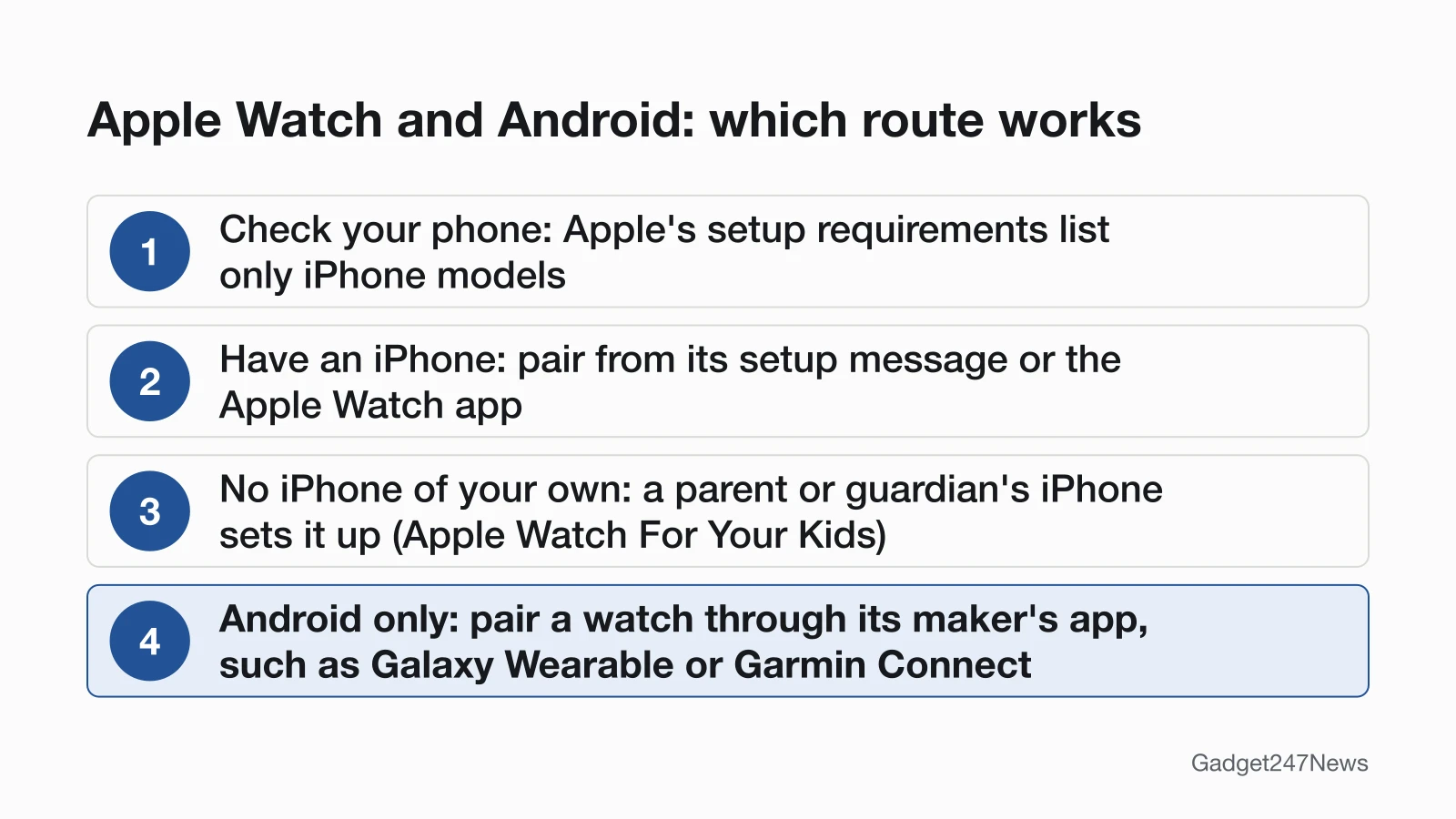
No. An Apple Watch must be set up and paired with an iPhone. Apple's setup requirements list only iPhone models, so you can't pair one with a Samsung, Pixel or other Android phone.
The limit sits in setup: Apple's pairing steps start on an iPhone, and neither Apple's setup page nor its compatibility table mentions Android. For how that first pairing differs from the watch reconnecting later, see the difference between pairing and connecting a Bluetooth device. If you have an iPhone and need to pair or re-pair your watch, How to Pair an Apple Watch With Your iPhone has the full steps.
The table sums up what Apple's pages and the other watch makers' pages allow:
| What you want to do | Works? |
|---|---|
| Pair an Apple Watch with an Android phone | No. Apple lists only iPhones |
| Pair it with an iPhone, then use it away from that iPhone | Yes, over Wi-Fi, or cellular on cellular models |
| Wear a watch that a parent or guardian set up from their iPhone | Yes, with Apple Watch For Your Kids and a cellular model |
| Pair a Pixel Watch or Galaxy watch with an Android phone | Yes, through the maker's own app |
Why an Apple Watch Needs an iPhone
An Apple Watch needs an iPhone because Apple runs setup and pairing through the iPhone. Apple's steps have you hold the watch close to your iPhone and wait for the "Use your iPhone to set up this Apple Watch" message; if it doesn't appear, you open the Apple Watch app on the iPhone, tap All Watches, then tap Add Watch. After pairing, Apple tells you to keep both devices close "so the devices can continue syncing information in the background." Apple's pages don't give a reason for the iPhone-only design, and we don't guess at one.
Which iPhone Does Your Apple Watch Need?
Each Apple Watch needs a minimum iPhone model and iOS version, and every row of Apple's compatibility table names an iPhone. These rows cover the newest models plus Series 9 and 10:
| Apple Watch | Compatible iPhone | Compatible iOS |
|---|---|---|
| Series 12, Ultra 4 | iPhone 11 or later | iOS 27 or later |
| Series 11, SE 3, Ultra 3 | iPhone 11 or later | iOS 26 or later |
| Series 10 | iPhone XS or later | iOS 18 or later |
| Series 9, Ultra 2 | iPhone XS or later | iOS 17 or later |
Apple's full compatibility table runs back to the first Apple Watch, which needs an iPhone 5 or later. Older watches can use older phones, in Apple's words "different iPhone models with earlier operating systems", but they're still iPhones. If you're not sure which model is on your wrist, our Apple Watch model guide shows how to check.
Can an Apple Watch Work Without Its iPhone?
Yes, once it's paired, an Apple Watch keeps working away from its iPhone over Wi-Fi or, on cellular models, a cellular network. Apple says that when your iPhone is off or out of range, the watch "can use a Wi-Fi network to send and receive data." With an active cellular plan, it uses "the best available network connection": your iPhone when it's nearby, a Wi-Fi network you've joined before on your iPhone, or cellular. The iPhone still matters: setup needs it, and a cellular watch gets SMS and third-party app notifications only while the paired iPhone is "powered on and connected to Wi-Fi or cellular," though it doesn't need to be nearby.
Apple Watch for Someone Without an iPhone (Family Setup)
Apple Watch For Your Kids, formerly known as Family Setup, lets a family member who doesn't have their own iPhone use an Apple Watch, but an iPhone still does the setup. Apple lists an iPhone 6s or later with iOS 14 or later for the first setup, a cellular Apple Watch Series 4 or later or Apple Watch SE or later, and a Family Sharing group in which you're the organizer or a parent or guardian. Setup still needs an iPhone, so this route doesn't help a household with only Android phones.
Can You Pair an Apple Watch With a Samsung or Pixel Phone?
No. A Samsung Galaxy phone, a Google Pixel and every other Android phone get the same answer, because Apple's setup requirements name only iPhones. Apple's pairing instructions have no Android path: they start from a message on the iPhone or from the Apple Watch app on the iPhone.
What Works With Android Instead?
Android phones pair with watches whose makers support Android, and each maker uses its own app. Three examples from the makers' support pages:
- Google Pixel Watch: pairs with a compatible Android phone through the Google Pixel Watch app.
- Samsung Galaxy watches: Samsung's Galaxy Wearable app "connects your smart watch to a compatible phone."
- Garmin watches: Garmin says to pair "directly through the Garmin Connect™ app," not through your phone's Bluetooth settings.
Samsung's page also covers the reverse case: "Galaxy watches running Wear OS are not compatible with iOS devices." Our Pixel Watch and Galaxy Watch pairing guides walk through those apps step by step.
Pairing and Compatibility Next Steps
Your next step depends on the phone you have. With an iPhone, you can set up an Apple Watch as new or restore it from a backup. With an Android phone, earbuds raise the same question, and AirPods with Android covers what works. For a smartwatch disconnected after an update, start with the connection fixes on that page.
Pairing an Apple Watch With an iPhone
To pair on an iPhone, hold the watch near your iPhone, tap Continue on the setup message, then center the watch face in the iPhone's viewfinder until a message says it's paired. The pairing guide linked at the top of this page has every step, and Apple Watch sync and battery fixes cover problems after setup.
How Android Phones Pair Accessories: Fast Pair
Android's own pairing shortcut is Fast Pair: put a compatible device in pairing mode and, in Google's words, "You'll get a notification to set up the new device." Google lists Wear OS watches among the devices an Android phone can find and connect this way. What Is Google Fast Pair explains how it works and what it needs.
Apple Watch and Android: Quick Answers
Will an Apple Watch ever work with Android? Apple's current requirements list only iPhone models. We checked Apple's setup page and compatibility table on September 26, 2026: neither mentions Android or describes another route, and we don't predict Apple's plans.
Can I use AirPods with Android instead? Yes. Apple says "You can use AirPods as a Bluetooth® headset with a non-Apple device," and adds that you can't use Siri, but you can listen and talk. The AirPods and Android page linked above lists what works.
Sources
We checked this page against the pages below, most recently on . How we verify fixes
- Set up your Apple Watch (Apple, support.apple.com)Official
- Apple Watch and iPhone compatibility (Apple, support.apple.com)Official
- Set up Apple Watch for a family member (Apple, support.apple.com)Official
- Use your Apple Watch without your iPhone nearby (Apple, support.apple.com)Official
- Set up and use cellular service on Apple Watch (Apple Watch User Guide) (Apple, support.apple.com)Official
- Pair AirPods with a non-Apple device (AirPods User Guide) (Apple, support.apple.com)Official
- Use Fast Pair (Android Help) (Google, support.google.com)Official
- Set up Google Pixel Watch (Google Pixel Watch Help) (Google, support.google.com)Official
- Set up your Samsung smart watch with or without a phone (Samsung) (Samsung, samsung.com)Official
- Pairing Your Watch to the Garmin Connect App (Garmin) (Garmin, support.garmin.com)Official