Apple Watch Screen Repair: Cost and Options

By Suraj Giri, Founder & Publisher. Reviewed by Suraj Giri on .
Published · 6 min read
How this page was made
- Sources. Checked against 11 official pages from Apple, most recently on . See the sources.
- No device testing. We don't test fixes on physical devices, so nothing on this page is a hands-on result. A fact counts as verified only when it matches an official source page.
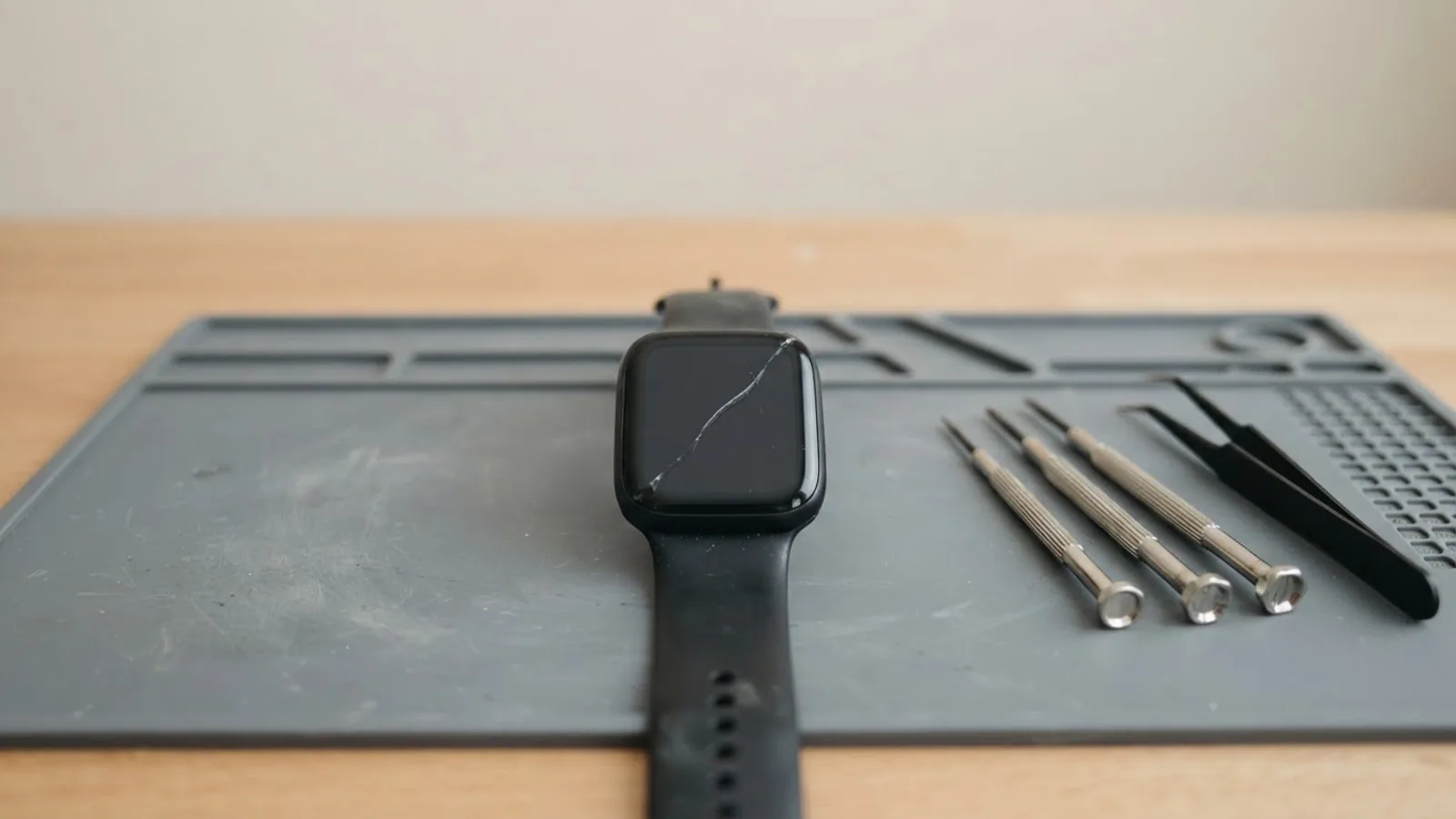
- AI use. As with every page on Gadget247News, AI tools helped research, outline, draft and edit this page, and re-read the official pages to flag facts that didn't match. The illustration at the top was generated with Runway and is labelled under the image.
- Human sign-off. Suraj Giri, Founder & Publisher, read this page and signed it off on . The site won't publish a page without that sign-off.
- Changes. The published and updated dates move only when the content changes, and every change gets a dated note. Spot an error or a fix that didn't work? Email info@gadget247news.com.
Read our AI use policy, editorial policy and corrections policy.
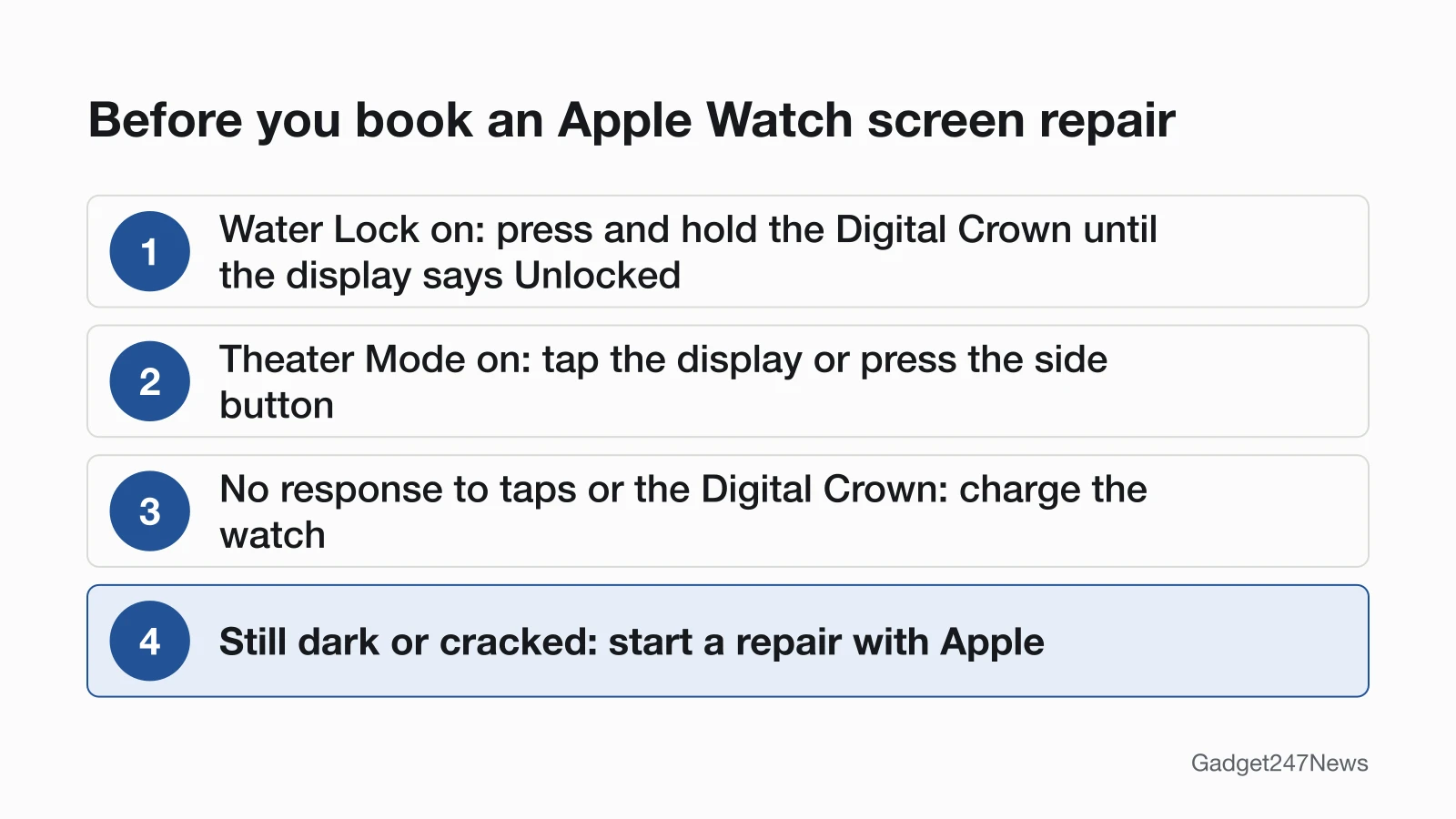
If the glass is cracked or the display stays dark after those checks, Apple's service page offers repairs at the Genius Bar, through Apple Authorized Service Providers or by mail. Apple's estimate tool has no separate screen price. Out of warranty it lists "Other damage" at $159 to $800, depending on the model, and with AppleCare+ it lists accidental damage at $69 or $79.
Estimates from Apple's Apple Watch service page (support.apple.com/watch/repair), US, checked September 27, 2026. Prices change: Apple inspects the watch to set the final fee, tax and shipping may apply, and Apple Authorized Service Providers set their own prices.
A watch that ignores your taps may be locked or asleep rather than damaged. If the screen is black and the watch won't respond to anything, start with Apple Watch Won't Turn On before you pay for a repair.
Apple Watch screen repair is Apple repairing or replacing a watch whose display is cracked, stays dark or no longer reacts to touch. This guide covers the screen side of Apple's service; a worn battery has its own prices in Apple Watch Battery Replacement.
Check It's Not a Setting First
Three things in Apple's guides can make a working Apple Watch screen look broken. Check them in this order:
- Water Lock: when it's on, Apple says your watch "doesn't respond to touch on its display." Press and hold the Digital Crown until the display says Unlocked. On watchOS 8 or earlier, you rotate the Digital Crown rather than press it.
- Theater Mode: it stops the display from turning on when you raise your wrist, so the screen stays dark. Wake the watch by tapping the display, pressing the side button, or turning or pressing the Digital Crown.
- A flat battery: if the watch doesn't wake when you tap the display or press or turn the Digital Crown, Apple says it may need charging.
If none of these apply, restart the watch. Apple notes that you can't restart an Apple Watch while it's charging, and the restart and force restart steps are on the won't-turn-on page linked above.
Your Official Repair Options
Apple's Apple Watch service page lists four ways into an official repair:
| Option | When it applies | Where to start | Source |
|---|---|---|---|
| In person | You want technicians to inspect the watch and explain your options face to face | A Genius Bar reservation or an Apple Authorized Service Provider | Apple's repair page |
| By mail | You'd rather ship it: Apple sends a prepaid shipping box, on your schedule and without an appointment | A repair request with Apple | Apple's repair page |
| Express Replacement | You have AppleCare: Apple sends a replacement Apple Watch before you send yours back | The AppleCare sign-in on Apple's repair page | Apple's repair page |
| Start online | Before any of the above: you describe the problem, and Apple shows fixes to try or arranges a repair | Get Support | Apple's repair page |
Service providers can set their own fees and give their own estimate. For service covered by an AppleCare plan, Apple says the fee is the same at Apple and at every Apple Authorized Service Provider.
How Much Does an Apple Watch Screen Repair Cost?
An Apple Watch screen repair has no price line of its own in Apple's estimate tool. For each watch, the tool lists two out-of-warranty services, "Battery service" and "Other damage," and Apple's repair page doesn't say which line a cracked display falls under. The table shows Apple's "Other damage" and AppleCare+ accidental damage estimates by model family.
| Model family | Aluminum (GPS / GPS + Cellular) | Titanium, stainless steel, Hermès or ceramic | With AppleCare+ (accidental damage) |
|---|---|---|---|
| Series 12 | $299 / $349 | Titanium or Hermès $449; ceramic $599 | $69 (Hermès $79) |
| Series 10 and Series 11 | $299 / $349 | Titanium or Hermès $399 | $69 (Hermès $79) |
| Series 4 to Series 9 | $299 / $349 | Stainless steel or Hermès $399; Edition titanium (Series 5 to 7) $499; Edition ceramic (Series 5) $800 | $69 (Hermès and Edition $79) |
| SE 3 and SE (2nd generation) | $199 / $229 | Not listed | $69 |
| SE (1st generation) | $219 / $249 | Not listed | $69 |
| Ultra, Ultra 2 and Ultra 3 (including Hermès) | Not listed | $499 | $79 |
| Ultra 4 (including Hermès) | Not listed | $549 | $79 |
| Series 3 | $159 / $229 | Stainless steel or Hermès $329; Edition $800 | $69 (Hermès and Edition $79) |
Apple's estimate, US, checked September 27, 2026. Nike models share the aluminum prices of their series. Series 2, Series 1 and the first-generation Apple Watch aren't in Apple's tool, so contact Apple for those. If you're not sure which model you have, look up your Apple Watch model numbers.
Is Your Screen Repair Covered?
Not by the standard warranty if the damage was an accident. The Apple Limited Warranty covers your Apple Watch against manufacturing issues for one year from the date you bought it, and it doesn't cover accidental damage. With AppleCare, Apple says your Apple Watch "is covered for unlimited repairs for accidents like drops or bumps," at the AppleCare+ fee in the table. Apple's warranty is in addition to your rights under consumer law in your country or region; if neither applies, Apple says there's a cost for repairs. Check your coverage status on Apple's site, and see AppleCare+ for AirPods and Apple Watch for what the plan includes.
How to Start a Screen Repair
To start a screen repair, take these four steps from Apple's repair and service-appointment pages:
- Check your coverage with the link above, so you know whether the warranty or AppleCare applies.
- Start a request on Get Support, or schedule a Genius Bar reservation before you go to an Apple Store.
- Prepare the watch: unpair it from your iPhone. Without the iPhone, erase the watch instead; Apple says erasing creates no backup and won't remove Activation Lock. Then remove the watch band.
- Bring the watch, the iPhone it's paired with, your sales receipt if possible, and a form of personal identification.
If the watch needs a hardware repair, the service provider might ship it to an Apple Repair Center. Apple says never to give anyone your Apple Account password, device passcode or account security details, and that neither Apple nor its service providers will ask for them.
Before You Pay: Fixes to Try First
A dark screen, a frozen screen and an unexpected watch face each have a fix page of their own, and all three come before a paid repair.
Try These Fixes First
- Black screen, no response: work through the Apple Watch won't turn on fixes linked at the top. Apple says a blank watch might need up to 30 minutes on the charger before it turns on.
- Frozen on one screen: force a restart with Apple Watch Won't Turn Off? How to Force Restart It. Apple's method is to hold the side button and the Digital Crown for at least 10 seconds, until the Apple logo appears.
- A watch face you didn't choose: the face is a setting you can change, so set a new Apple Watch face. For an Apple Watch "screen saver" change, the watch face is the setting to use.
Related Repair Guides
Two related repair decisions sit next to this one:
- AirPods owners: AirPods Battery Replacement and Repair Options has Apple's AirPods battery and damage estimates.
- Watch battery wear: Apple Watch Battery Replacement, linked above, has Apple's $99 battery service estimate ($79 for Series 3).
Apple Watch Screen Questions
Three more screen questions, answered from Apple's own guides and program pages.
Why is my Apple Watch screen black?
An Apple Watch screen stays dark in three cases Apple describes: Theater Mode is on, Low Power Mode is on, or the battery needs charging. Theater Mode keeps the display off when you raise your wrist, and in Low Power Mode, Always On isn't available, so tap the display to see the watch face. If none of these apply, the won't-turn-on fixes come next.
Can I fix an Apple Watch screen myself?
Not through Apple. Its Self Service Repair program offers out-of-warranty repairs "for iPhone and Mac, such as display replacements," and its repair manuals cover iPhone, iPad, Mac, Apple displays and Beats; Apple Watch isn't on that list. For a watch, Apple's routes are the Genius Bar, service providers and mail-in.
Is there a free Apple Watch screen replacement program?
No active one. Apple's page for its Apple Watch Series 2 and Series 3 screen replacement program now says "The Apple Service Program you are looking for has ended." The Apple Service Programs page, read on September 27, 2026, lists no Apple Watch program.
Sources
We checked this page against the pages below, most recently on . How we verify fixes
- Apple Service and Repair for Apple Watch (with its US price estimate) (Apple, support.apple.com)Official
- How to use Water Lock and eject water from your Apple Watch (Apple, support.apple.com)Official
- Silence notifications for extended periods on Apple Watch (Apple Watch User Guide) (Apple, support.apple.com)Official
- Wake and unlock Apple Watch (Apple Watch User Guide) (Apple, support.apple.com)Official
- Adjust the display settings on Apple Watch (Apple Watch User Guide) (Apple, support.apple.com)Official
- Restart Apple Watch (Apple Watch User Guide) (Apple, support.apple.com)Official
- If your Apple Watch won't turn on or won't charge (Apple, support.apple.com)Official
- Prepare your Apple Watch for a service appointment (Apple, support.apple.com)Official
- Apple Service Program status (Apple Watch Series 2 and Series 3 screen replacement program) (Apple, support.apple.com)Official
- Apple Service Programs (Apple, support.apple.com)Official
- Self Service Repair (Apple Support) (Apple, support.apple.com)Official