How to Update Your Garmin Watch

By Suraj Giri, Founder & Publisher. Reviewed by Suraj Giri on .
Published · 4 min read
How this page was made
- Sources. Checked against 13 official pages from Garmin, most recently on . See the sources.
- No device testing. We don't test fixes on physical devices, so nothing on this page is a hands-on result. A fact counts as verified only when it matches an official source page.
- AI use. As with every page on Gadget247News, AI tools helped research, outline, draft and edit this page, and re-read the official pages to flag facts that didn't match. The illustration at the top was generated with Runway and is labelled under the image.
- Human sign-off. Suraj Giri, Founder & Publisher, read this page and signed it off on . The site won't publish a page without that sign-off.
- Changes. The published and updated dates move only when the content changes, and every change gets a dated note. Spot an error or a fix that didn't work? Email info@gadget247news.com.
Read our AI use policy, editorial policy and corrections policy.
Your Garmin watch gets software updates through the Garmin Connect app, which downloads them in the background and prompts you to install; to update right away, connect the watch to Garmin Express on a computer. Watches with Wi-Fi can also update over Wi-Fi. Versions and release notes by model are on Garmin watch updates on the Update Tracker; other faults are on Garmin watch problems and fixes.
How to Update Your Garmin Watch From the Garmin Connect App
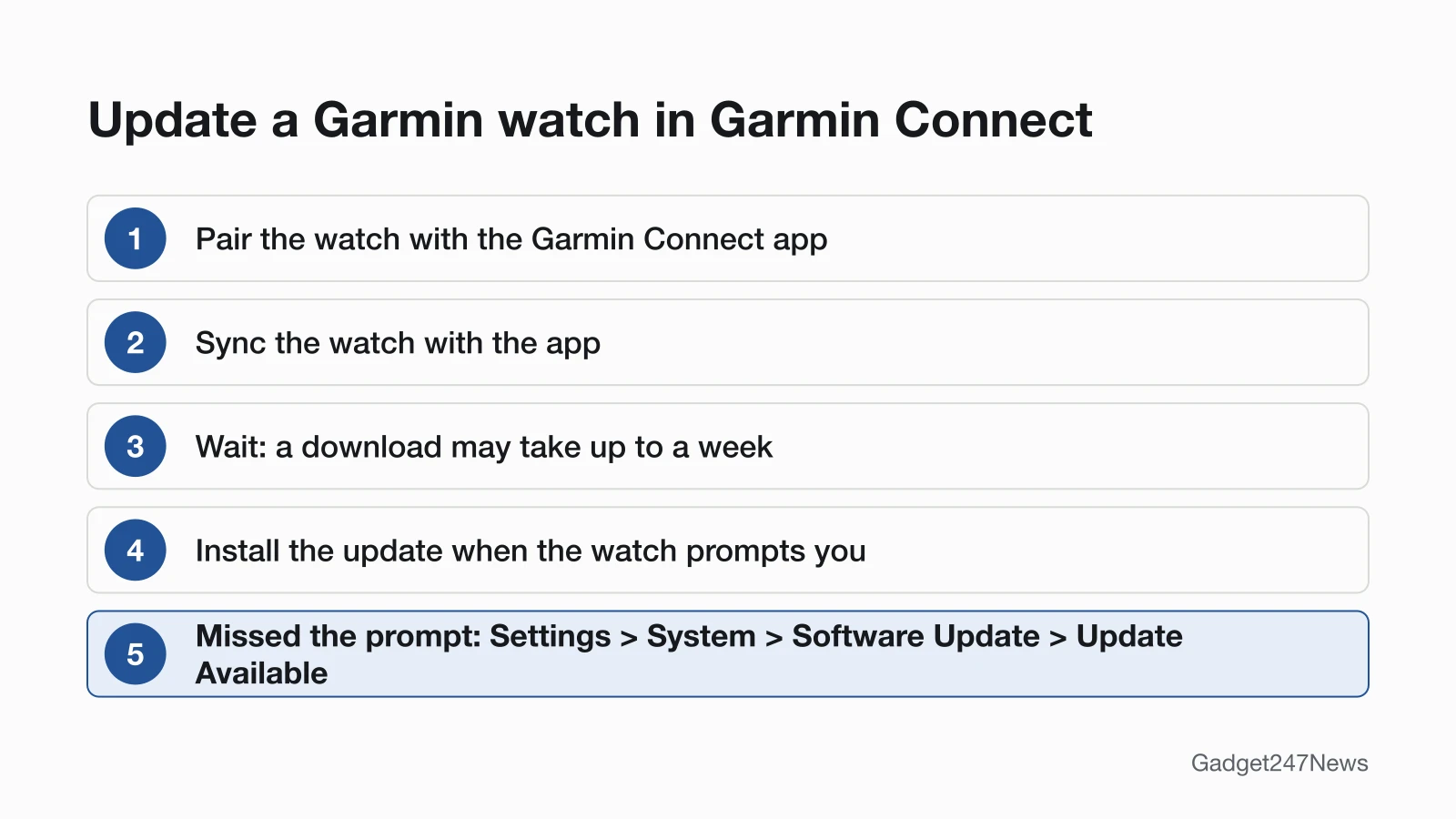
To update a Garmin watch from the Garmin Connect app, sync the watch and install the software the app sends:
- Keep Garmin Connect running and the watch near your phone (Forerunner 265 manual: within 10 m (30 ft.)).
- Sync the watch: open Garmin Connect, or use the watch's controls menu (Forerunner 265: hold LIGHT, then select Sync).
- Wait for the download. Garmin says it "may take up to a week" to arrive.
- Install the update when the watch prompts you. If you missed the prompt, Garmin's path to a waiting update is Settings › System › Software Update › Update Available.
In the Forerunner 265 manual's words, "When new software is available, the Garmin Connect app automatically sends the update to your watch."
How to Update With Garmin Express on a Computer
To update with Garmin Express, connect the watch to a computer by USB and install what the program lists:
- Install Garmin Express from garmin.com/express if this is your first time using a computer with the watch.
- Connect the watch with its USB charging cable.
- Open Garmin Express and select Add Device, or select your watch if it's already added.
- Select Install or Install All, and accept any Terms and Conditions or Important Notes prompts.
- Disconnect the watch, then choose Install Now or Install Tonight on it.
After Install Tonight, or with no prompt at all, the update is still under Settings › System › Software Update › Update Available.
How to Update Over Wi-Fi (Wi-Fi Models Only)
A Garmin watch with Wi-Fi can get its software over Wi-Fi: Garmin says such devices "will be able to update the software via a Wi-Fi sync." A fēnix 8 checks for updates by itself when paired with a phone over Bluetooth or connected to Wi-Fi, and its system settings offer a manual check. Your owner's manual says whether your model has Wi-Fi.
How to Check Your Garmin Watch Software Version
To check your Garmin watch software version, open the watch's About screen; the fēnix 8 manual lists the software version there with the unit ID.
| Watch | Path to the About screen | Source |
|---|---|---|
| Most Garmin wearables | Settings › System › About | Garmin's Unit ID FAQ |
| fēnix 8 | Hold the middle-left button from the watch face, then Watch Settings › System › About | fēnix 8 owner's manual |
| Your exact model | Search "Viewing Device Information" in your owner's manual | Garmin's Unit ID FAQ |
Compare the number with the top entry on your model's Garmin software page, or with our list of Garmin watch software updates by model.
Does a Garmin Watch Update Automatically?
Yes. Garmin Connect downloads updates while the watch is connected to your phone, and Garmin says "There are no steps required for you to take to get the latest software." You only confirm the install. On a fēnix 8, the Software Update setting also turns automatic updates on.
Is Your Garmin Watch Still Getting Updates?
Your model's Garmin software page shows it: the latest version and its release month sit at the top, with earlier versions under Software Update History. An old month at the top means no newer release is listed for that model. The fēnix 8 AMOLED page gives no end-of-support date. Garmin's public beta covers select models only; "Not all devices will receive beta software."
If Your Garmin Watch Won't Update
Check three things when a Garmin watch won't update: the phone sync, a reboot loop and whether Garmin Express can see the watch.
- Not syncing: Garmin Connect downloads updates "while your device is connected to your mobile phone." Garmin lists an old or missing weather forecast as a sign the watch isn't syncing; see Garmin watch won't sync.
- Keeps rebooting: Garmin says to "ensure you have applied all available updates to your watch" with Garmin Express.
- Garmin Express can't find the watch: use a Garmin USB cable, plug straight into the computer (no hub or dock), and install the latest Garmin Express.
What Changed in the Latest Garmin Update?
Garmin lists changes on each model's software page, one entry per version and release month. The fēnix 8 AMOLED's May 2026 notes, for example, fix "a failure when uploading an activity file to Garmin Connect." Current versions, known issues and our 2026 archive, February 2026 included, are on our Garmin Watch Software Updates tracker.
Update Questions
What happened to Garmin WebUpdater?
WebUpdater doesn't appear on the Garmin watch update pages we read on September 27, 2026: the Garmin Express update FAQ and the fēnix 8 AMOLED software page both name Garmin Express as the computer tool. Use Garmin Express to update a watch from a computer.
How do I update a Garmin vívoactive 5?
Sync a vívoactive 5 with the Garmin Connect app, or connect it to Garmin Express. Its manual says the update "is applied when you are not actively using the watch," and the watch restarts when the update is complete. For a missed prompt, use Settings › System › Software Update › Update Available.
Is a Garmin watch update the same as a Garmin GPS map update?
No. This page covers watch software; car navigators such as nüvi and DriveSmart, marine units and fishing devices are separate products. On watches with maps, the fēnix 8 manual says "Map updates are available through Garmin Express."
Sources
We checked this page against the pages below, most recently on . How we verify fixes
- Update and Learn More About the Software on Your fēnix 8 AMOLED (Garmin, support.garmin.com)Official
- Using Garmin Express to Update Your Watch's Software (Garmin, support.garmin.com)Official
- Forerunner 265 Series Watch Owner's Manual: Updating the Software Using the Garmin Connect App (Garmin, www8.garmin.com)Official
- Forerunner 265 Series Watch Owner's Manual: Using the Garmin Connect App (Garmin, www8.garmin.com)Official
- Forerunner 265 Series Watch Owner's Manual: Manually Syncing Data with Garmin Connect (Garmin, www8.garmin.com)Official
- fēnix 8 Series Owner's Manual: Product Updates (Garmin, www8.garmin.com)Official
- fēnix 8 Series Owner's Manual: System Settings (Garmin, www8.garmin.com)Official
- fēnix 8 Series Owner's Manual: Viewing Device Information (Garmin, www8.garmin.com)Official
- vívoactive 5 Owner's Manual: Updating the Software Using the Garmin Connect App (Garmin, www8.garmin.com)Official
- How to Locate the Serial Number or Unit ID on a Garmin Wearable (Garmin, support.garmin.com)Official
- My Device Is Not Syncing Data to the Garmin Connect App (Garmin, support.garmin.com)Official
- My Garmin Watch Freezes or Reboots (Garmin, support.garmin.com)Official
- My Device Is Not Found by Garmin Express (Garmin, support.garmin.com)Official