Beats Headphones Repair Options

By Suraj Giri, Founder & Publisher. Reviewed by Suraj Giri on .
Published · 6 min read
How this page was made
- Sources. Checked against 7 official pages from Apple and Beats, most recently on . See the sources.
- No device testing. We don't test fixes on physical devices, so nothing on this page is a hands-on result. A fact counts as verified only when it matches an official source page.
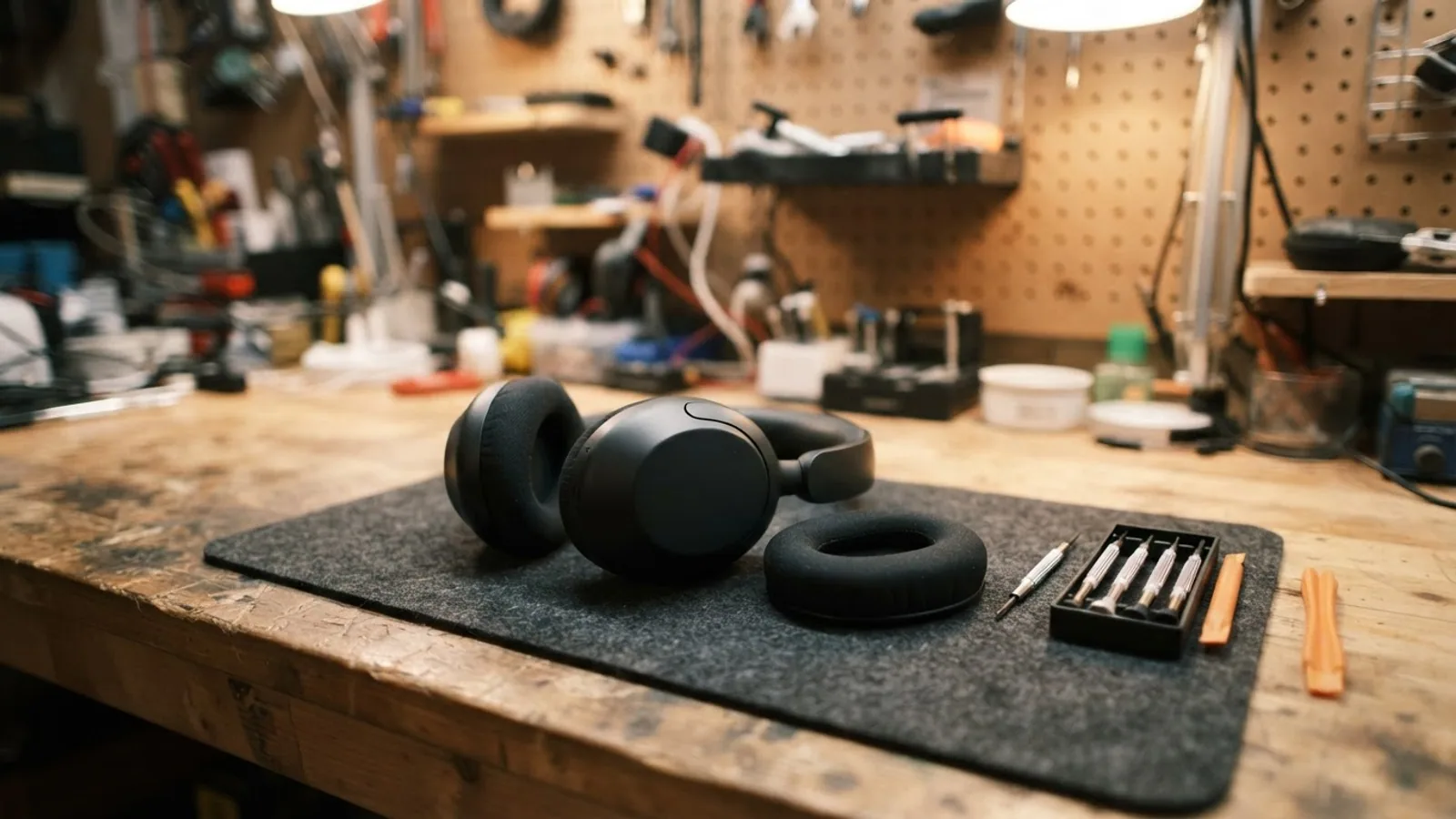
- AI use. As with every page on Gadget247News, AI tools helped research, outline, draft and edit this page, and re-read the official pages to flag facts that didn't match. The illustration at the top was generated with Runway and is labelled under the image.
- Human sign-off. Suraj Giri, Founder & Publisher, read this page and signed it off on . The site won't publish a page without that sign-off.
- Changes. The published and updated dates move only when the content changes, and every change gets a dated note. Spot an error or a fix that didn't work? Email info@gadget247news.com.
Read our AI use policy, editorial policy and corrections policy.
Try Beats headphones troubleshooting first: for sound, pairing or charging issues, Beats Support says to make sure the device they're paired with is up to date, then reset your Beats. If your Beats headphones, earbuds or Beats Pill are damaged, lost or have a battery that won't hold a charge, Apple repairs or replaces them: at a Genius Bar or Apple Authorized Service Provider, by mail, or through Express Replacement if you have AppleCare. Apple's US estimate puts out-of-warranty battery service at $29 to $79, depending on the model.
This page covers Beats only. If you need to replace an Apple Watch battery, that guide has Apple's watch prices and steps.
Your Official Beats Repair Options
Apple's Beats service page lists three service routes, each arranged through its Get started links:
| Option | When it applies | Where to start | Source |
|---|---|---|---|
| In person | You want a technician to see them: Apple offers "personal support at any Genius Bar or Apple Authorized Service Provider" | Get started on Apple's Beats page | Apple Service and Repair for Beats |
| By mail | You'd rather ship them, on your schedule and without an appointment, in Apple's prepaid shipping box | The same Get started link | Apple Service and Repair for Beats |
| Express Replacement | You have AppleCare: Apple will "send you a replacement Beats, even before you send yours back" | The AppleCare Get started link, where you sign in to see your plan benefits | Apple Service and Repair for Beats |
Official Beats Support (beatsbydre.com/support) hands service to Apple: its Service Options link opens Apple's Beats service page, and its Contact Us button opens Apple's Get Support.
Fix or Repair? How to Tell
Pairing, sound and charging faults have fixes to try first. Physical damage, liquid, a lost earbud or a worn battery goes to Apple.
| What you see | Where to start |
|---|---|
| Won't pair, connect or play sound | A fix: update the paired device, then reset your Beats (Beats Support) |
| Audio keeps disconnecting or cuts in and out | A fix: improve the Bluetooth connection, or unpair and pair again |
| Won't charge | A fix first: the same update-then-reset advice applies |
| Battery drains fast but still charges | A fix first: the settings on the battery life page below |
| Cracked housing, broken headband, damaged earbud or case | A repair, priced by model below |
| Stopped working after contact with liquid | A repair: Apple says to avoid exposing Beats to liquids or high humidity |
| A lost earbud or charging case | A replacement: Apple's estimate lists lost buds or cases for most Beats earbuds |
| Battery won't hold a charge after the fixes | Battery service, below |
Is Your Beats Repair Covered?
The Apple Limited Warranty covers your Beats, and the Apple-branded accessories in the box, against manufacturing issues for one year from the date you bought them. It doesn't cover accidental damage or batteries that wear down from normal use, and Apple says the warranty sits on top of your rights under consumer law in your country or region. AppleCare+ for headphones, which Apple's AppleCare page lists for Beats, adds "unlimited repairs for drops and spills" and treats liquid damage as accidental damage. Apple guarantees its service and replacement parts for 90 days or the remaining term of your Apple warranty, whichever is longer.
Out of warranty, Apple's US estimate prices each Beats model separately:
| Model (Apple's names) | Battery service | Damage (Apple's estimate) |
|---|---|---|
| Beats 360, Beats Studio Pro, Beats Studio3 Wireless | $79 | Other damage: $199 |
| Beats Solo Pro | $79 | Other damage: $169 |
| Beats Solo 4, Beats Solo3 Wireless | $79 | Other damage: $129 |
| Beats Pill+ | $79 | Other damage: $119 |
| Beats Pill | $59 | Other damage: $129 |
| Beats EP | Not listed | Other damage: $79 |
| Powerbeats Pro 2, Powerbeats Pro | $79 | Damaged bud (left or right) or case: $99 |
| Powerbeats3 Wireless | $79 | Damaged bud (left or right): $99 |
| Beats Fit Pro, Powerbeats Fit | $69 | Damaged bud (left or right) or case: $89 |
| Beats Studio Buds, Beats Studio Buds + | $69 | Damaged bud (left or right) or case: $79 |
| Beats Solo Buds | $29 | Damaged bud (left or right) or case: $29 |
Figures from the estimate tool on Apple's Beats service page, US, read September 27, 2026 (17 models; the grouping is ours). Where the tool lists a lost bud or lost case, the price matches the damaged one; it has no lost-bud line for Beats Fit Pro or Powerbeats Pro. Apple inspects your Beats to set the final fee, tax may apply, a shipping fee may be added, and Apple Authorized Service Providers can set their own fees. With AppleCare+, the tool lists accidental damage at $29 for each of the 10 models in its AppleCare view, and Apple says an AppleCare fee is the same at Apple and every Apple Authorized Service Provider.
Battery Service for Beats
With AppleCare+, Apple says it will replace a Beats battery for no extra charge if the capacity drops below 80%. Its AppleCare view shows $0 battery service for 8 models: Beats 360, Beats Fit Pro, Beats Studio Buds, Beats Studio Buds +, Beats Studio3 Wireless, Powerbeats Fit, Powerbeats Pro and Powerbeats Pro 2. That view leaves out 7 models, among them Beats Solo 4, Beats Studio Pro and Beats Pill, so check your own coverage for those. Out of warranty, battery service runs from $29 to $79 in the table above. Apple's Beats pages we read give no battery lifespan. For Beats that drain fast but still charge, the battery life fixes below come first.
How to Start a Beats Repair
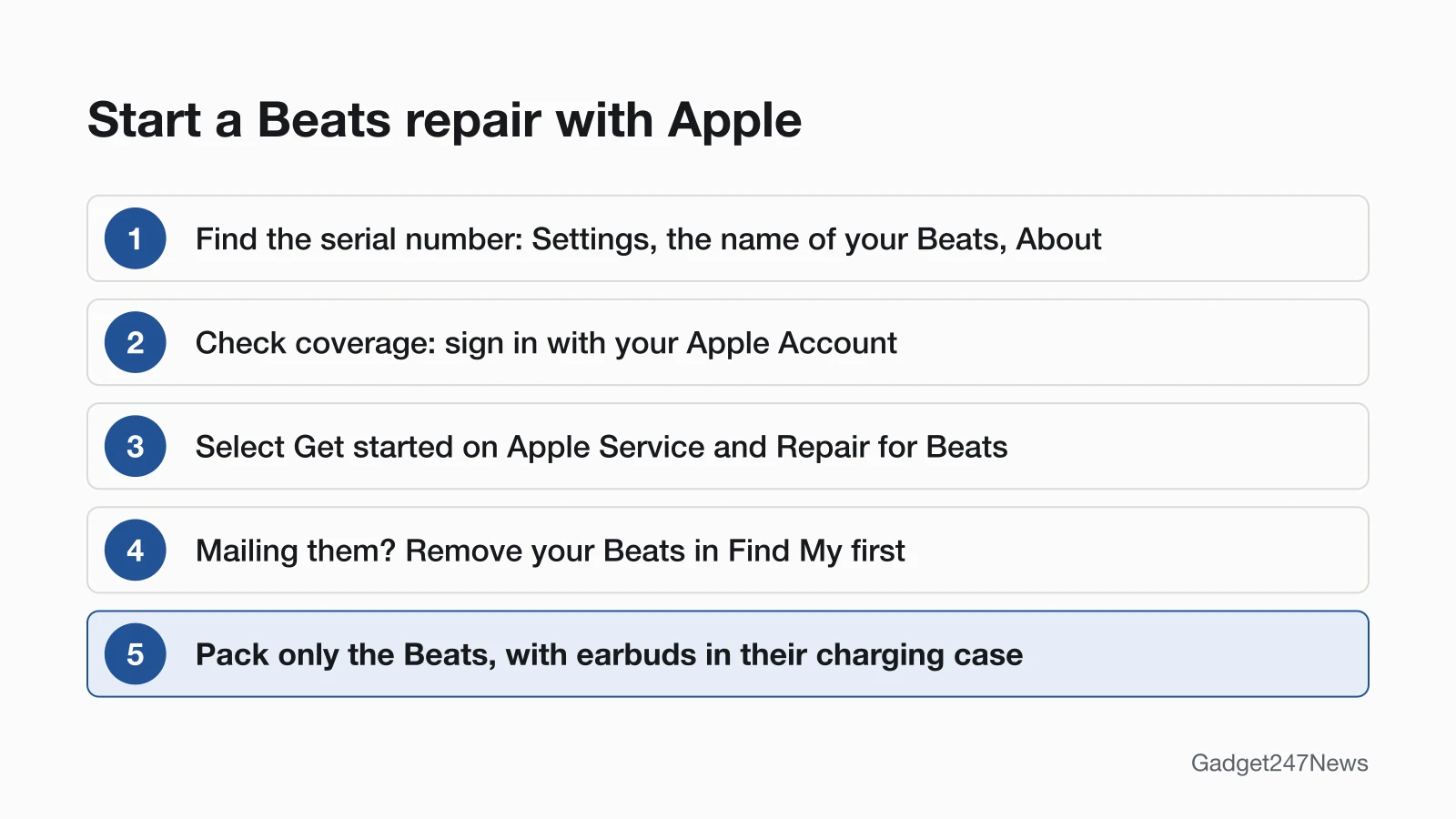
To start a Beats repair, have the serial number ready, then go through Apple:
- Find the serial number: with your Beats connected to an iPhone or iPad, go to Settings, tap the name of your Beats near the top of the screen, then scroll down to About.
- Check your coverage: sign in with your Apple Account through the coverage link on Beats Support.
- On Apple Service and Repair for Beats, select Get started and tell Apple what's going on. Apple shows solutions to try, or helps you arrange a repair or replacement.
- Before you mail them, remove your Beats from your Apple Account: in the Find My app, select the Devices tab, choose your Beats, swipe up, tap Remove this Device, then tap Remove.
Pack only the Beats, with earbuds inside their charging case. Apple says ear tips, charging cables or other accessories in the box won't be returned to you, and it tells you to get a receipt from the courier.
On Beats Fit Pro, Powerbeats Fit, Powerbeats Pro 2, Beats Solo Buds and Beats Studio Buds +, Settings shows the charging case's number; tap it for the left earbud's, then again for the right's. Apple also prints the number on each product:
| Beats model | Where the serial number is |
|---|---|
| Beats Solo 4, Beats Studio Pro | On the slider above the right earcup, with the headband expanded |
| Beats 360 | Below the right speaker on the frame, under the right ear cushion |
| Beats Fit Pro, Powerbeats Fit, Powerbeats Pro 2 | Inside the charging case |
| Beats Solo Buds, Beats Studio Buds + | Inside the charging case (transparent cases: the bottom for Solo Buds, the back for Studio Buds +) |
| Beats Flex | On the right control module |
| Beats Pill | On the bottom of the speaker |
It's also near the barcode on the original packaging, and on the original receipt or invoice.
Try These Beats Fixes First
Three symptoms have their own fix pages, so work through yours before you book a repair:
- No connection: the steps to fix Beats headphones that won't connect start with distance and interference.
- No charge: if your Beats headphones stopped charging, start with a power outlet and a USB-C cable.
- Fast drain: Beats headphones battery life problems begin with which battery is draining.
Related Repair Guides
- Bose Headphones Repair Options: Bose runs its own online repair or replacement request, keyed to your serial number, instead of Apple's.
- AirPods Battery Replacement and Repair Options: Apple's AirPods prices, from its separate AirPods estimate.
Beats Repair: Quick Answers
Does Apple repair Beats headphones?
Yes. Apple repairs Beats headphones, earbuds and Beats Pill through the three routes above, and its technicians "inspect your Beats, explain your options, and handle it from there." Apple says its experts only use genuine Apple parts.
Where can I get Beats headphones repaired near me?
In person, Apple offers support "at any Genius Bar or Apple Authorized Service Provider." Start with Get started on Apple's Beats service page to arrange the visit. Apple says service options may vary based on parts availability and location. We don't list third-party repair shops.
How do I replace Beats ear pads?
Ask Apple through Get started on its Beats service page: neither that page nor its estimate tool lists an ear cushion replacement. Apple's model guide describes Beats 360 as having "interchangeable cushions," and its serial number sits under the right ear cushion. For the cushions you have, Apple says to clean headband cushions with a damp cloth and soap, but to use only a dry cloth on the ear cups.
Sources
We checked this page against the pages below, most recently on . How we verify fixes
- Apple Service and Repair for Beats (with its US price estimate) (Apple, support.apple.com)Official
- Official Beats Support (Beats, beatsbydre.com)Official
- Send your Beats product to Apple for service (Apple, support.apple.com)Official
- Find your Beats serial number (Beats User Guide) (Apple, support.apple.com)Official
- Which Beats do I have? (Beats User Guide) (Apple, support.apple.com)Official
- Clean and store your Beats earphones or headphones (Apple, support.apple.com)Official
- AppleCare (Apple) (Apple, apple.com)Official