How to Turn Beats On and Off

By Suraj Giri, Founder & Publisher. Reviewed by Suraj Giri on .
Published · 4 min read
How this page was made
- Sources. Checked against 15 official pages from Apple, most recently on . See the sources.
- No device testing. We don't test fixes on physical devices, so nothing on this page is a hands-on result. A fact counts as verified only when it matches an official source page.
- AI use. As with every page on Gadget247News, AI tools helped research, outline, draft and edit this page, and re-read the official pages to flag facts that didn't match. The illustration at the top was generated with Runway and is labelled under the image.
- Human sign-off. Suraj Giri, Founder & Publisher, read this page and signed it off on . The site won't publish a page without that sign-off.
- Changes. The published and updated dates move only when the content changes, and every change gets a dated note. Spot an error or a fix that didn't work? Email info@gadget247news.com.
Read our AI use policy, editorial policy and corrections policy.
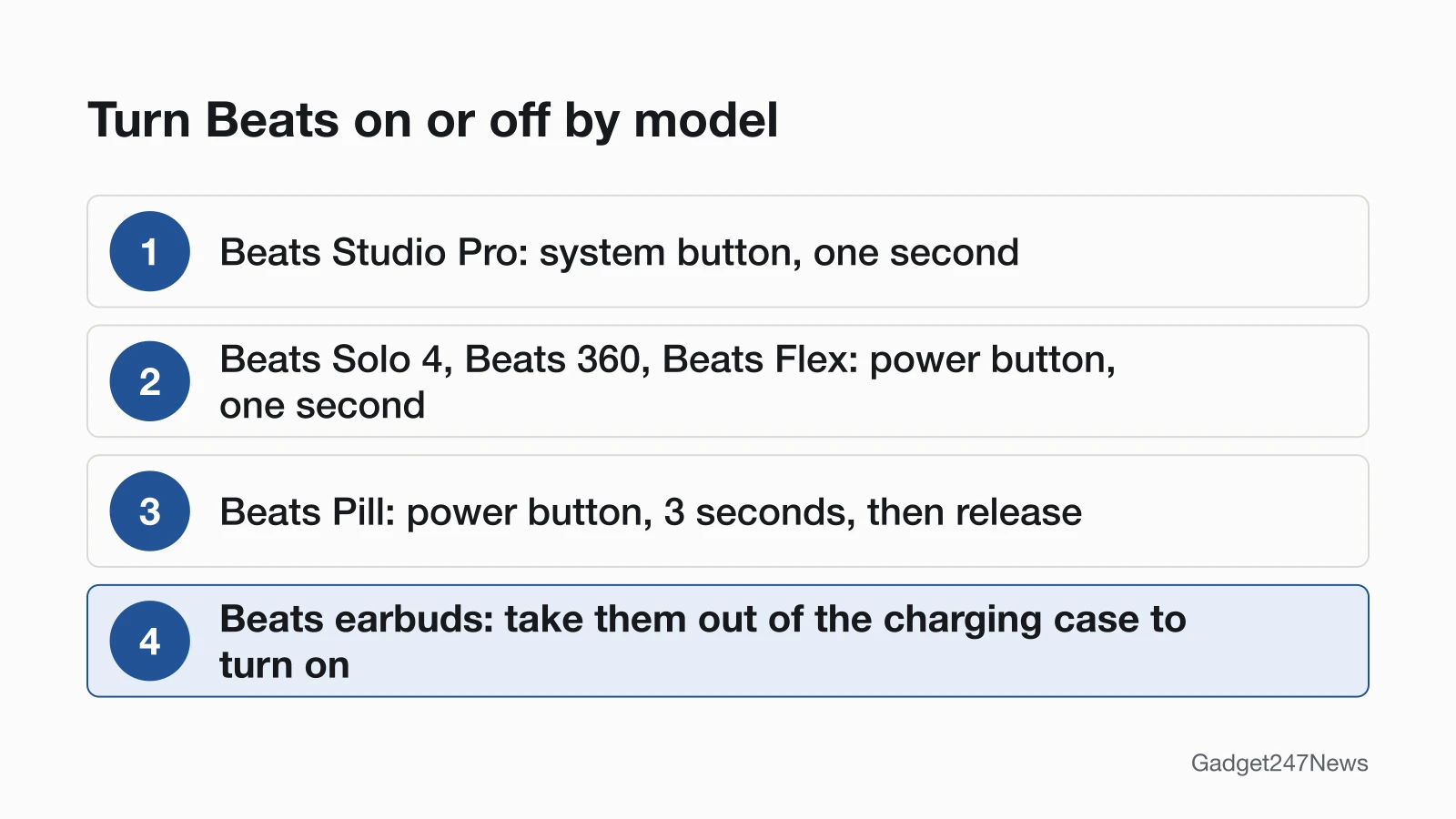
To turn on Beats headphones or Beats Flex, press and hold the power button for one second; on Beats Studio Pro it's the system button on the right earcup. Beats earbuds turn on when you take them out of the charging case. For Beats Pill, press the power button on top for 3 seconds. Everything else is on Beats headphones pairing, battery and sound fixes.
If earbuds of another brand won't power up, start with our earbuds charging fixes.
How to Turn On Beats Headphones
Turning on Beats headphones takes one press and hold:
- Find the power control for your model in the table below.
- Press and hold it for one second. Beats Pill: press for 3 seconds, then release.
- Check that they're on (see How to Check Your Beats Are On).
Power Buttons by Beats Model
Apple's Beats User Guide gives one press-and-hold for both on and off. This table lists each current model:
| Model | Control and hold time | What Apple adds |
|---|---|---|
| Beats Studio Pro | System button, right earcup, one second | Turn off when you disconnect the USB-C cable |
| Beats Solo 4 | Power button, right earcup, one second | Same USB-C switch-off; no battery needed on the 3.5 mm cable |
| Beats 360 | Power button, left earcup, 1 second | Status light on the power button; steady red means below 10 percent |
| Beats Flex | Power button, right control module, one second | Power-button light: white = more than an hour left, red = less |
| Beats Pill | Power button on top, 3 seconds, then release | Light flashes white above 10 percent charge, red below |
| Beats Fit Pro, Powerbeats Fit, Powerbeats Pro 2, Beats Studio Buds +, Beats Solo Buds | No power button | On and ready to use when you take them out of the case |
| Solo3 Wireless | Power button, 1 second | Press and release to see the Fuel Gauge |
Apple's Solo 4 text says left earcup; its diagram and the Pair and Reset pages say right, so we list right.
How to Turn On Beats Earbuds
Beats earbuds have no power button. Take them out of the charging case and, in Apple's words, "they're turned on and ready to use." That applies to Beats Fit Pro, Powerbeats Fit, Powerbeats Pro 2, Beats Studio Buds + and Beats Solo Buds. If they stay silent, charge the case (below).
How to Turn Off Beats Headphones and Earbuds
To switch off Beats headphones, Beats Flex or Beats Pill, use the same control and hold time you used to turn them on:
- Beats Studio Pro: hold the system button for one second.
- Beats Solo 4, Beats 360, Beats Flex and Solo3 Wireless: hold the power button for one second.
- Beats Pill: press the power button for 3 seconds, then release.
Beats earbuds are different: Apple's pages don't say that closing the case powers them down. Its charging page does say to keep the earbuds in the case when you're not using them, to help maintain the battery charge.
Do Beats Turn Off Automatically?
The Beats pages we checked list no automatic power-off timer or setting. Apple documents three cable cases: Beats Solo 4 and Beats Studio Pro turn off when you disconnect the USB-C cable, and Beats Pill turns off when you disconnect the cable it uses for USB-C audio. Don't count on idle Beats headphones powering down by themselves.
How to Check Your Beats Are On
Three checks confirm they're on:
- Look for the model's light (table above). On Beats Pill, a brief press of the power button shows green if it has power, red if the battery is low.
- On iPhone, go to Settings and look for the name of your Beats at the top of the screen. On Android, open the Beats app and tap My Beats.
- If they're on but play nothing, they may not be connected to your phone (next section).
If Your Beats Won't Turn On
Charge first. Beats 360 show three red flashes and then go off when the battery is too low, and Apple says to charge them for at least 5 minutes. On Beats Flex, a blinking red light means no time remaining. Charge by USB-C cable and a compatible power adapter, then press the button again. Still no light? Go to Beats headphones won't charge. If they turn on but won't pair, see Beats headphones not connecting to your phone. As a last resort, factory reset Beats headphones.
Turn Off Noise Cancelling Instead?
Many "turn off Beats" searches mean the listening mode, not the power. The three modes are Active Noise Cancellation, Transparency and Off.
- iPhone: Settings, then the name of your Beats, then under Listening Mode tap Active Noise Cancellation, Transparency or Off.
- Android: in the Beats app, tap My Beats, then tap the noise cancellation or transparency icon.
- Beats Studio Pro: press the system button twice.
- Beats 360: press the Listening mode button.
- Earbuds: press and hold the "b" button on Beats Fit Pro or Powerbeats Fit, or the button above the logo on Beats Studio Buds +.
How the feature works across brands is covered in active noise cancellation on earbuds.
Beats Power: Quick Answers
How do I turn off my Beats Solo 4?
Press and hold the power button on the right earcup for one second. Beats Solo 4 also switch off by themselves when you disconnect the USB-C cable. On the 3.5 mm audio cable they play without battery power.
How do I turn on noise cancelling on Beats?
On iPhone, go to Settings, tap the name of your Beats, then tap Active Noise Cancellation under Listening Mode. On Beats Studio Pro, press the system button twice; on Beats 360, press the Listening mode button. Apple rates Beats Studio Pro at up to 24 hours with ANC on, up to 40 with ANC and Transparency off.
Why won't my Beats Flex turn on?
A flat battery is the usual reason: a blinking red light means no time remaining. Charge Beats Flex with a USB-C cable and a compatible power adapter, then hold the power button on the right control module for one second. BeatsX isn't in Apple's current Beats User Guide, so we don't give steps for it.
Sources
We checked this page against the pages below, most recently on . How we verify fixes
- Use your Beats Studio Pro (Apple, support.apple.com)Official
- Use your Beats Solo 4 (Apple, support.apple.com)Official
- Use your Beats 360 (Apple, support.apple.com)Official
- Use your Beats Flex (Apple, support.apple.com)Official
- Use your Beats Pill (Apple, support.apple.com)Official
- Use your Beats Fit Pro or Powerbeats Fit (Apple, support.apple.com)Official
- Use your Powerbeats Pro 2 (Apple, support.apple.com)Official
- Use your Beats Studio Buds + (Apple, support.apple.com)Official
- Use your Beats Solo Buds (Apple, support.apple.com)Official
- Pair Beats (Apple, support.apple.com)Official
- Charge Beats headphones, earphones, and speakers (Apple, support.apple.com)Official
- Check the charge status (Beats User Guide) (Apple, support.apple.com)Official
- Get information about your Beats (Apple, support.apple.com)Official
- Switch between listening modes using your Apple or Android device (Apple, support.apple.com)Official
- Set up and use your Solo3 Wireless headphones (Apple, support.apple.com)Official